10.1.15.12-06212024
Set Up API Server in NetBrain
NetBrain retrieves VMware vCenter data through the vCenter Controller by using APIs. Follow the steps below to add a vCenter Controller and specify the address and user credentials to access the Controller in the system.
- Click
 in your NetBrain desktop and select API Server Manager from the drop-down menu.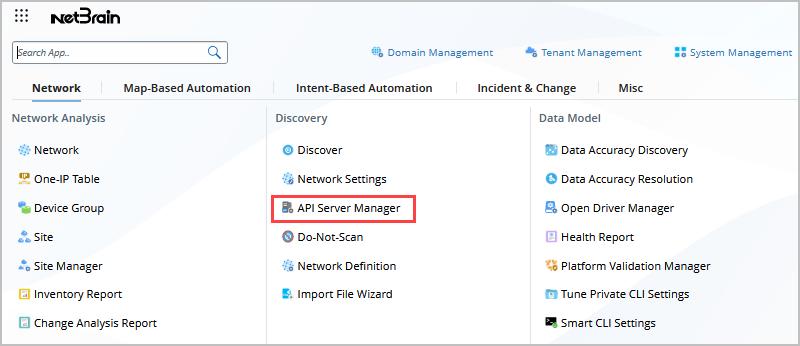
- On the API Server Manager tab, click Add API Server. The following is an example.
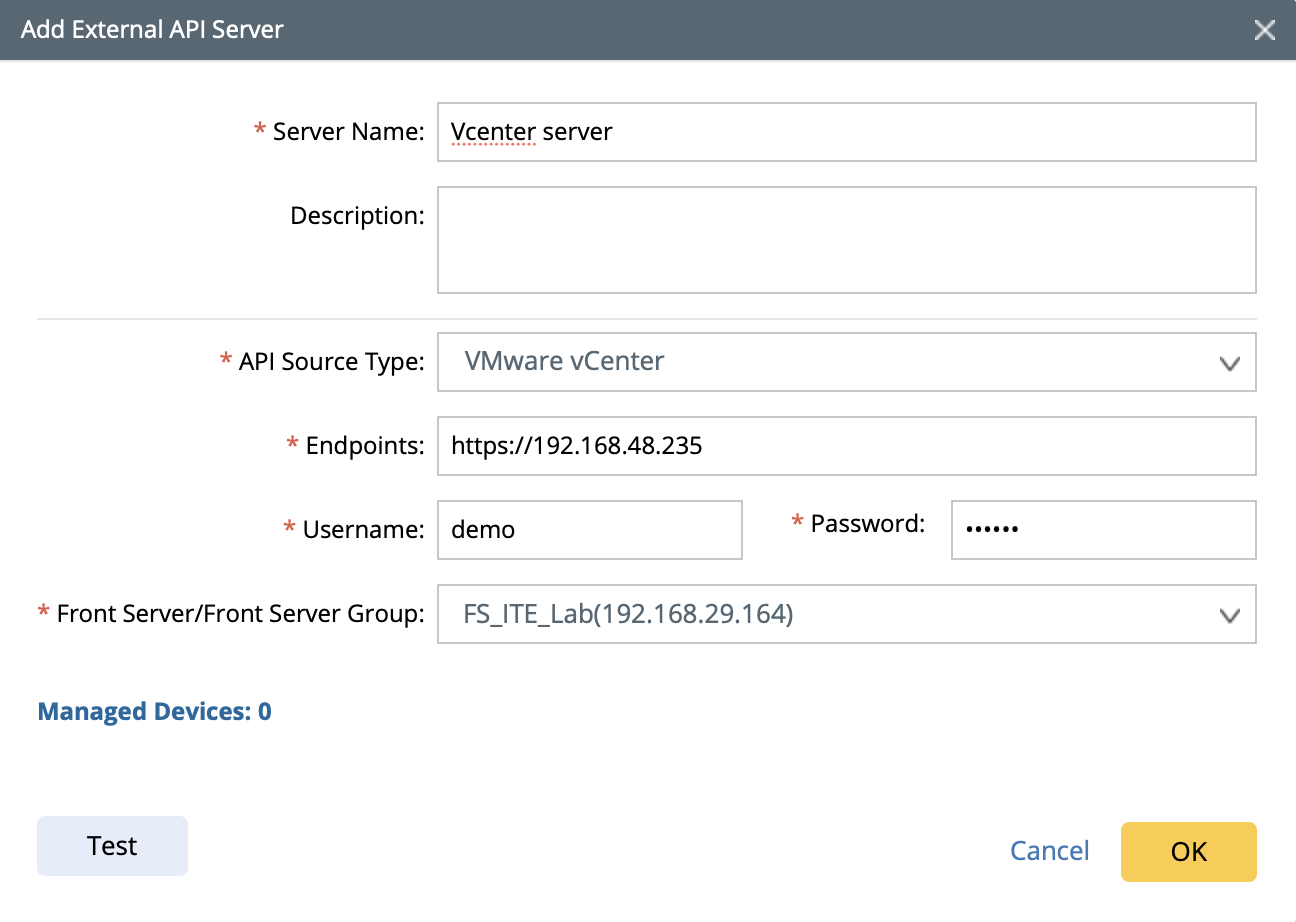
- Enter a unique name in the Server Name field.
- Select VMware vCenter from the API Source Type drop-down menu.
- In the Endpoints field, enter the URL of the vCenter Controller.
- Enter the username and password to access the vCenter Controller.

Note: A user account with the minimum ready-only role is required to discover a vCenter virtual network. - If more parameters are required when you access the vCenter Controller, you can click Advanced to configure the keys (parameter names) and values.
- Select a Front Server or Front Server Group.
Note: Make sure that port 7068 of the server where your NetBrain Front Server is installed is not occupied by other applications because this port is used by service components of a Front Server to communicate with each other. - Click OK.