R12.1 JA-2025July15
Create a New Feature
To create a new Golden Feature in the GES, navigate to the feature creation nodes step-by-step as follows:
-
Click
 Menu and navigate to the Intent-Base Automation tab.
- Select Feature and the GES with feature section will open in a new window tab.
-
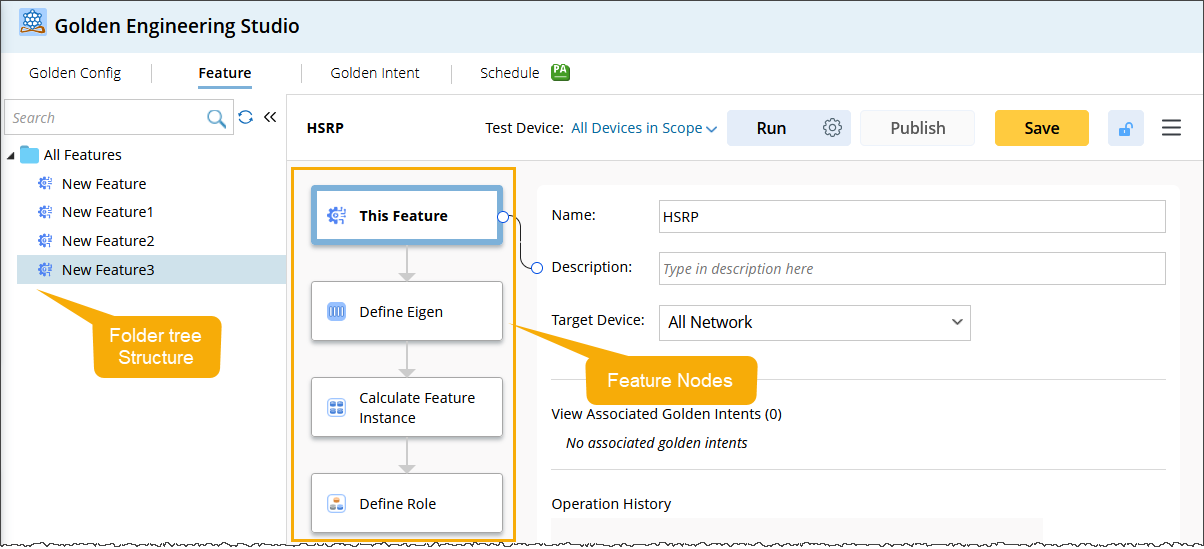
Go to folder tree structure located on the left side of Feature pane.

Note: A standard Folder tree structure is provided to manage all GF's, supporting regular operations like adding, deleting, modifying, and querying
-
Hover over the desired folder, open the drop-down
 menu and select New Feature.

After creating a New Feature, you will see the created Feature in the folder tree structure and its corresponding Nodes in the right side pane. The Golden Feature consist of total four Nodes: