R12.1 JA-2025July15
Create Your Personal Map
To create your personal map:
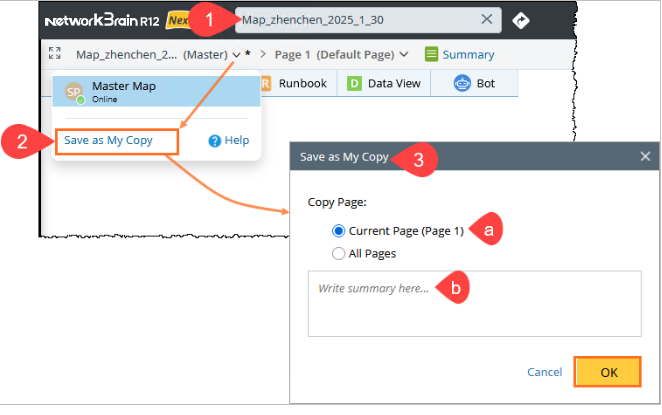
- Open a map and make the necessary changes.
- Click the map name and select Save as My Copy from the dropdown.
- In the Save as My Copy window:
- Choose whether to save the Current Page or All Pages as your personal map.
- Add a summary, which will be displayed on the map.
- Click OK to save a copy of a map.