R12.1 JA-2025July15
Customize Network Pane
In the Network pane, you can customize the available views and the nodes that can be displayed.
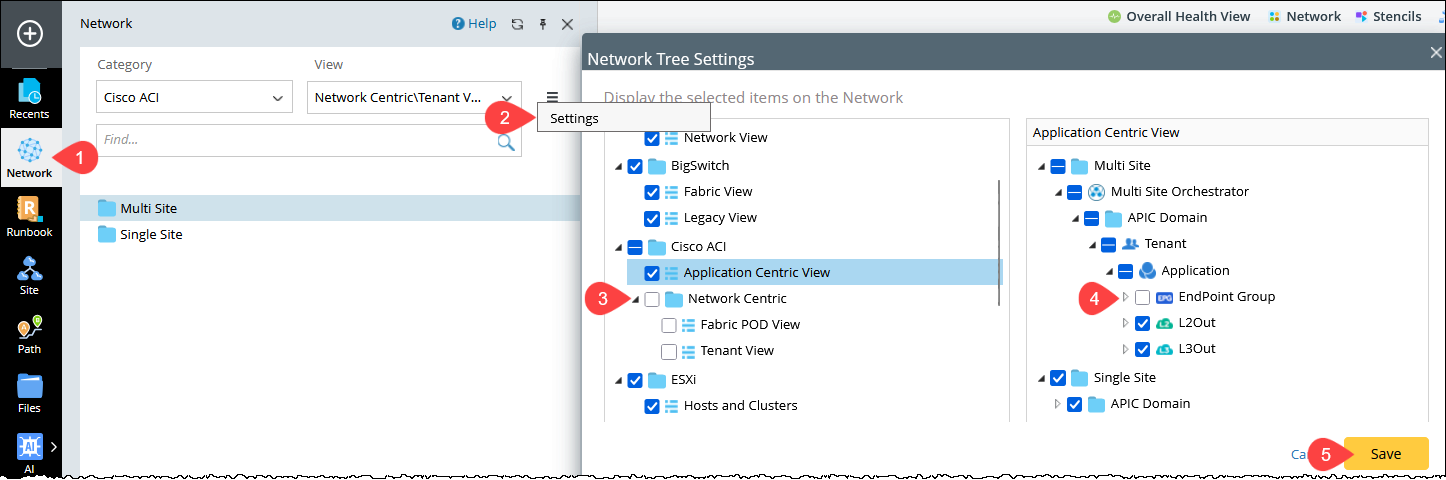
For Example: Disable the ACI Network Centric View and exclude EndPoint Group from the Application Centric View.
- In the NetworkBrain desktop sidebar, open Network.
-
In the Network pane, click the
 icon and select Settings.
- In the Network Settings dialog, uncheck the Network Centric checkbox.
-
Select the Application Centric View option, and uncheck the EndPoint Group checkbox.
-
Click Save to apply the above settings.