R12.1 JA-2025July15
Only Map Device with Alert or Success Status Code
- Enter the NI Edit Mode, then click the
 icon and select Intent Settings.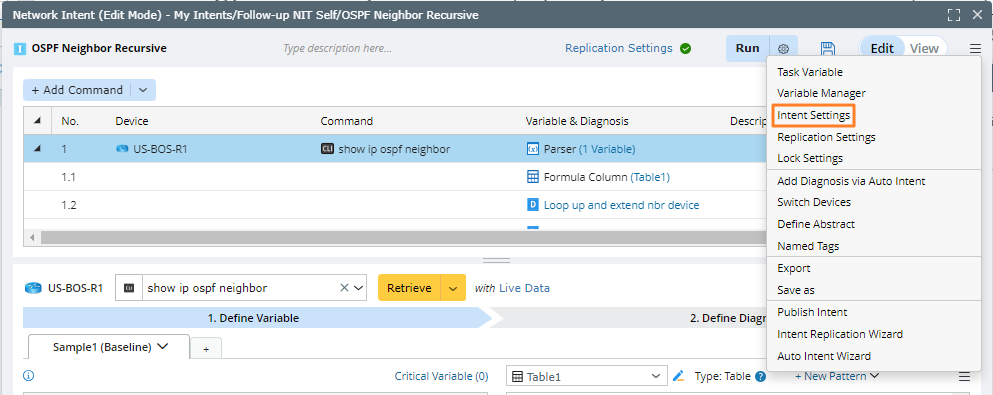
- On the Map Settings tab, only select the Successcheck box in the Display Output Map on Base Map area.
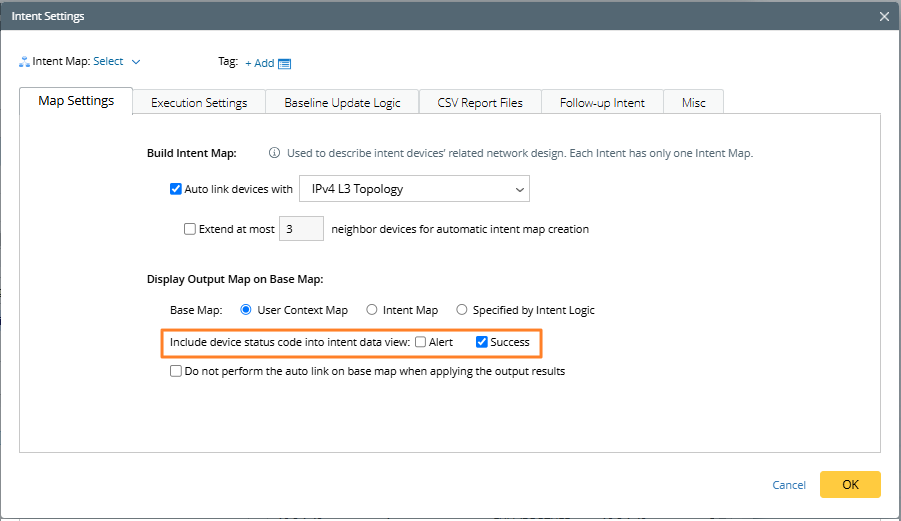
- Click OK. Then save the intent.
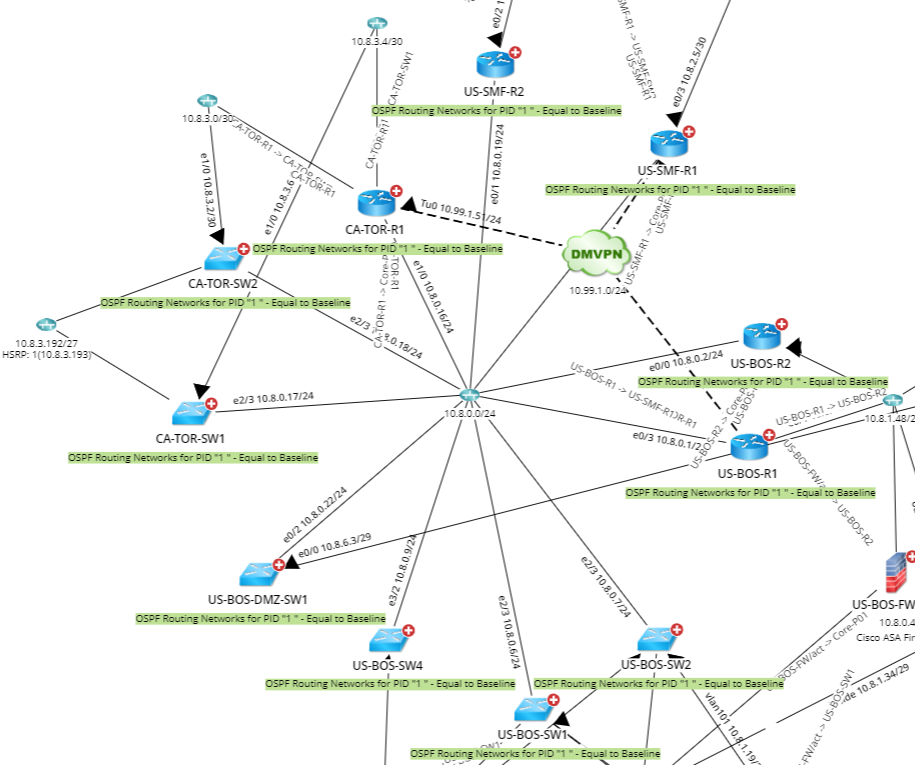
- Click Output Map to open the intent result on the map, and you will see that only the devices with successful status code are diaplyed.