R12.1 JA-2025July15
Published Runbook Template Manager
- Click Runbook on the left bar to directly access the Published Runbook Template Manager and browse all published templates.
- Select Map: Select the map on which the runbook will be created.
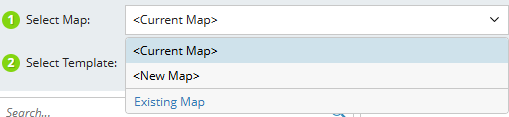
- Current Map: Refers to the map that is currently open. This option is displayed only if a map is open.
- New Map: Automatically create an empty map.
- Existing Map: Select an existing map and then create a runbook based on the selected RBT.
- Filter: You can enter keywords in the search box to filter the RBTs based on the name.
- You are allowed to perform the following two operations for RBT.
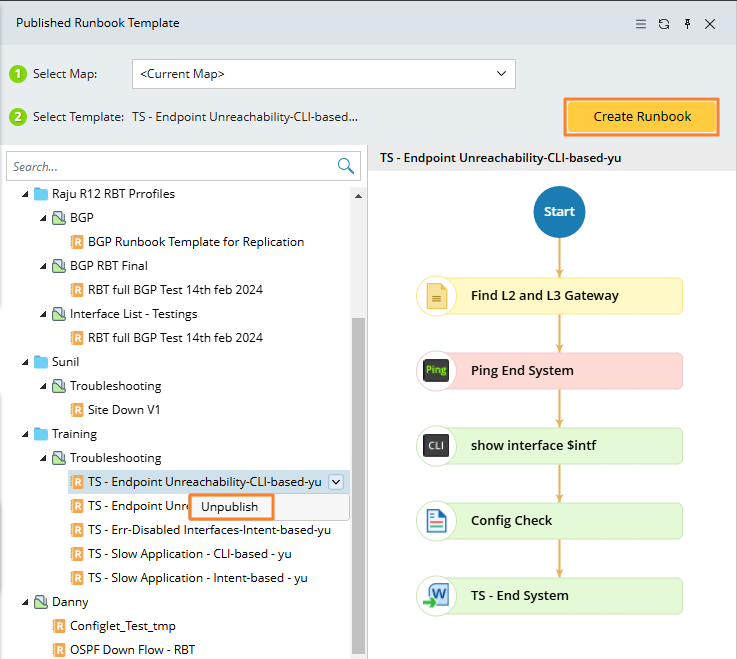
- Unpublish: Click to remove the current RBT from the published RBT list.
- Create Runbook: Create a runbook based on the selected map and RBT.
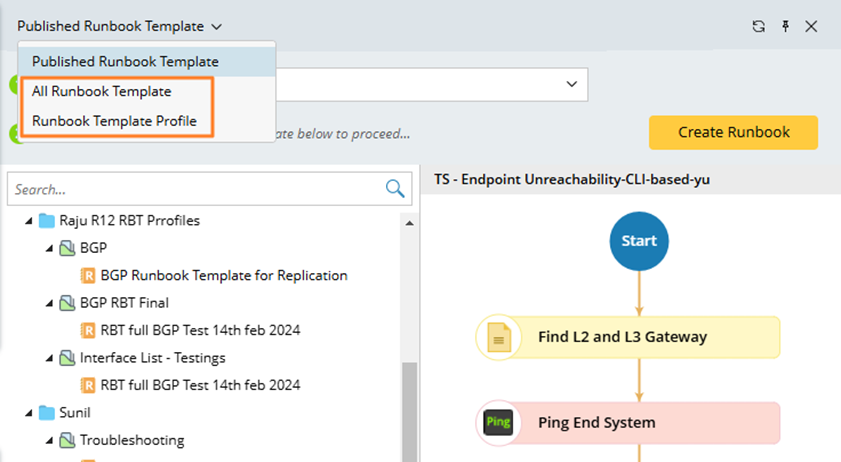
There are two additional entry points in the Published Runbook Template Manager: Runbook Template Manager and Runbook Template Profile Manager. For these three managers, you can access the other two managers from any one of them.