R12.1 JA-2025July15
Run Network Intents
Network Intent can be executed from a Runbook manually or dynamically as a part of the diagnosis workflow. The execution result could be saved locally or shared with the team for collaboration.
The Network Intent can be executed manually as a runbook node:
- On the Runbook, click the
 icon and select Network Intent.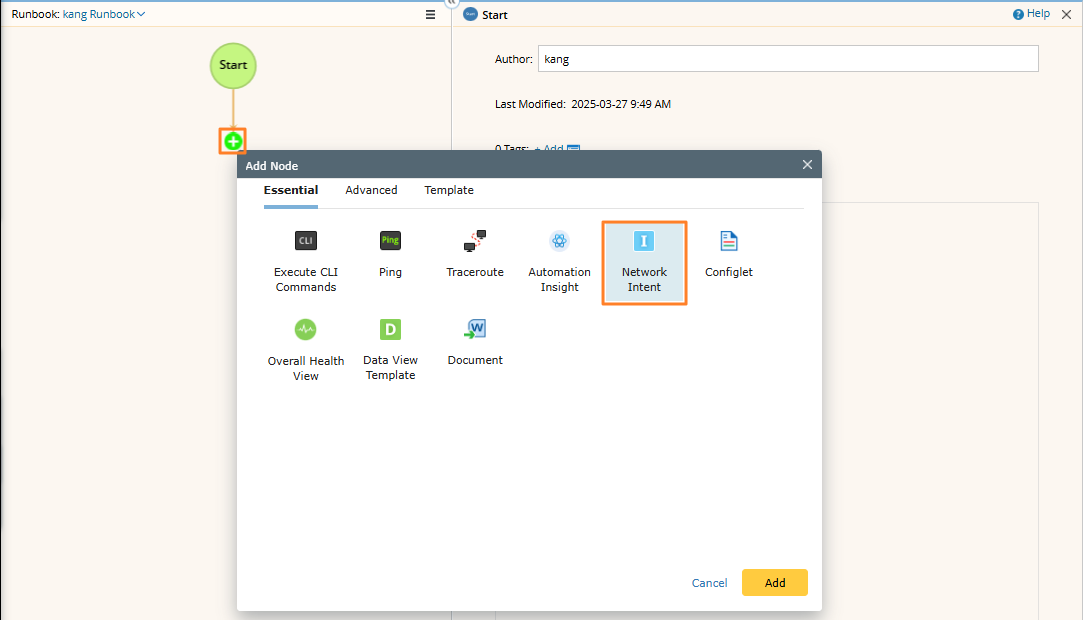

Tip: If a runbook has already been opened, the Network Intent node will be added to the current Runbook; otherwise, it will be added to the personal runbook. - In the expended Network Intent pane, define the target devices and select one or more standalone intents.
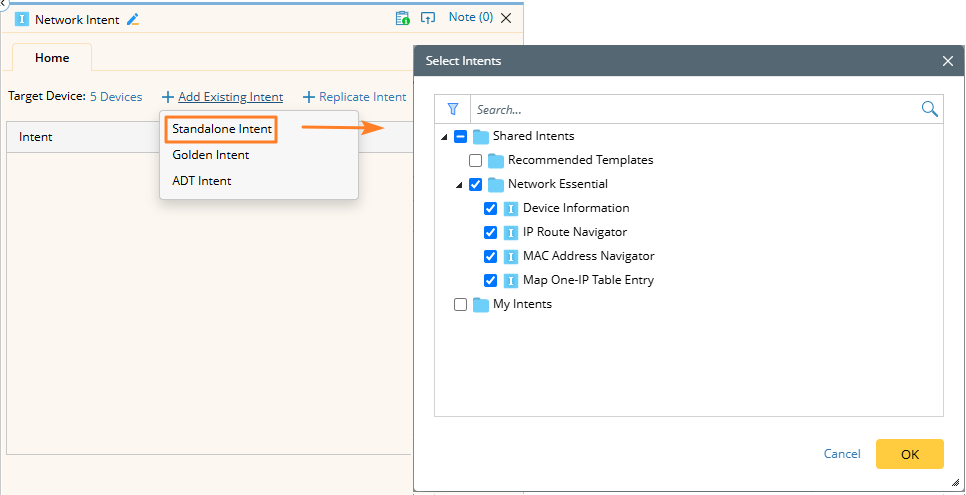
You can add all types of intents.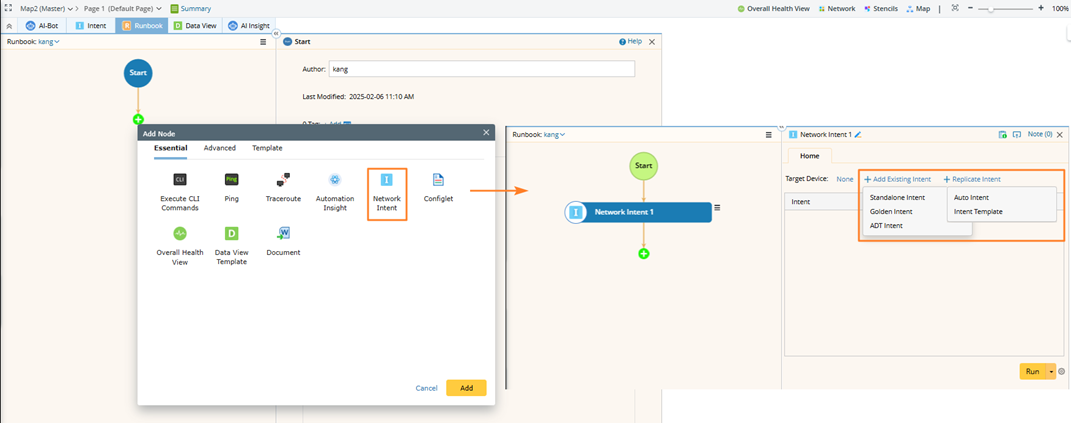
- Define the task variables if the selected intents contain.
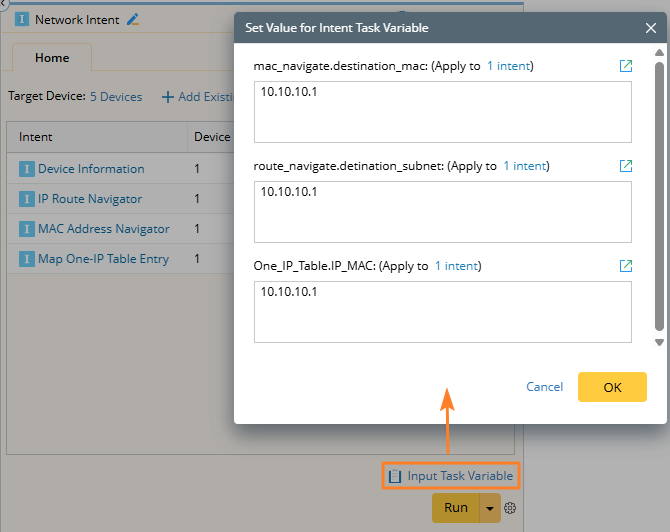
- You can click the
 icon to set the data source, share alert email, and execution log mode.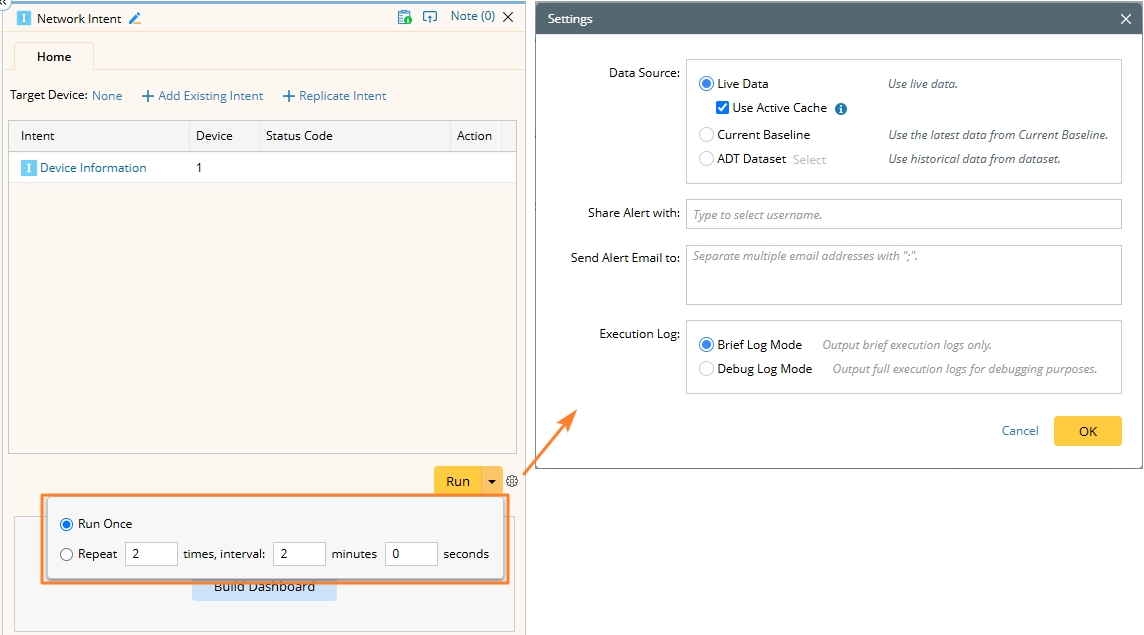
Repeat Run is also allowed. The repeat run's multiple execution results will be recorded in the current node result, not the node-level result.
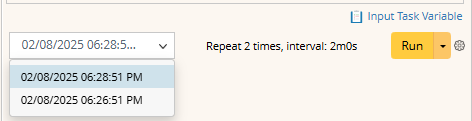
After multiple executions, you can switch to another result by selecting different time points.
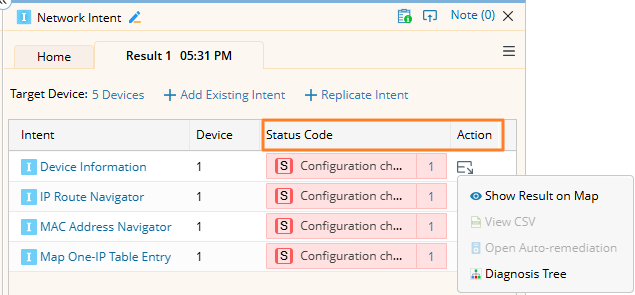
- Click Run. After the execution is finished, view its result, or click the status code to view more details.