R12.1 JA-2025July15
Send Intent Execution Data to Embedded Incident
The embedded incident in intent supports:
- Transient problem diagnosis – findings across multiple executions of the same intent are documented inside the Intent Incident.
- Long-term intent executions – compliance intent or published intents may be executed after the network change, and the critical findings are documented inside the intent’s incident so that users can review this from within intent.
- Send an email with a link to point back to the incident/portal with more data for the execution results.
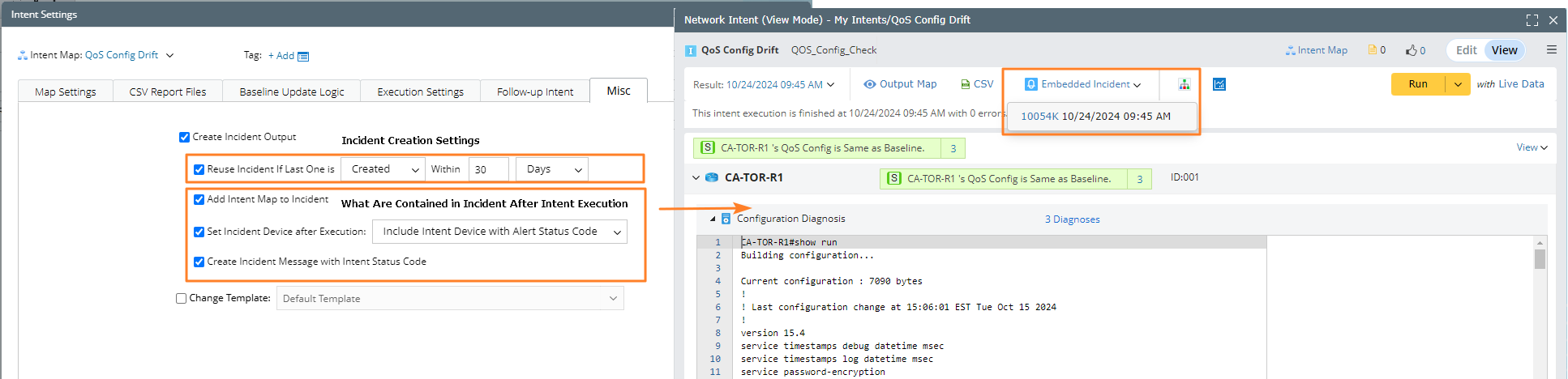
Use the embedded incident as follows:
Complete the following steps to use intent incident to document multiple executions of a rule check within 1 day.
- Create an intent to parse QoS configuration.
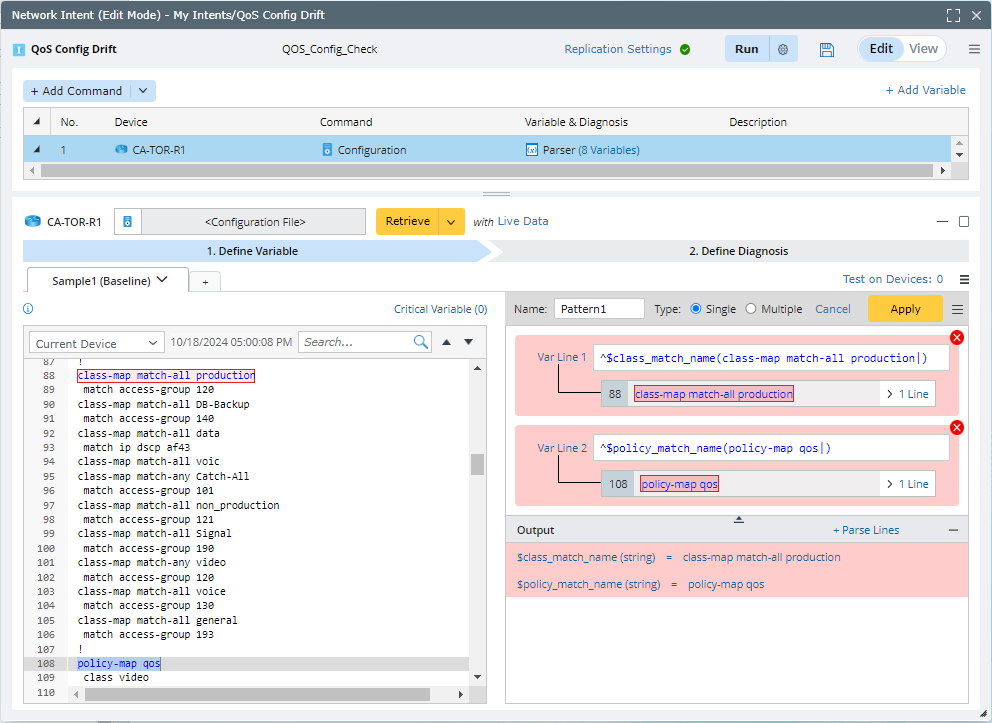
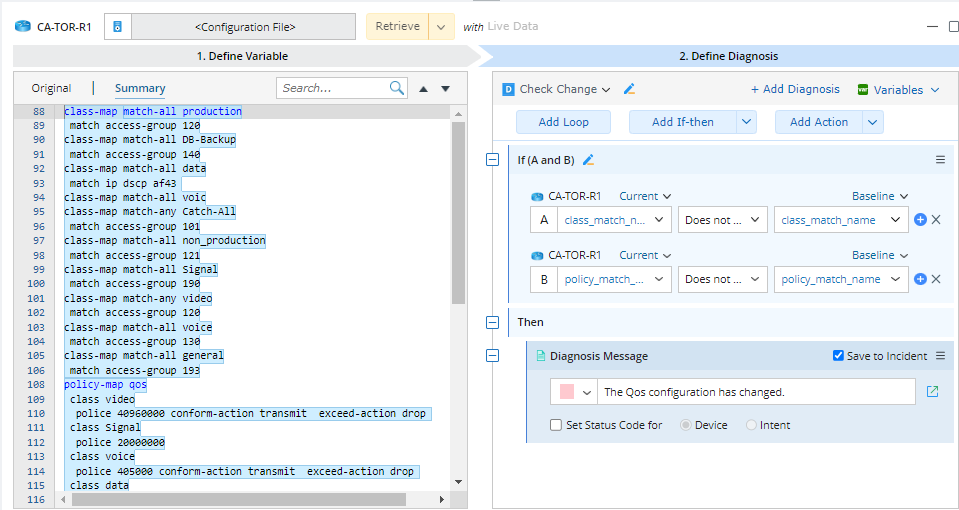
- Define diagnosis to check configuration change, and select the Save to Incident check box to save the diagnosis message to the incident. Moreover, the diagnosis message can also be saved to the incident triggered by TAF.
- Click
 icon at the upper-right corner and select Intent Settings to save the execution results into the intent incident with the age of one day. See Main Functions of Embedded Incident for more details.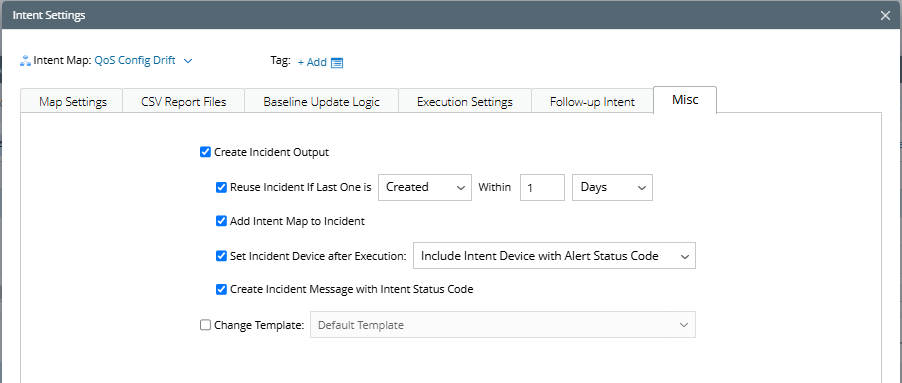
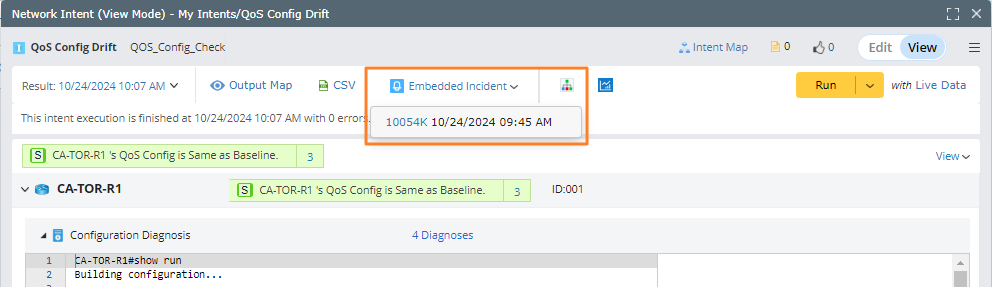
- Click Embedded Incident in intent View Mode to view all the recorded incidents.