R12.1 JA-2025July15
Set Up Splunk
Once the Splunk has been installed, you need to set up it. The authentication information and NetworkBrain URL to the application need to be provided.
- Navigate to manage apps and search netbrain. The installed application will be visible.

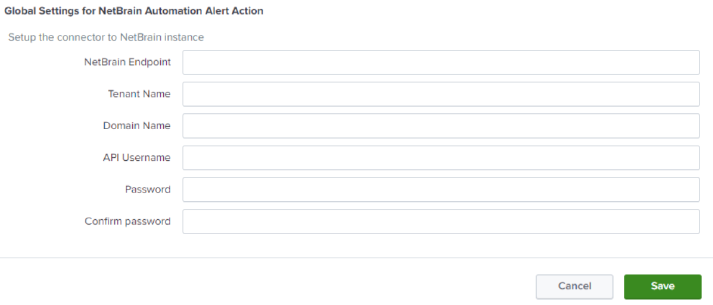
- Click Set up, and then a window opens for you to configure NetBrain information.
- Provide the below details and click Save.
- For single tenant application:
- For multi-tenant application:
