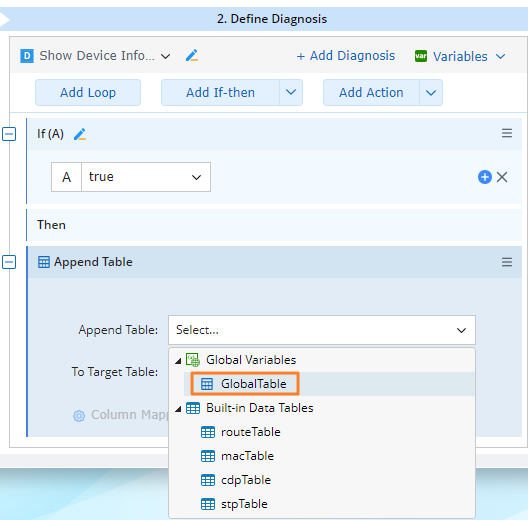
Table Diagnosis Summary
NI has many table-related logics for you to define diagnoses. 
Set Table by CSV:
You can use a predefined CSV to set a specific table: append or overwrite the selected table data. 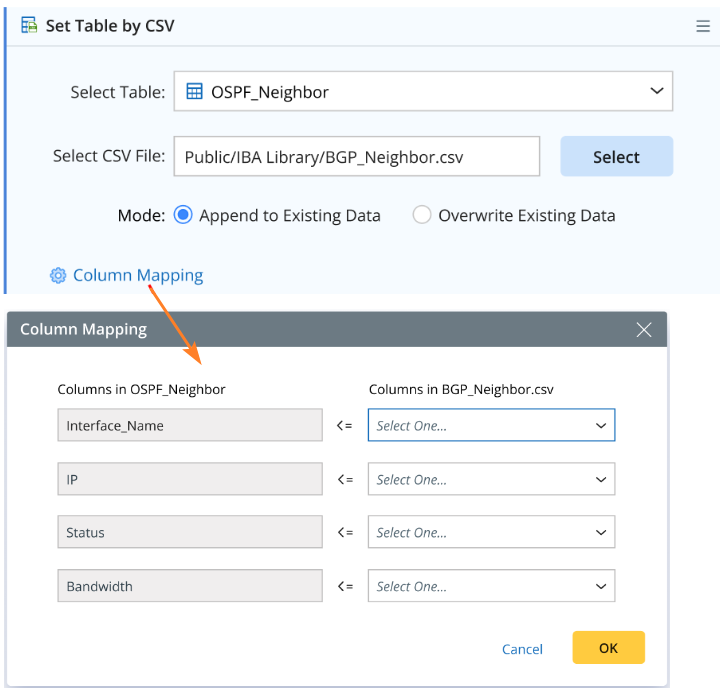
Click Column Mapping to define the mapping relationship between the columns of the selected table and the CSV file. The selected table can be the global or local table defined by users, and the CSV file needs to be uploaded to a file folder to be selected here.
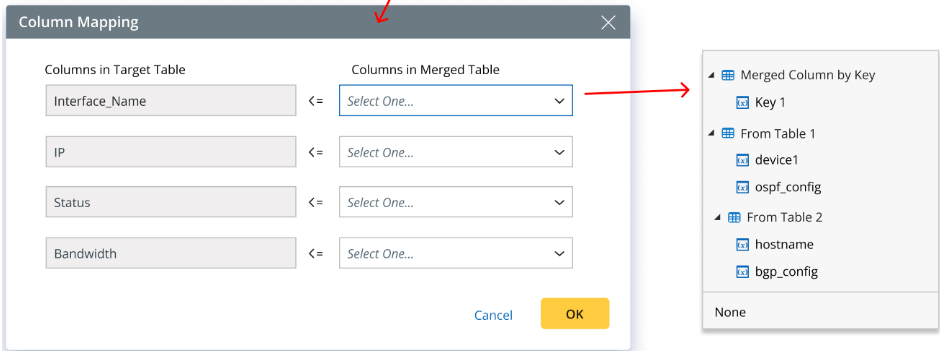
Merge Table:
You can use this logic to merge two tables into a target table by defining the merging rule and column mapping. Table 1 and 2 can be all types of table variables but the target table can only be table type of global or local variables.

Append Table:
You can use this logic to append a target table. The appended table can be all types of table variables, but the target table can only be a table type of global or local variables.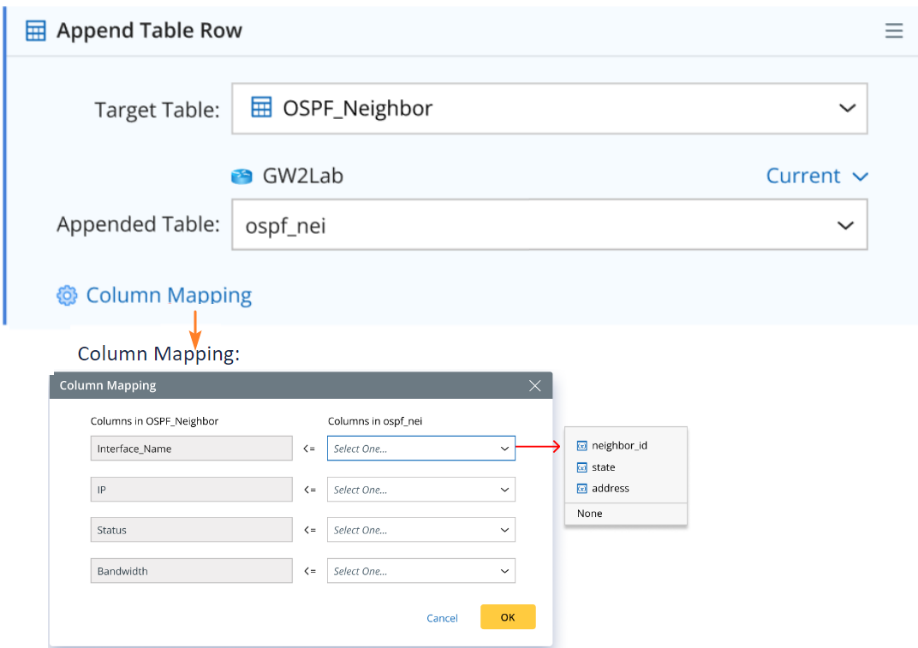
Table Compare:
You can select a table to compare its data at different time points by adding a logic directly.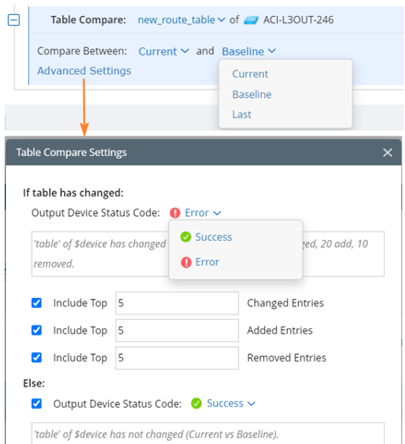
Click Advanced Settings to define more settings such as status code.
Get Data from Table Column:
This logic allows you to get required data from a specific table by setting conditions.
When you select Get First Matched Value, a single value variable will be returned. If no condition is set, the first row's data will be returned.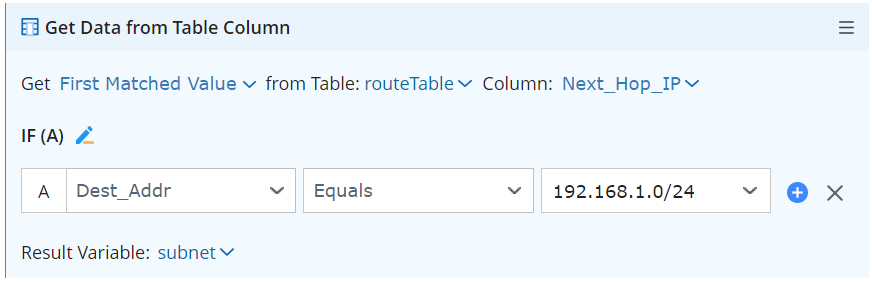
When you select Get All Matched Value, a list variable will be returned. If no condition is set, the all rows’ data will be returned.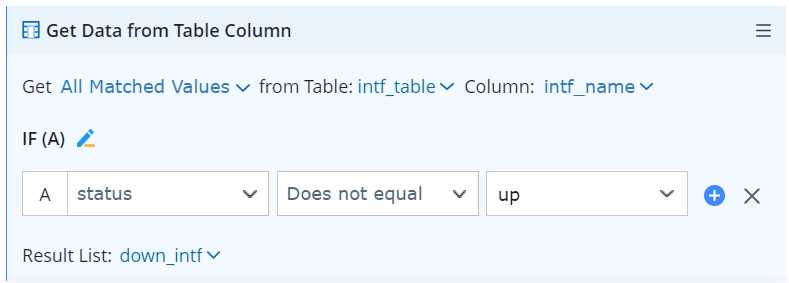

|
Note: With the above table diagnoses, global table can be performed in Set Table by CSV, Merge Table, and Append Table logics.
|