R12.1 JA-2025July15
View Automation Results
Prerequisites: Ensure the automations are enabled in the Insight Manager.
The Automation Insight tab will display the last result of the following automations:
- Common Intent
- Golden Intent
- ADT Intent
- Golden Config
- Config Parser
- CLI Commands.
Follow the steps to view automation results on the Automation Insight tab.
- You can apply filters to focus on the most relevant results.
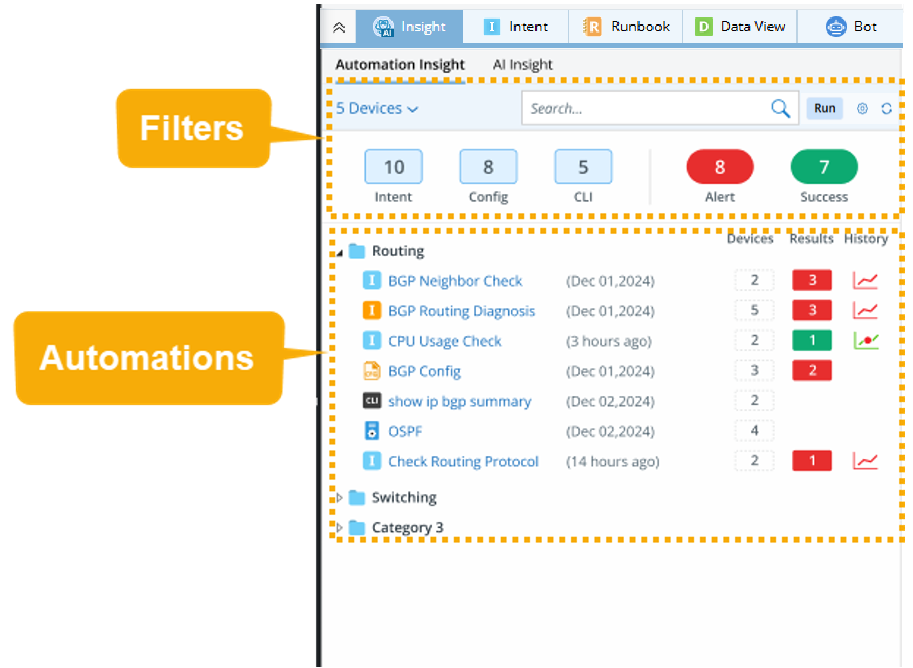

Note: The filters are applied in combination to narrow the results.
Filter Note Device Filter
- When opening the Insight tab on a saved map, the device filter contains the map devices.
- You can also select devices other than the map devices.
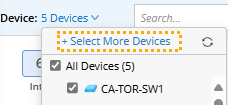
- The displayed network intents will contain at least one device in its device scope.
- For ADT intent or golden intent, only the network intents contain the devices as device scope will be displayed
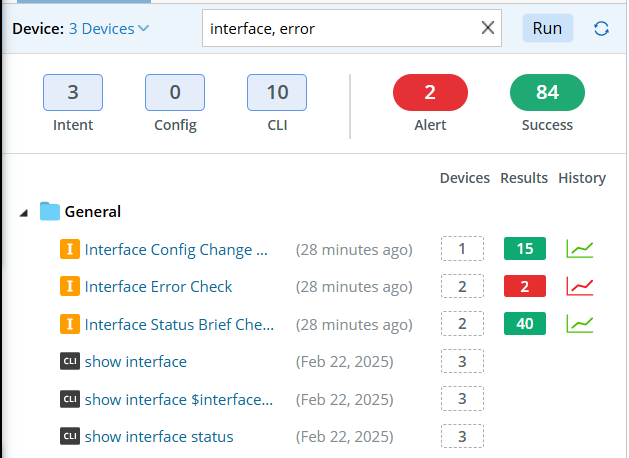
Search Bar You can enter keywords in the search bar to search for a category name and automation name.
You can separate multiple keywords with a comma to search for results matching any of the keywords.
Results:
- Alert (
 )
) - Success (
 )
)
Select Alert/Success to view the results with alerts or with a success status.
- Since CLI and Config do not have alert or success status, they will be displayed regardless of the alert/success filters.
- With Alert selected and Success deselected, automations with alerts will be displayed.
- With Success selected and Alert deselected, automations with a success status will be displayed.
Automation Type:
- Intent (
 )
) - Config (
 )
) - CLI (
 )
)
Intent contains all types of intent, including golden intent, intent, and ADT intent. Config includes golden config and config parser. CLI includes CLI commands and CLI commands from CLI Dictionary.
- You can view the last results of different automations and the details:
- View Common Intent.
- View Golden Intent and ADT Intent.
- View Golden Config.
- View Config Parser.
- View CLI Commands.
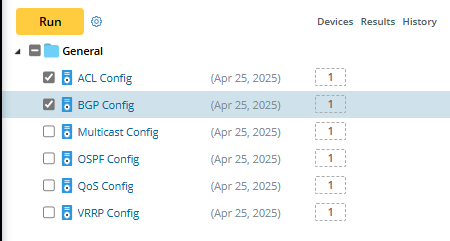
- You can select the automations, click Run to execute them and view the latest execution results.