R12.1 JA-2025July15
Which Items Can Be Templatized for Each Node
The following items in each node will be converted into template variables.
| Node Type | Item to Be Templatized |
| Execute CLI Commands | TargetDevices |
| Compare | Compare Same Device:
Compare Two Devices:
|
| Retrieve Live Data |
|
| Ping |
|
| Traceroute |
|
| Data View Template |
|
| Run Qapp |
|
| Run Gapp |
|
| Path | Unicast:
Multi Cast:
|
| Verify Application | N/A |
| Free Text | N/A |
| Ansible Task | Target Device Hostvariable1 Hostvariable2 |
| Define Change | Target Device |
| Planning | N/A |
| Other Change | N/A |
| Execute | N/A |
| Document | N/A |
| Intent |
|
| Insight |
|
When assigning values to the RBT nodes using a variable:
- You can choose which parameters for each node need to be assigned values using template variables. By default, no parameters are selected.
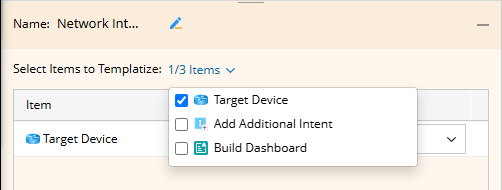
- Template variables can be used to assign values to parameters that have already been selected. Both variable and table variable columns can be used (but not the table itself).
- When using the table variable to assign values to ‘Execute CLI Commands’ node, you are not allowed to use two or more tables for assignment.
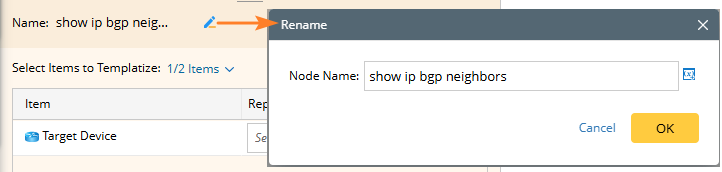
- You can define a node name for each node. The node name supports inputting a variable, which will be replaced with the actual value when the runbook is initialized. The variable here supports all template variables.