R12.1 Project Publication-2025Dec23
Define View Settings of Diagnosis Tree
As more and more diagnoses are defined under the follow-up NIT/Self in the triplet intent, the size of the diagnosis tree also increases, making it more troublesome to view the diagnosis tree when it is too large.
To address this issue, you can define the View Settings of a diagnosis tree at the system level to control how many layers the diagnosis tree expands and how many nodes each layer expands by default. Moreover, each diagnosis tree has its own View Settings, allowing you to modify and adjust the settings based on the default values and these settings only affect the current diagnosis tree.
- Open a diagnosis tree.
- Click View Settings.
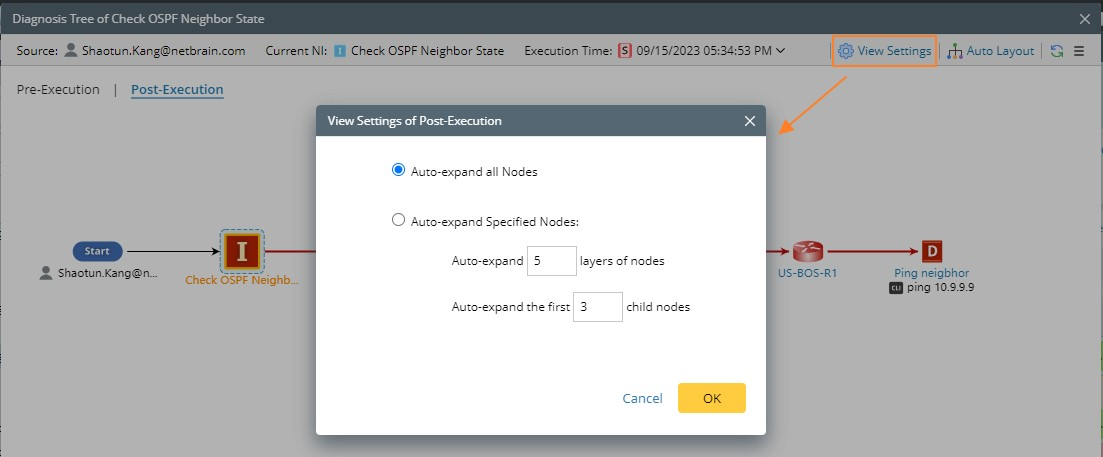
- Auto-expand all Nodes: By default, this check box is selected to expand all nodes of the diagnosis tree.
- Auto-expand Specified Nodes: Expand the first 5 layers and the first 3 nodes of each layer by default. You can manually adjust the values as needed.

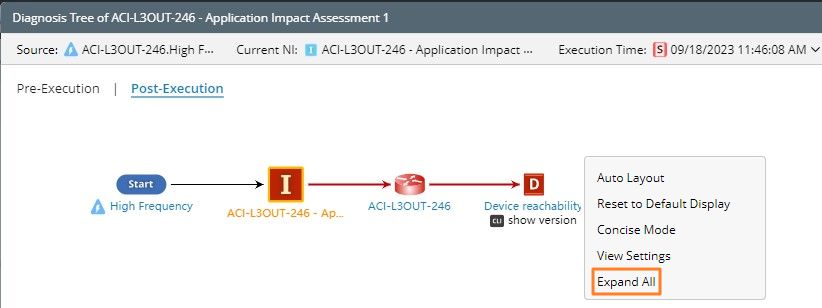
Note: You can also right-click the empty space of the diagnosis tree to expand all nodes of the entire diagnosis tree.