R12.1 Project Publication-2025Dec23
Set Up APIC Server Access for NetBrain
To enable NetBrain to discover a Cisco ACI network, you need to reserve a user account with the minimum privilege to read the data from your Application Policy Infrastructure Controller (APIC) and access the authorized tenants and fabric infrastructure.
Follow these steps to double-check the configurations on your APIC server.

|
Note: The following steps and screenshots are based on APIC version 4.1(2g) and are subject to change in higher versions. |
- Log in to your APIC server with the admin account, and go to the Admin tab.
- In the navigation pane, select Security Management > Local Users. Verify that the security domains you want to discover and the corresponding roles (admin and read-all) are assigned to the user account reserved for NetBrain.
Note: A write privilege is not required for this operation. However, the admin-read privilege is required to retrieve certain system data. 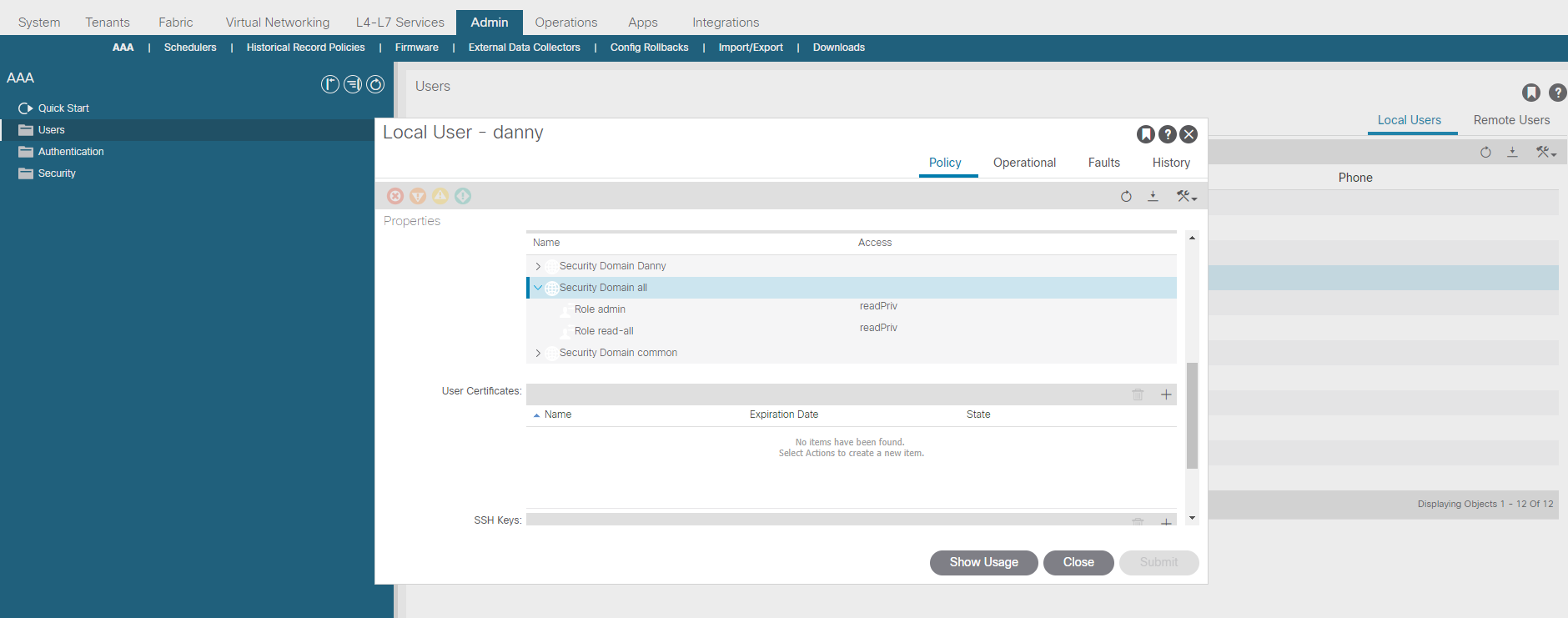
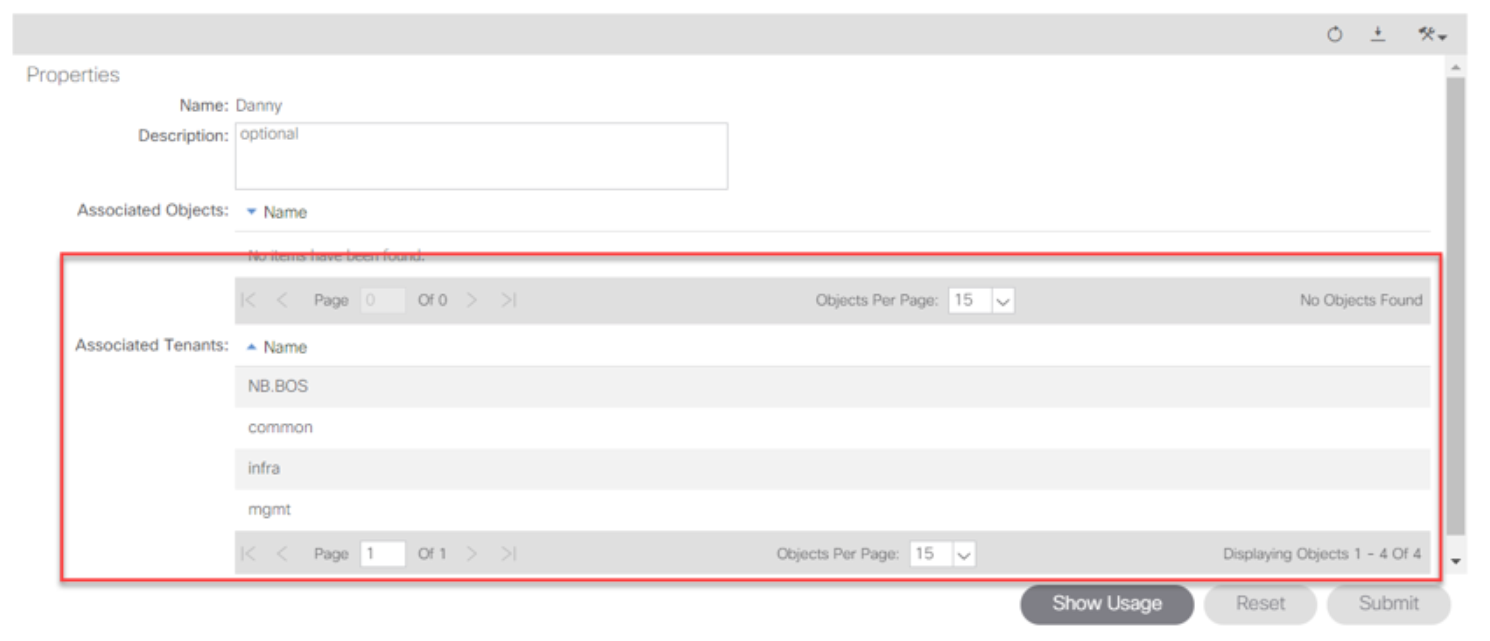
- Select Security Management > Security in the navigation pane, and click the user account mentioned in step 2. In the Associated Tenants area, make sure the security domain includes all the system tenants (common, infra, and mgmt) and manually created customer tenants.
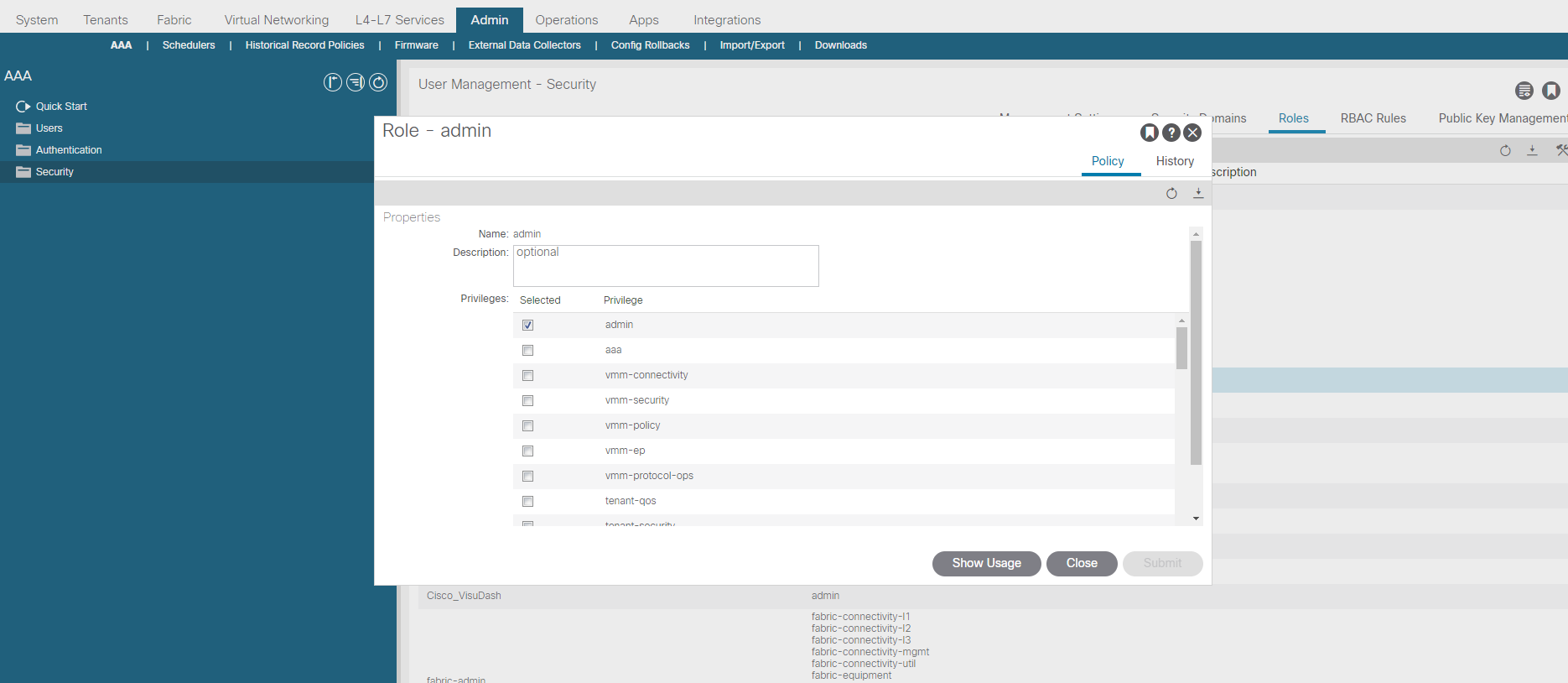
- Select Security Management > Roles in the navigation pane, and check the role mentioned in step 2. Make sure that role includes the necessary privileges.
|
|
Note: The admin privilege is required to retrieve NCT data |