R12.3-2026Apr21
Action Plan
In some complex troubleshooting cases, AI Bot’s response might not adequately address the problem due to its lack of network knowledge. To automate the diagnosis, users can leverage the Action Plan to describe the troubleshooting steps in natural language, allowing the AI bot to follow these steps to facilitate diagnosis.
Action Plan provides an easy way for users to translate human knowledge into actionable steps, convert human network knowledge into automated troubleshooting, also customize the AI bot’s response.
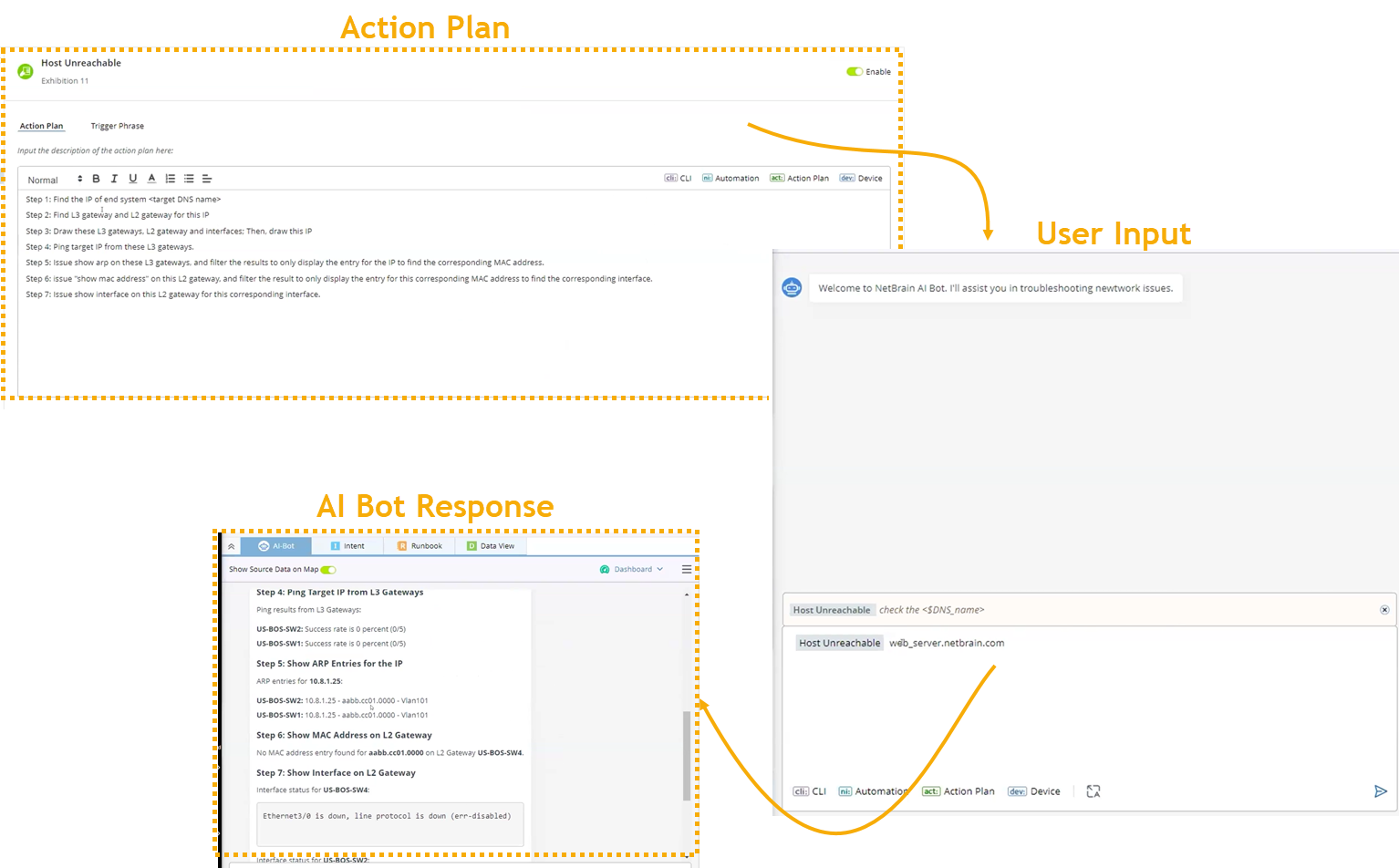
Define an action plan:
-
Navigate to AI Bot Manager and add an action plan.
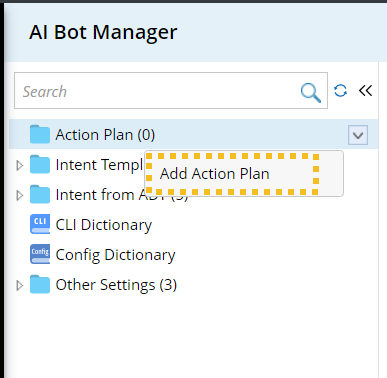
-
On the Action Plan tab, define the action plan. Users can tag a device, automation, CLI or even another action plan in the text.

-
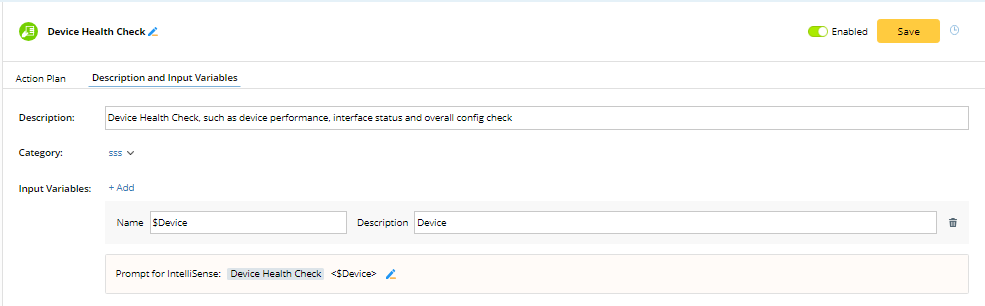
On the Description and Input Variables tab, define the following:
- Description. The description for the action plan.
- Category
-
Input Variables. To help LLM extract input variables from user input, users can add input variables and their descriptions here.
-
Define the Prompt for IntelliSense for users to know what to enter as the required input.
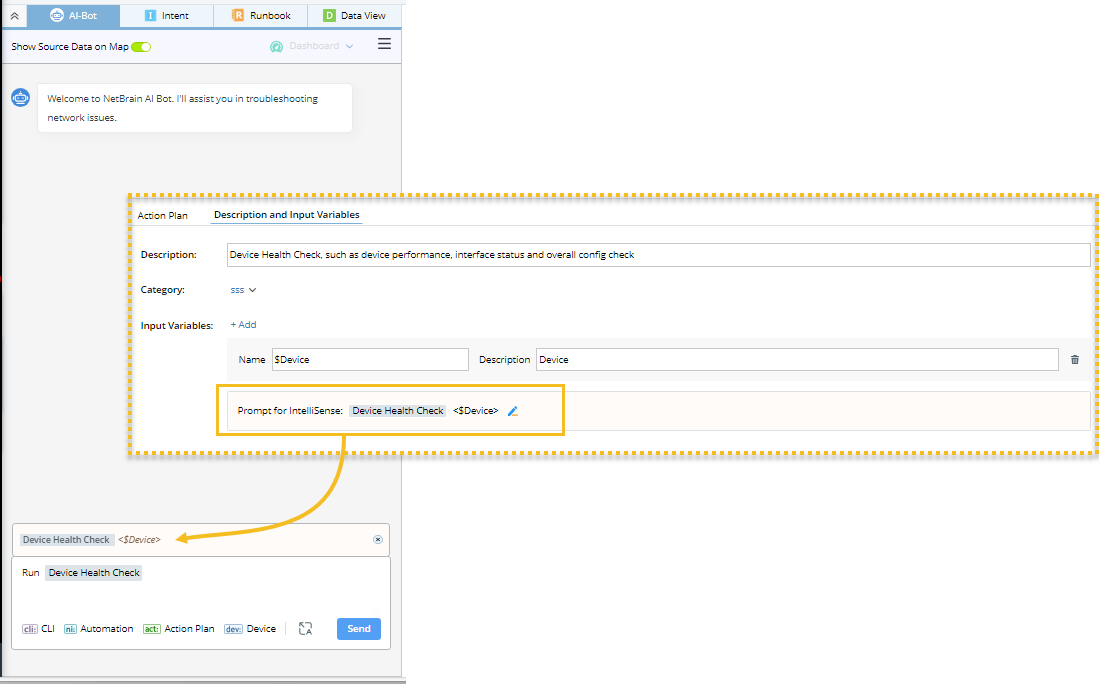
- Enable the action plan for the AI Bot to use it.
