R12.3-2026Apr21
Define API Stub in NetBrain
- Log in to your domain.
- Click the start menu, and select Map-Based Automation > Runbook-Based Triggered Automation.
- Click the API Stub Manager tab and click Add Stub.

- Enter an API stub name in the AIP Stub Name field. A third-party system will use the API stub name to recognize an API task.
- Enter a description of the API task in the Description field.
- Click Edit in the Trigger Option field to define the mode of the API task:
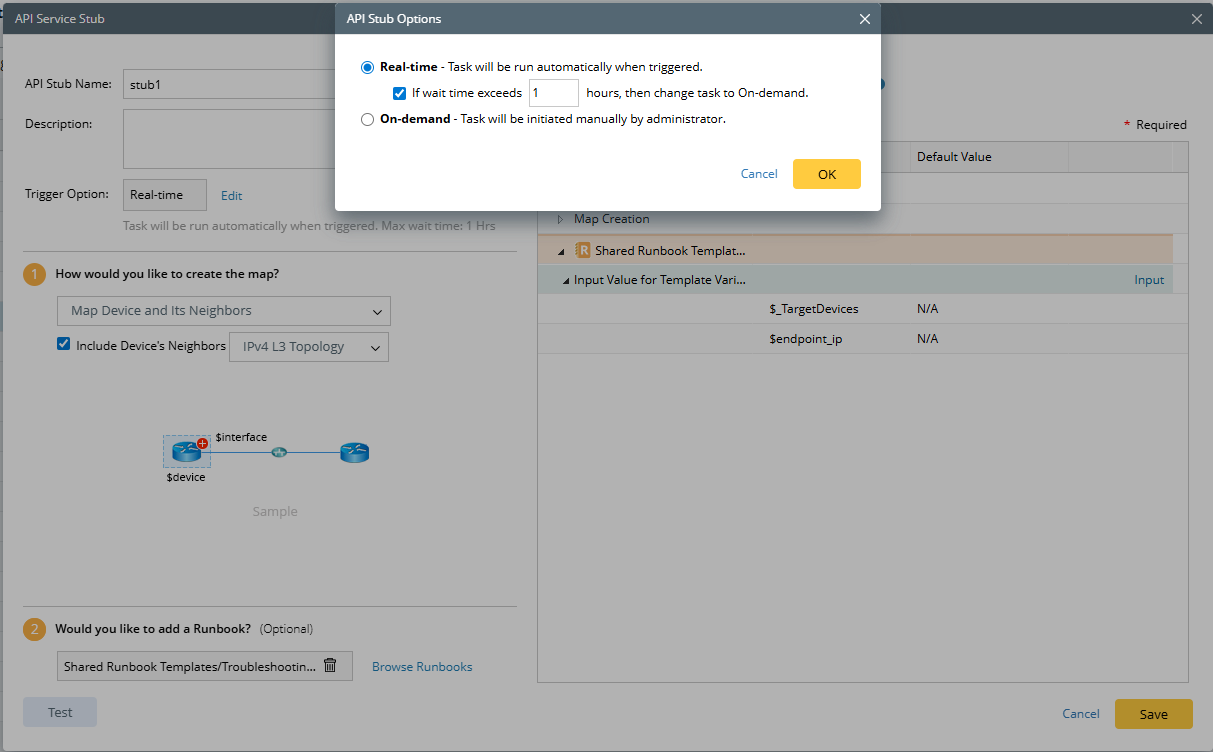
- Real-time — indicates that the API task runs immediately and automatically when being triggered. You can also define the maximum waiting time before transforming to the On-demand mode.
- On-demand — indicates that the API task will be put in the task queue as a pending task when being triggered. The task will be executed only when you click the Task ID or Map URL in the third-party system.
- In the How would you like to create the map? field, specify how to create a map in the system.
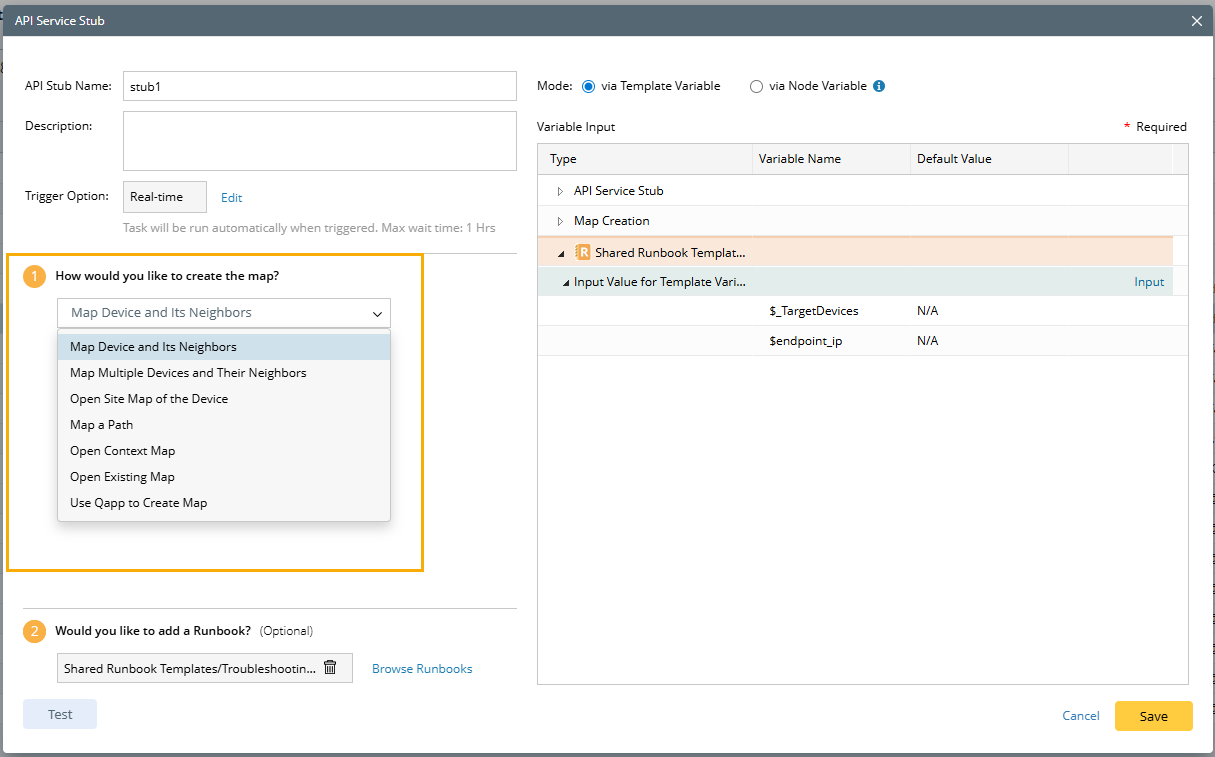
- Map Device and Its Neighbors — draw the problem device and its neighbor devices on a map. Select a topology type between the device and its neighbor.
- Map Multiple Devices and Their Neighbors — draw multiple devices and their neighbors and auto-link them on a map
- Map a Path — draw the traffic flow from a device to another device. You can calculate a unicast path or multicast path.
- Open Site Map of the Device — open the site where the problem device locates. In case the original site data is changed, select the Do not change the original Site Map, make a copy instead checkbox.
- Open Context Map — open the context map of the problem device. Select a device category (Legacy Device or Cisco ACI Device) for the problem device.
- Open Existing map — open an existing map in your domain.
- Use Qapp to Create a Map — create a map via a Qapp.
- (Optional) In the Would you like to add a Runbook? field, select a Runbook to run on a map.
- View variables and their values in the Variable Input pane. After selecting a runbook template, any template or node variable it contains will be listed. You can then choose whether to pass an external ticket value via a template variable or node variable.

Note: Some variables and their values are required when you define scripts in the third-party system. - Passing Value via Runbook Template Variable

In the Input Value for Template Variables window, define the default value for variables. You can either select a built-in item or enter a value manually.
Note: If the variable receives a value from an external system, the value will overwrite the manual entry. 
Variable Type Built-in Item device Map Device
(All devices on the map created by the triggered task of Runbook-based Triggered Automation.)
interface Visible Interface
(All the visible interfaces on the map created by the triggered task of Runbook-based Triggered Automation.)
node Map Nodes
(All the nodes on the map created by the triggered task of Runbook-based Triggered Automation.)
Table Variable
(Manually defined or imported it from CVS)
N/A Int/String/Float/Bool N/A -
Passing Value via Node Variable. You can choose a value or manually enter it.
Tip: You can disable or enble the nodes.
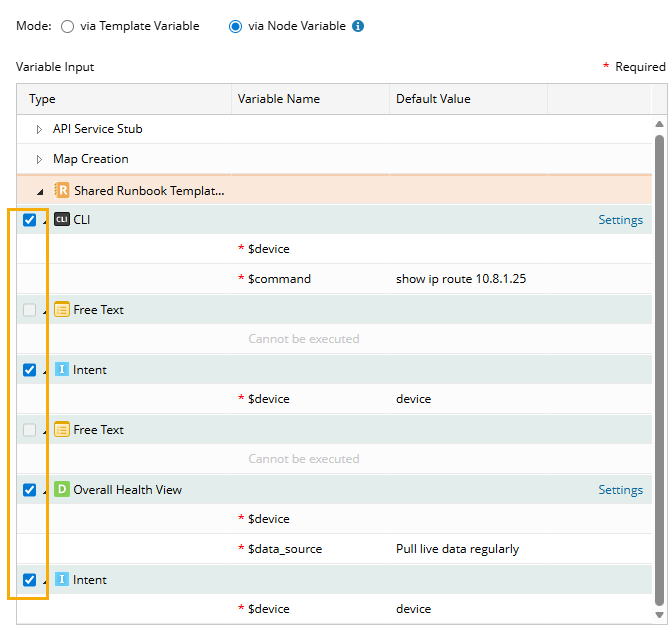
Note: In a case when a value is passed from the external system for this variable, the manual value will be overwritten. 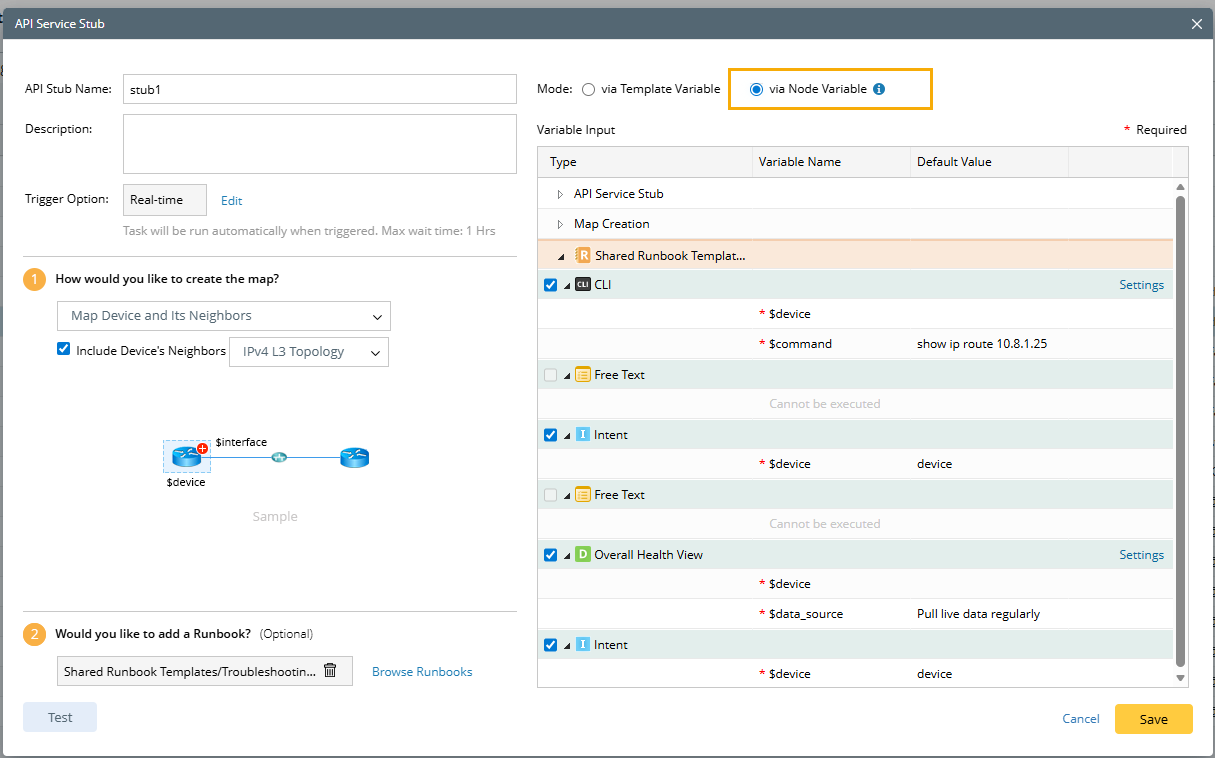
- Execute CLI Commands node.
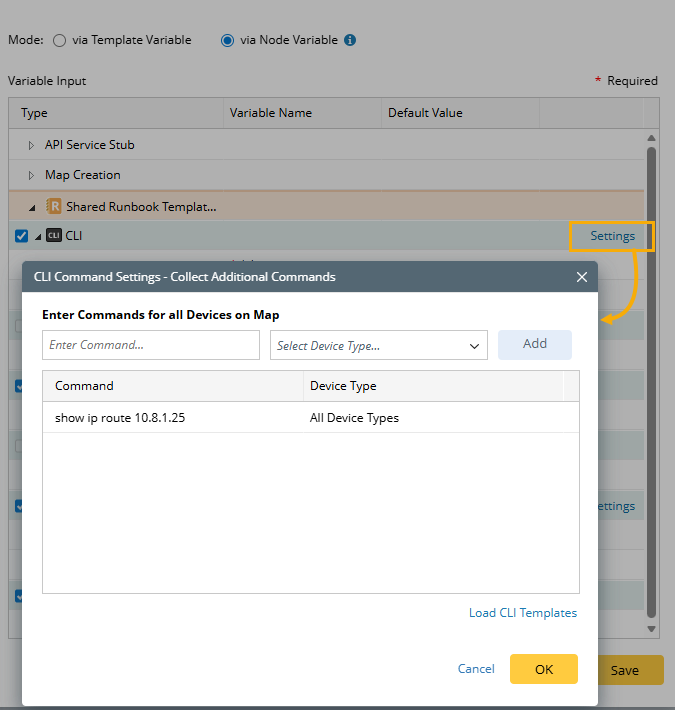
- You can configure the CLI command settings by clicking Settings and configuring the CLI command settings in the pop-up dialog box.
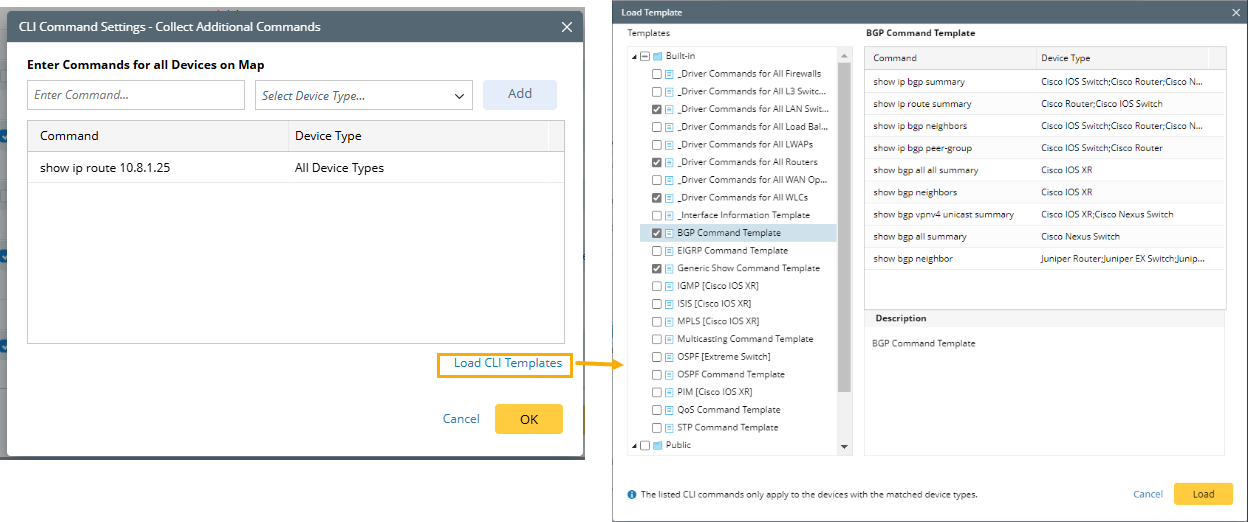
- You can also add CLI commands by loading CLI Templates. The system supports selecting multiple CLI templates in the Load Template dialog box.
Tip: If you create a map by mapping a path, click Settings of Map Creation to define the data source, protocol and other settings for the path.
- You can configure the CLI command settings by clicking Settings and configuring the CLI command settings in the pop-up dialog box.
- NI Node. You can configure the related parameter for NI nodes in a third-party system (e.g., ServiceNow).
Variable Name Description $TargetDevice (Required) Define the target devices for the NI node.
- Execute CLI Commands node.
- Passing Value via Runbook Template Variable
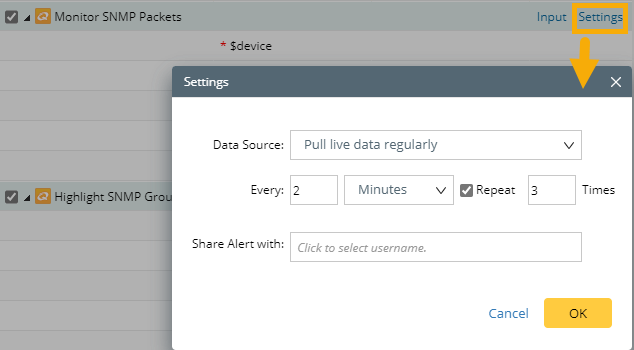
- (Optional) Define the settings for the nodes in the selected runbook template. For example, define settings of a Qapp node:
- Input — define a threshold, table input, and input variables.
- Settings — define the data source and alert sharing.
- (Optional) Click Test to execute the API stub with the inputted variable value.
Tip: You can click Tips in the pop-up window to get more information about the parameters and how to input the value for testing. - Click Save.
See also: