R12.3-2026Apr21
All Runbook Templates
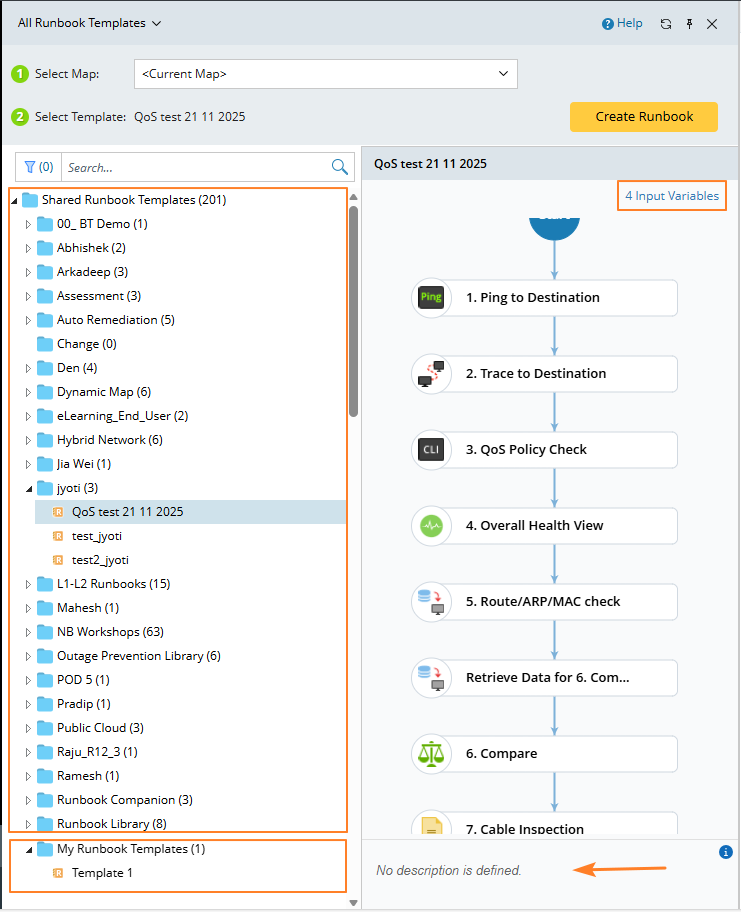
Power users can access the Runbook Template Manager to browse all runbook templates. They can view existing templates or create new ones.
- Shared Runbook Templates — Contains runbook template files accessible to all users in this domain.
- My Runbook Templates — Contains runbook template files only accessible to yourself in this domain.
-
You are allowed to perform the following actions:
- The number of the runbook input variables is also displayed.
-
You can select a node to view its information at the bottom.
-
Filter the RBT's by current map/tag. And you can see the corresponding counts when filtering RBT:
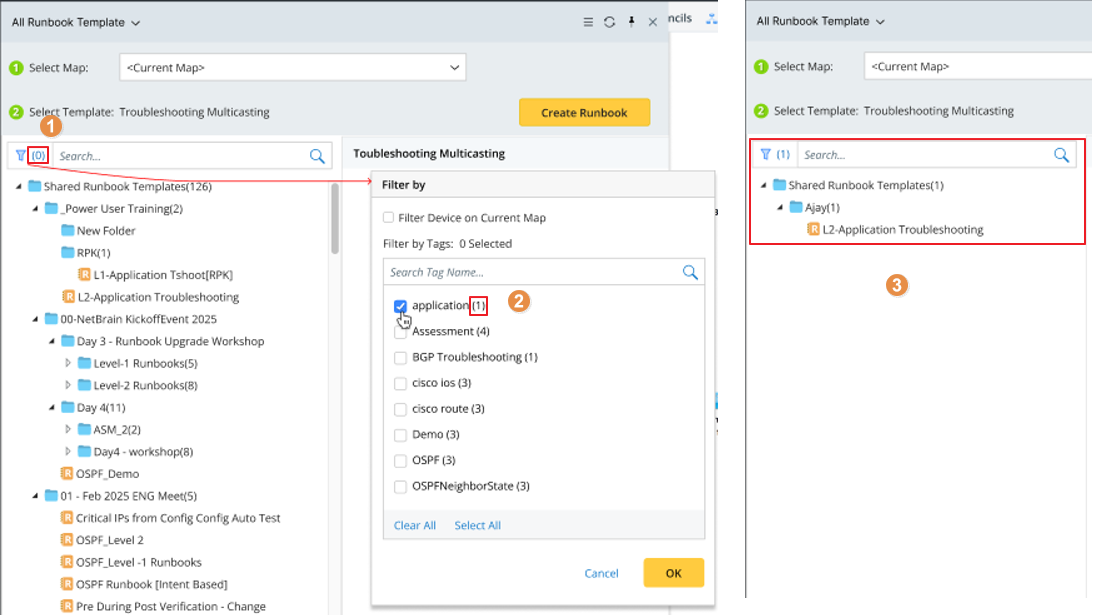 1). A count is displayed next to the filter icon to indicate the number of items selected in the filter pane. The default value is 0.2). The number displayed next to each selected item indicates the number of RBTs in that folder and updates according to the filter results.3). You can view the results after the filter is applied.
 -
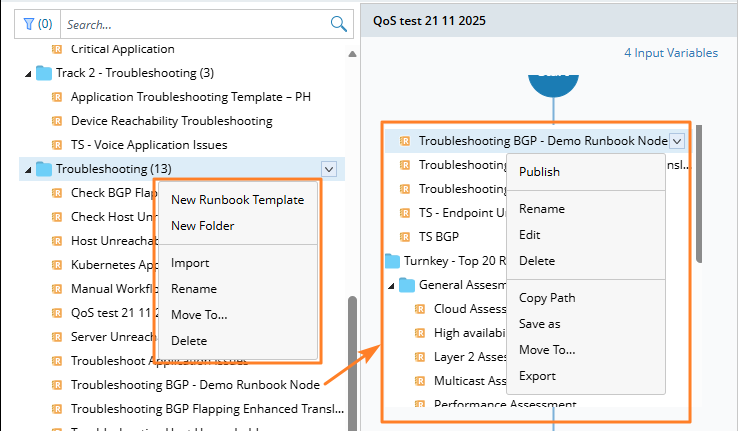
You can also perform the actions shown in the following image for RBT folder and runbook template.

|
Note: A default template is provided to create a runbook. |