Configure Plugin to Auto-update Automation Resources
You can define and schedule the plugin to retrieve the latest published CVEs from NIST, so the automation resources can always stay up to date.
Prerequisite: Please ensure the Front Server can access the NIST website (https://services.nvd.nist.gov/), either directly or via a proxy.
Define the plugin by following the steps.
- In the Domain Management page, click the start menu and select Plugin Manager from the drop-down list.
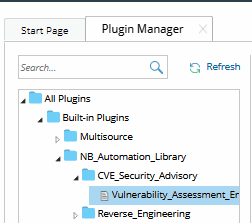
- Under the All Plugins> Built-in Plugins > NB_Automation_Library folder > CVE_Security_Advisory folder, select Vulnerability_Assessment_Engine plugin.
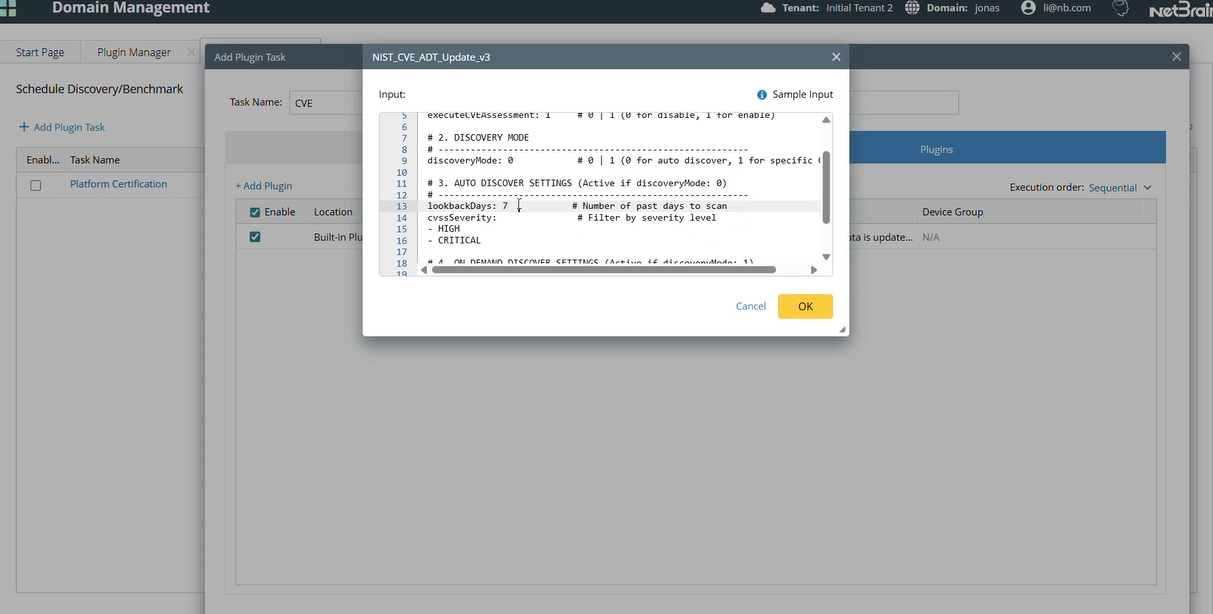
- In the Input tab, define the parameters.
# ==========================================================
# 1) BASIC SETTINGS
# ==========================================================
# NetBrain Front Server ID
frontServerId: FS1
# Days to scan for new CVEs (auto mode only)
lookbackDays: 7
# Filter CVEs by severity (LOW, MEDIUM, HIGH, CRITICAL)
cvssSeverity:
- CRITICAL
- HIGH
# ==========================================================
# 2) ADVANCED SETTINGS
# ==========================================================
# Enable (1) or disable (0) CVE assessment
# (build/run intents, update dashboard, export reports)
executeCVEAssessment: 1
# Specify ADT table patterns to process
# "-" = all tables (e.g., "2025-Q1", "Cisco-2024-Q1")
executeAdtNamePatterns:
- "-"
# Select CVE discovery mode
# 0 = Auto
# 1 = On-demand mode (specific CVEs)
discoveryMode: 0
# CVE IDs to process (on-demand mode only)
cveIds:
- CVE-2025-20172
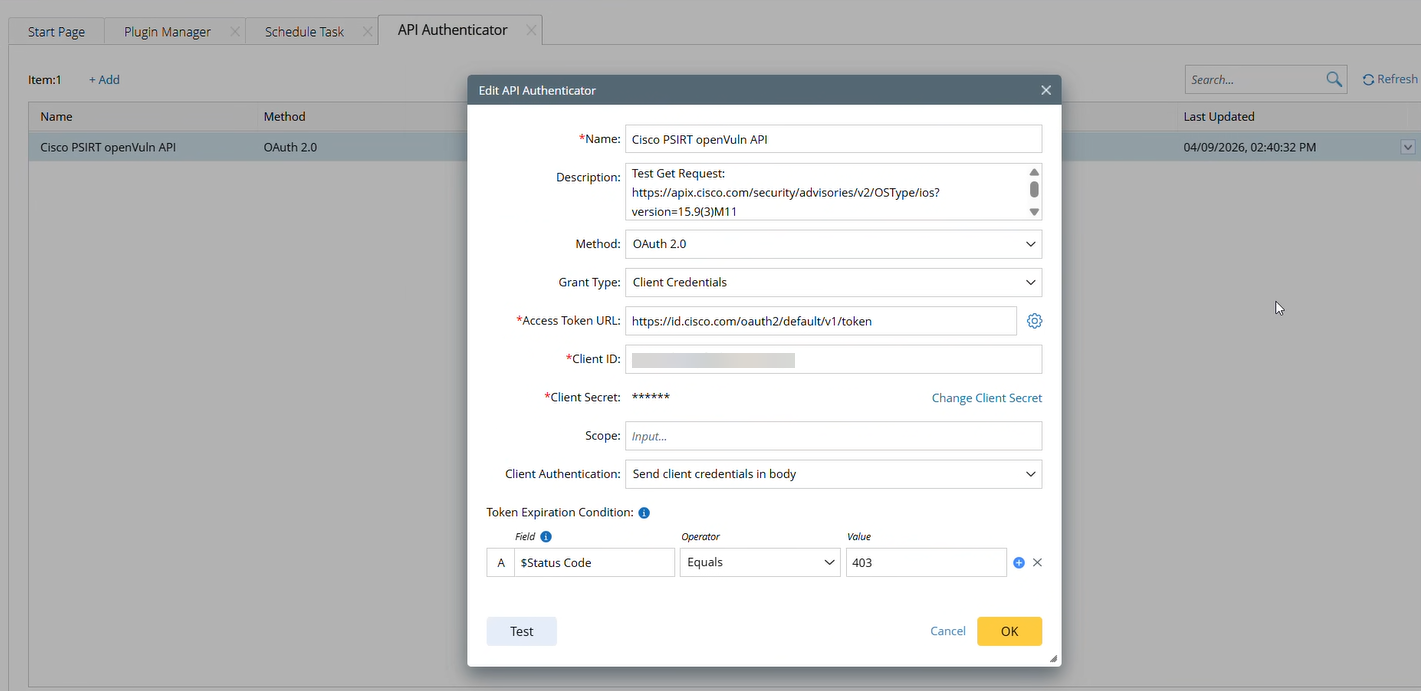
# Vendor CVE API Authenticator NamevendorAPIAuthenticator:Cisco: Cisco PSIRT openVuln API
| Parameter | Default Value | Description |
frontServerId
| Select the NetBrain Front Server (string) that will send API requests to the NIST service. Enter the Front Server ID and ensure it has network access to the NIST website. (Configure the Front Server’s proxy settings if required.) | |
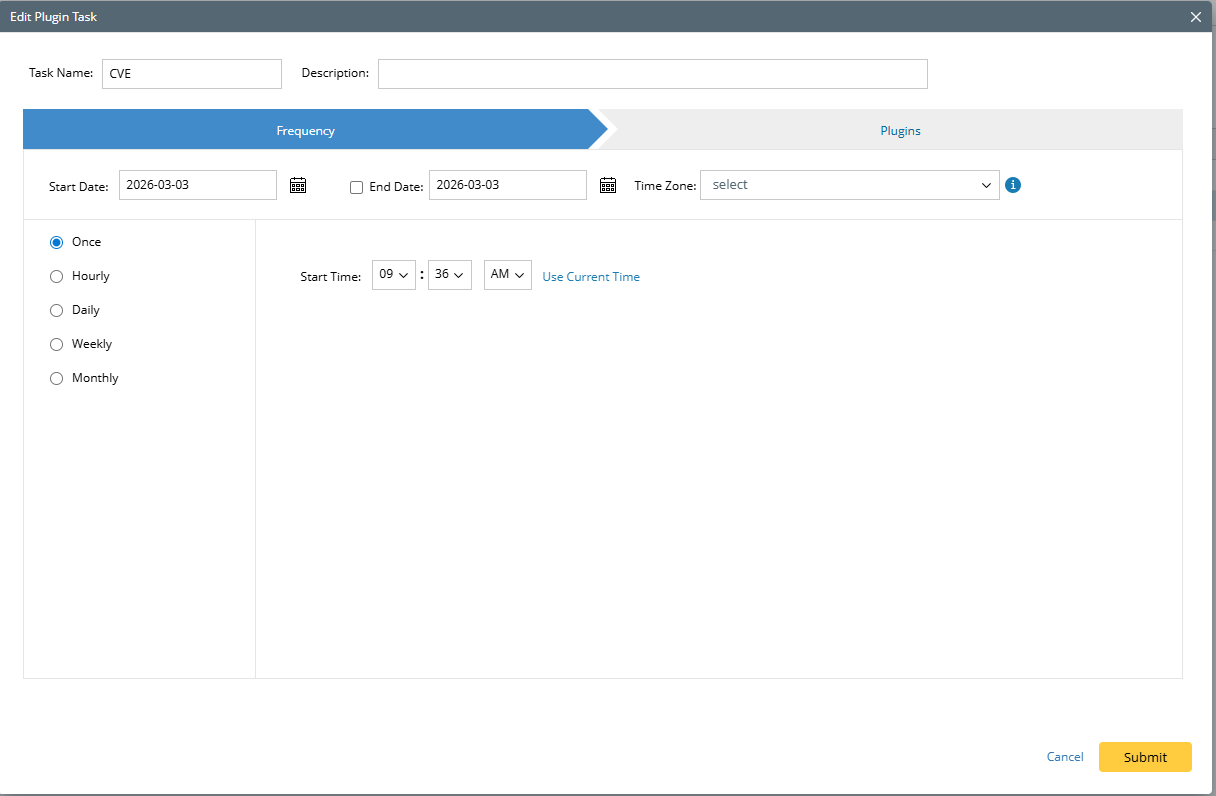
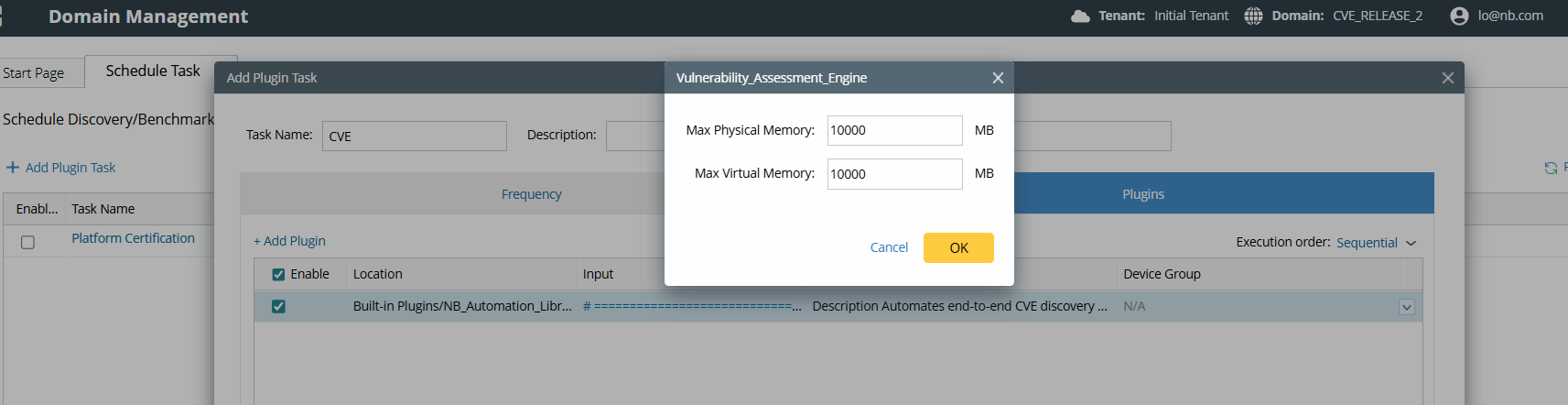
| lookbackdays | 1 | (required when discoveryMode = 0) Number of past days to search for new CVEs Note: For the lookbackdays to work, users need to add a plugin task in Domain Management > Schedule Task > Schedule Plugin task > Add plugin task.
The frequency should be consistent with the lookbackdays to ensure the data is up to date.
Adjust the task memory to 10,000 MB to ensure memory is sufficient. |
| cvssSeverity | HIGH CRITICAL | (required when discoveryMode = 0) CVSS Severity. If the user wants to retrieve CVEs data based on its severity. |
| executeCVEAssessment | 1 | 0: Update CVE reference + mapping ADTs only (no intents/dashboards/report) 1: Full assessment (build/run intents, update dashboards, export report) |
| executeAdtNamePatterns | - | Limits which Vendor Security Advisory ADTs are processed by name, for example: 2025-Q1 "-" means to execute all Vendor Security Advisory ADTs. Note: Running all ADTs may take a long time; consider scheduling it during idle periods or executing them in batches. |
| discoveryMode | 0 | 0: Scheduled (Discover CVEs published in the last lookbackDays, filtered by cvssSeverity) 1: Add or update CVEs based on the provided CVE_IDs |
| cveIds | (required when discoveryMode = 1) A list of CVE identifiers (e.g., CVE-2025-0001) to be processed | |
| Vendor CVE API Authenticator Name | The plugin also supports getting CVE updates from Vendor API, such as Cisco PRIST. Those APIs can provide more accurate software version-affected information. Some vendors require API authentication to retrieve CVE data. You can configure an API authenticator and enter it here. Example: To retrieve CVE data from Cisco PRIST.
The information will be stored in the Domain CVE Vulnerability Criteria ADT and will take precedence over the NIST CVE Vulnerability Criteria ADT when generating the Vendor Security Advisory ADT. |