AWS Monitor Accounts Master Keys Auto-Updating
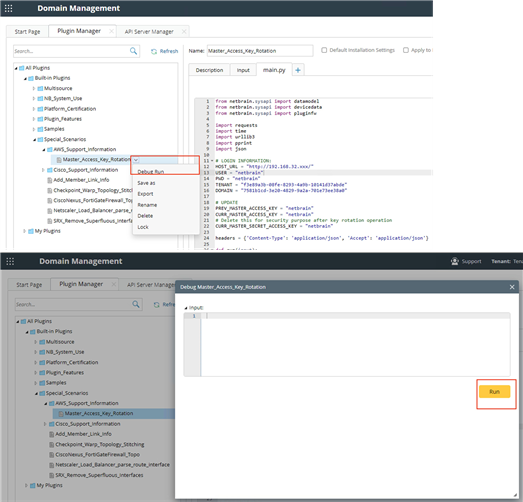
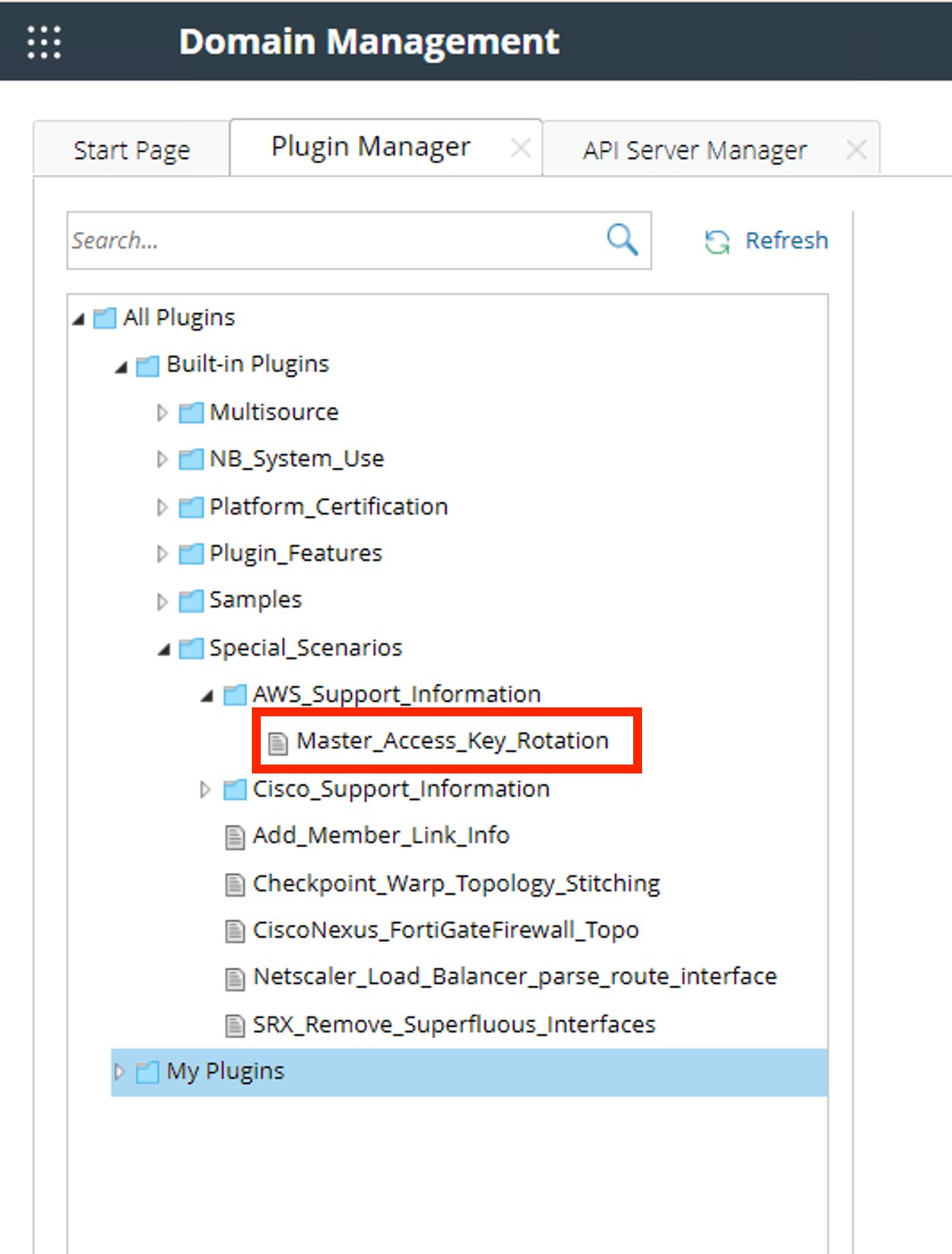
Please navigate to the plugin "Master_Access_Key_Rotation" in directory "Built-in Plugins\Special_Scenarios\AWS_Support_Information\" in the feature "Domain Management" "Plugin Manger".
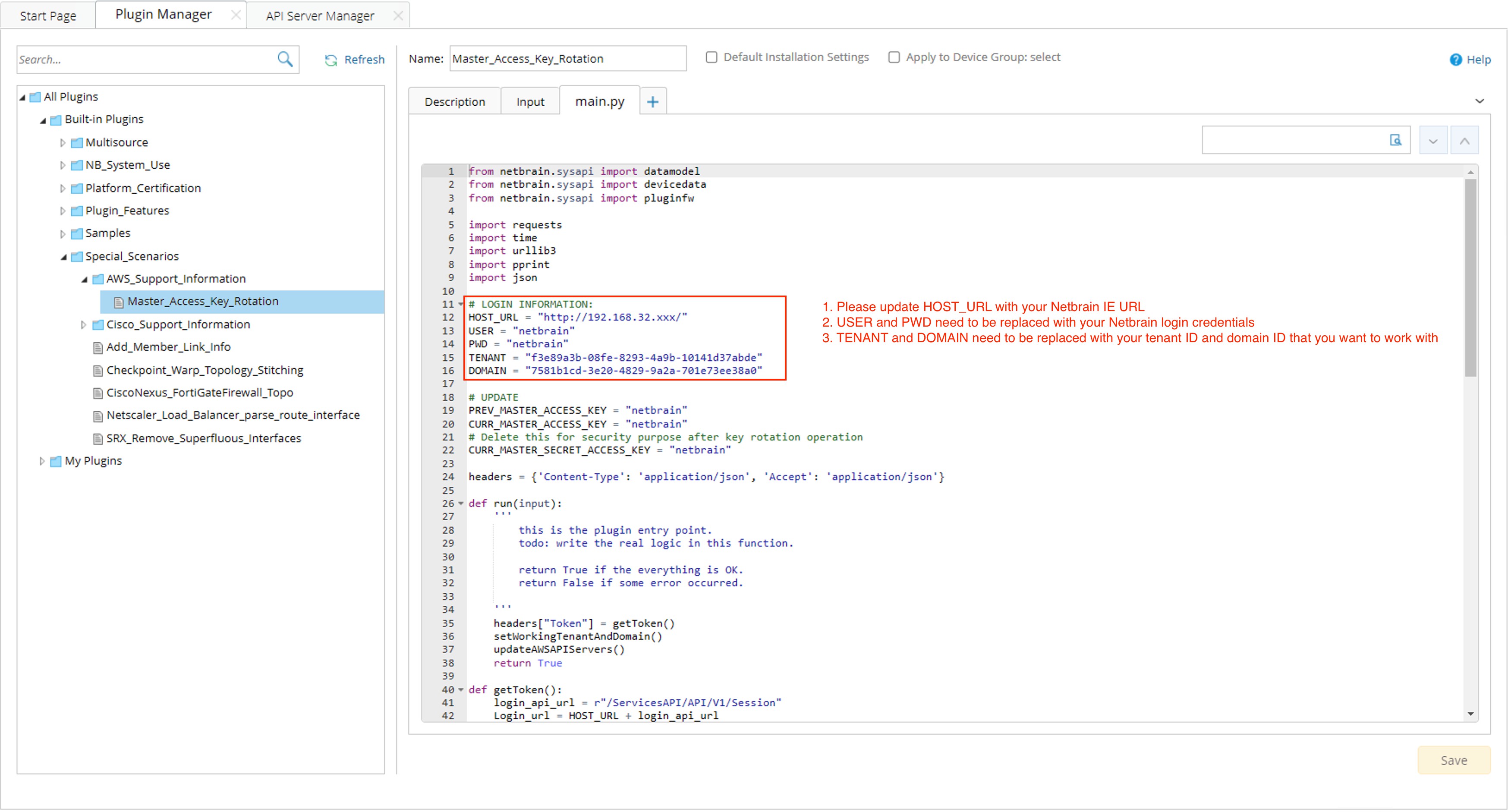
Step 1: Please update HOST_URL with your Netbrain IE's root URL.
Step 2: USER and PWD need to be replaced with your NetBrain's login credentials.
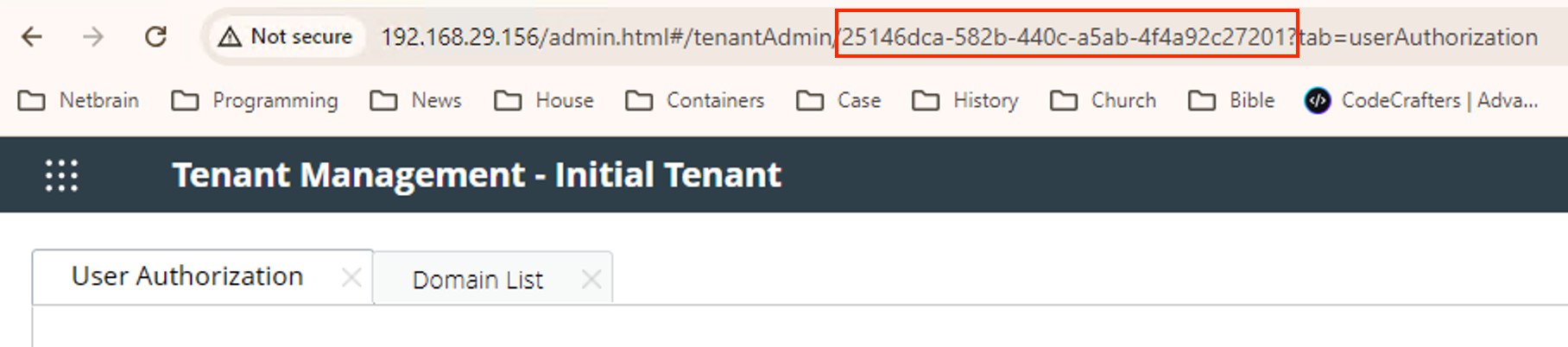
Step 3: TENANT and DOMAIN need to be replaced with your tenant ID and domain ID that you want to work with.

|
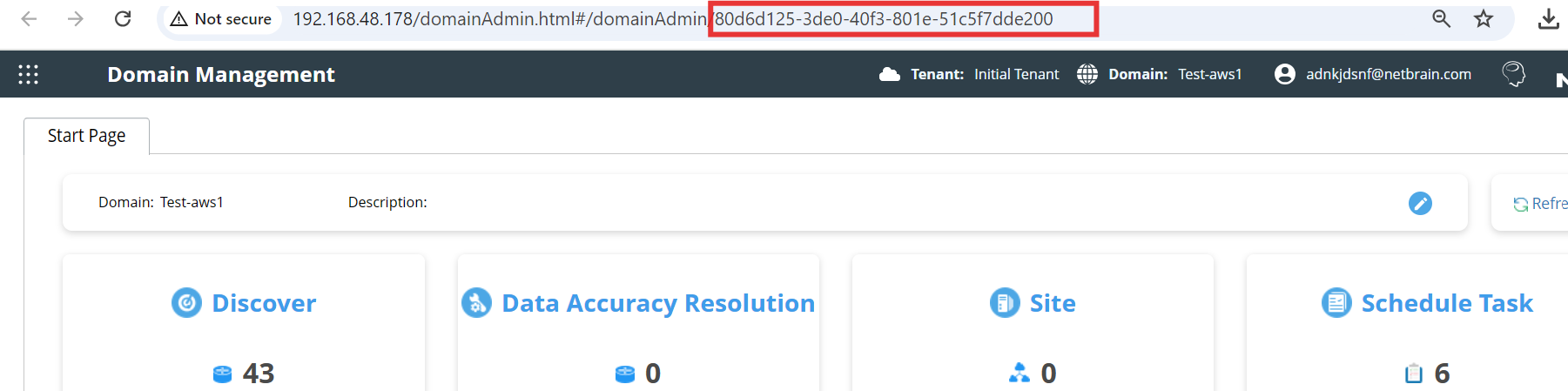
Tip: How to find domainID? Go to domain management should be able to see Domain ID |
|
|
Tip: How to find tenant ID? Go to tenant management should be able to see tenant ID from URL.
|
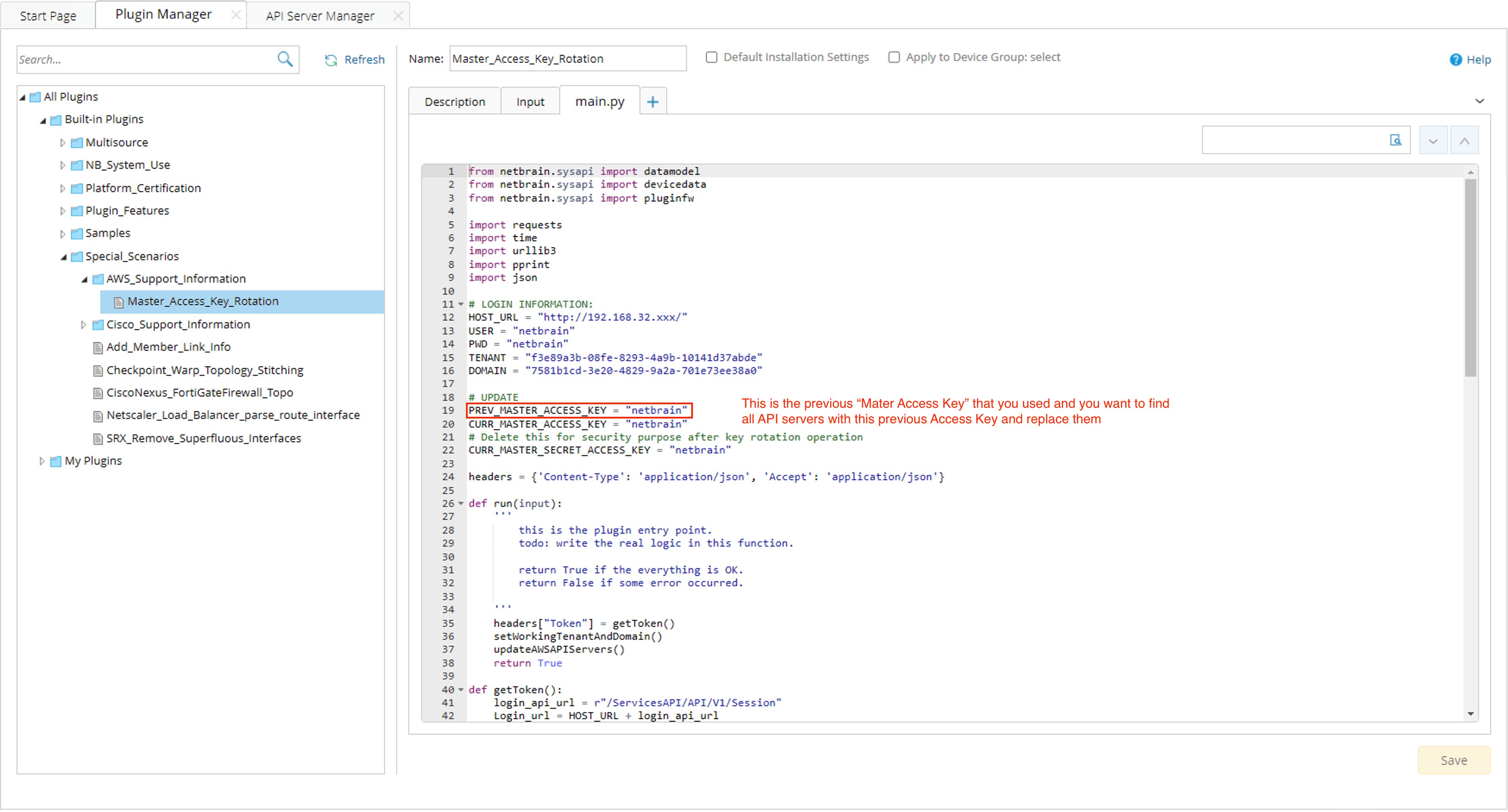
Step 4: Replace this “Mater Access Key” with the one you used previously and want to replace/rotate now:
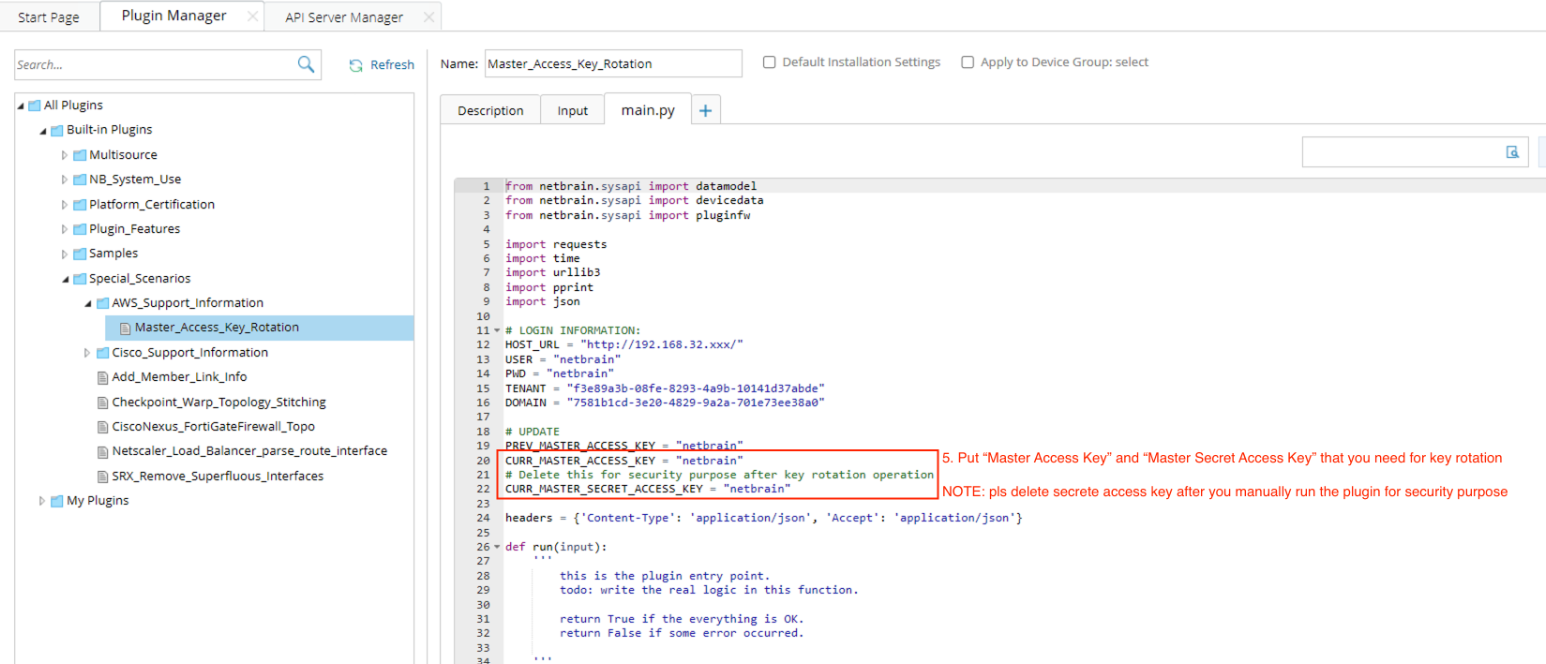
Step 5: Update the new “Master Access Key” and “Master Secret Access Key” of Gateway Account.
|
|
Note: pls delete secrete access key after you manually run the plugin for security purpose. |
Step 6: Click "debug Run" and "Run" and wait to finish.