R12.3-2026Apr21
Create a CLI-only Benchmark Task
The CLI Benchmark Only option allows you to run benchmark tasks using CLI commands only, without configuring or disabling other benchmark types manually. This option is useful when collecting CLI benchmark data for ADT datasets.
Follow the steps below to reate a CLI-Only Benchmark Task:
- Select the CLI Benchmark Only checkbox. When this option is selected:
- By default, this checkbox is unchecked.
- Only the Time Settings, Device-by-Device Definition, and Summary tabs are available.
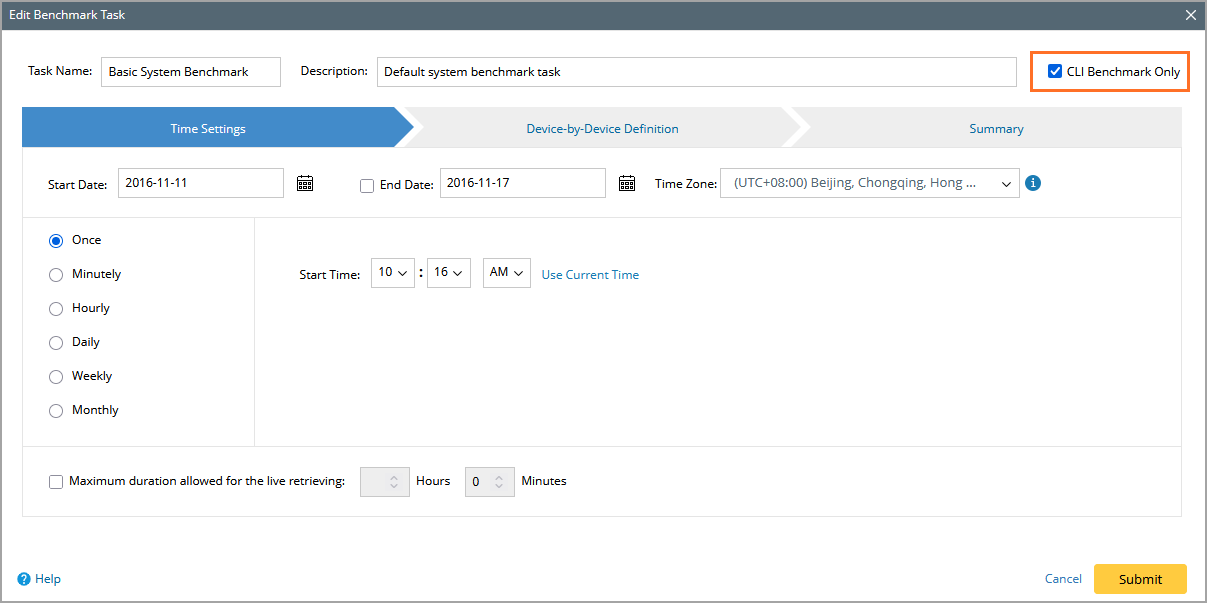
- Configure the Time Settings tab. This tab is fully available for configuration. For more information, refer Time Settings.
- Click Device-by-Device Definition. This tab is fully available for configuration. For more information, refer Device-by-Device Definition.

- Click Summary to review the task configuration. The Summary tab displays only Time Settings and Device-by-Device Definition group.
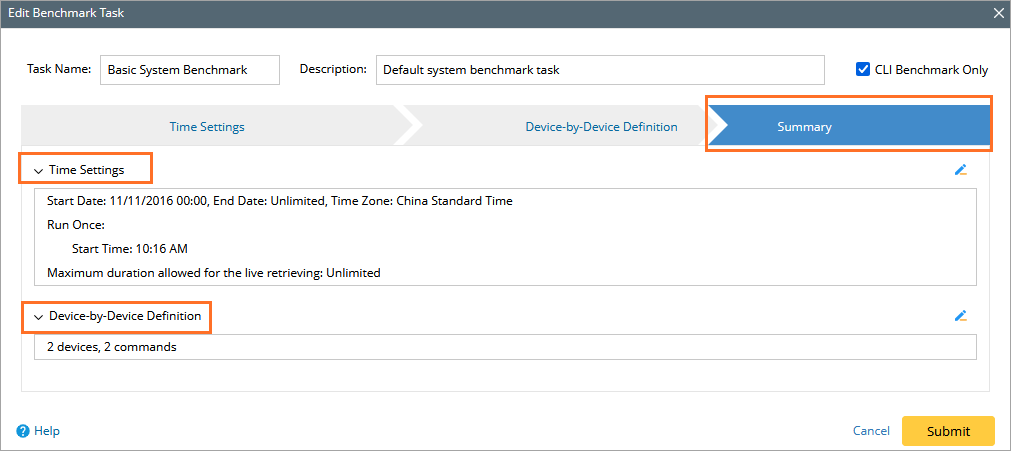
- Click Submit to create the benchmark task.