R12.3-2026Apr21
Creating a Network Change Template
- Create a network change runbook.
- In this network change runbook editor, click the
 icon and select Save as Template to enter the change template editor.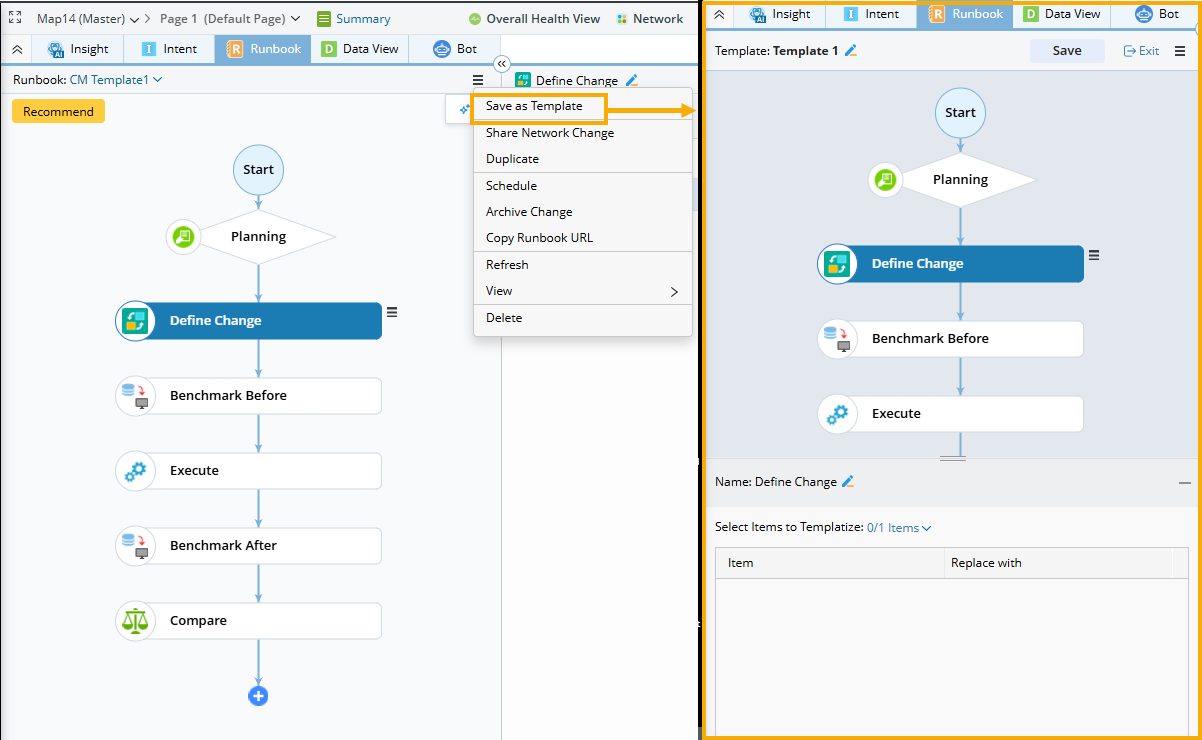
- Define the template variables for the change template. See Template Variable for more details.
-
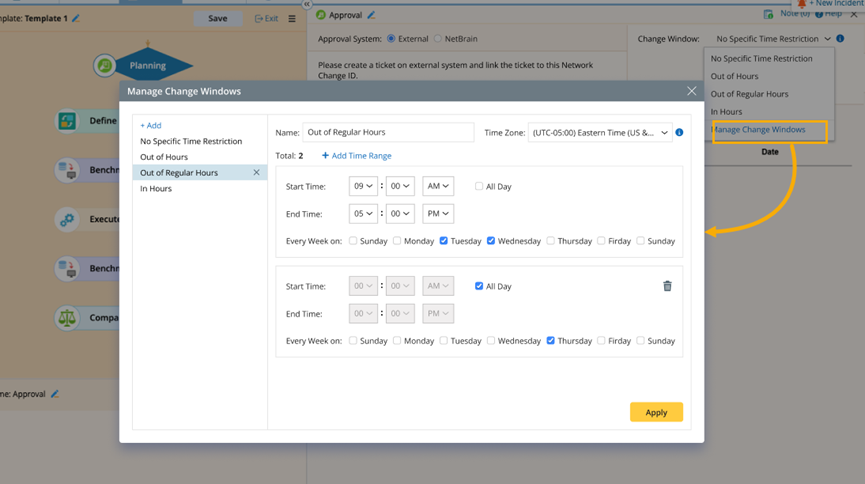
(Optional) Define a change window in the Planning node. The change window can be a reference for others who use this template, showing the appropriate time for the execution of the change.
-
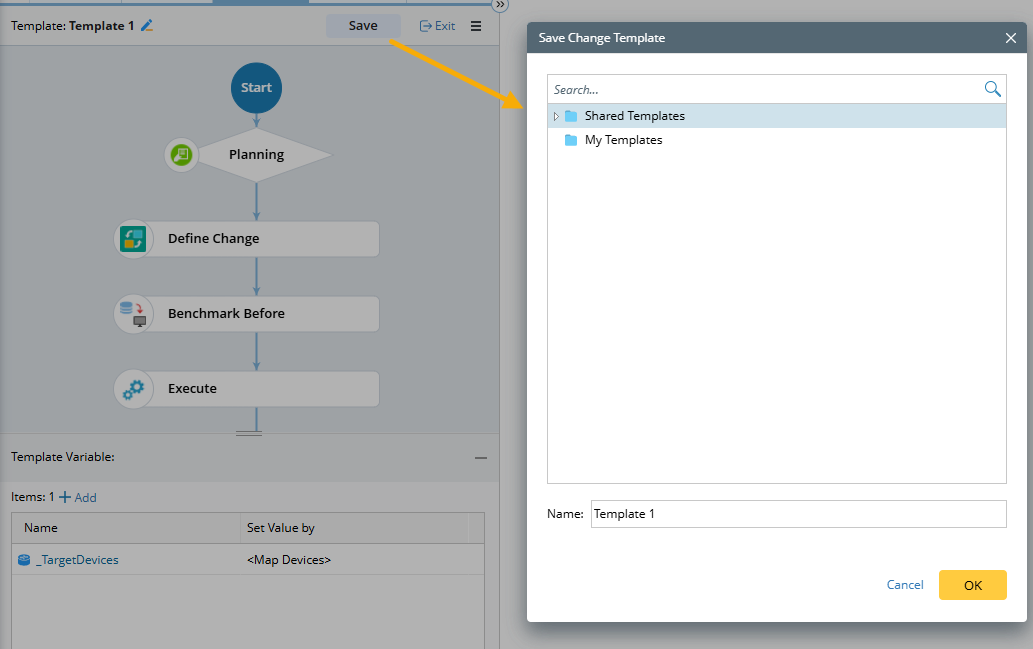
After defining the Network Change Template information, click Save, select a location in the pop-up dialog, enter a name, and click OK.