R12.3-2026Apr21
Define Macro Variables for Seed Command in Auto Intent Wizard
Follow the steps below to define the Macro Variables for seed command:
- Load Command: By default, CLI commands, Configuration, API, and SNMP are automatically loaded into the table nodes. You can define command qualification for each item in this table.
- Define Macro Variable: The device and the seed command with macro variables are displayed in the Replicated Command section. Select an entry from the table to display the UI for defining macro variables. You can define the Variable Type, Default Value, Lookup Data for Target Device, Prompt for Input, and Hint.
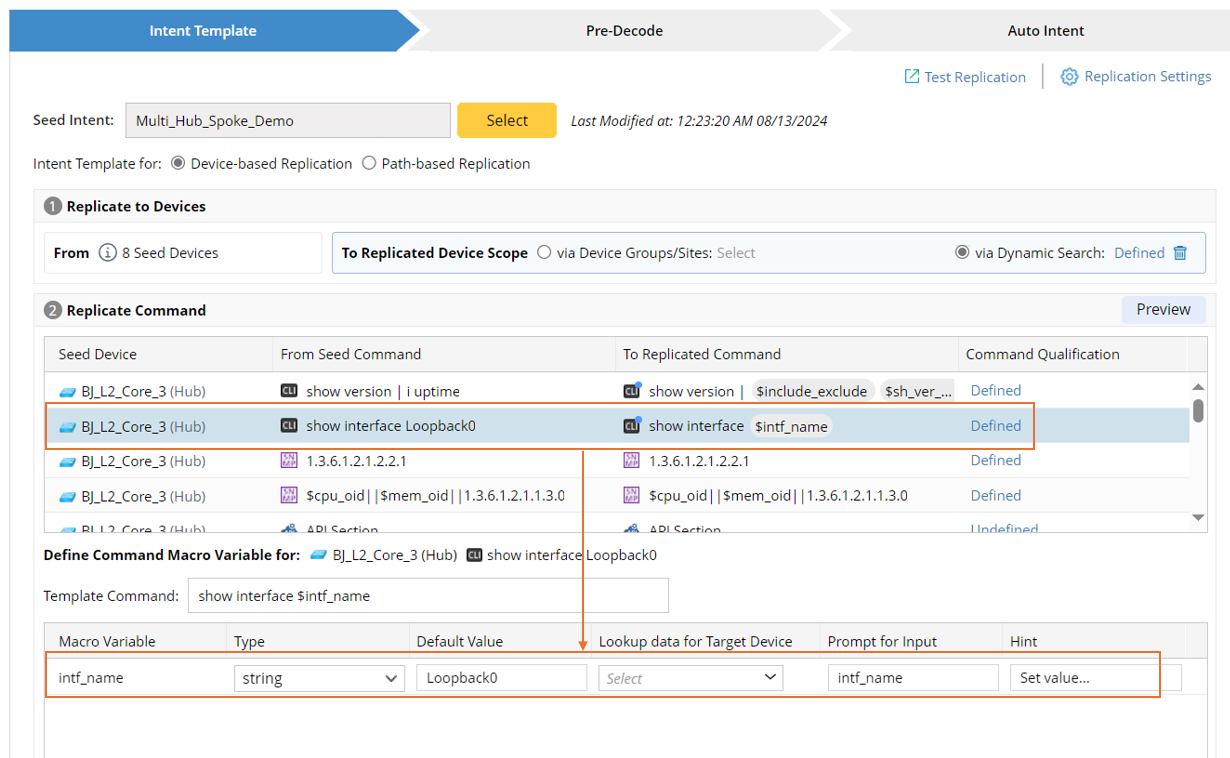
- Template Command: By default, template Commands are the same as Seed CLI Commands. Changing some text that starts with “$” will automatically convert it to a macro variable.
- Define Macro Variable: When the macro variables are displayed in the bottom area, you can define/modify the Type, Default Value, Lookup Data, Prompt for Input, and Hint.
The parameters defined here are described in the table below:PropertyDescriptionMacro Variable Variable Name (defined in the template CLI command text). Type The data type of macro variable. Default Value The default value of macro variable. Lookup Data for Target Device Details are described below. Lookup Data for Target Path Details are described below. Prompt for Input Define the prompt for input when it is used in the Auto Intent pane. Hint Define the hint when it is used in the Auto Intent pane.
Note that the following two settings apply to device-based NIT and path-based NIT, respectively.
- Lookup Data for Target Devices (when Device-based Replication is selected): Define the value bound to the macro variable for decoding devices. You can specify to use the default value or data in ADT column for intent decoding.
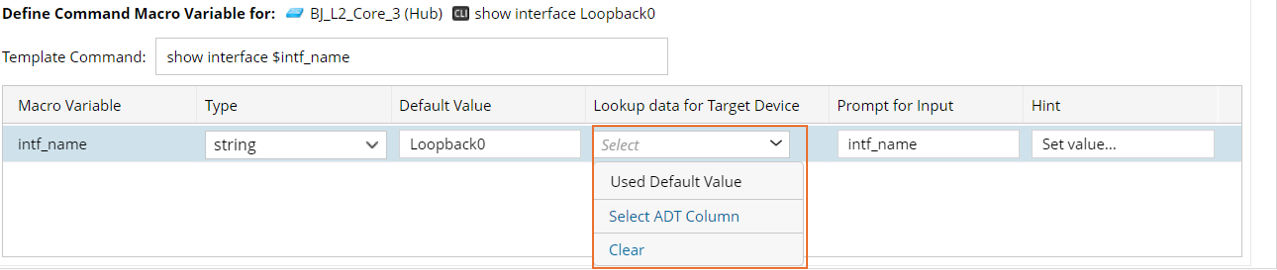
- Use default value: From the Lookup Data for Target Device column dropdown, click Use Default Value.
- Select ADT Column: Select variables in ADT as the target device data.
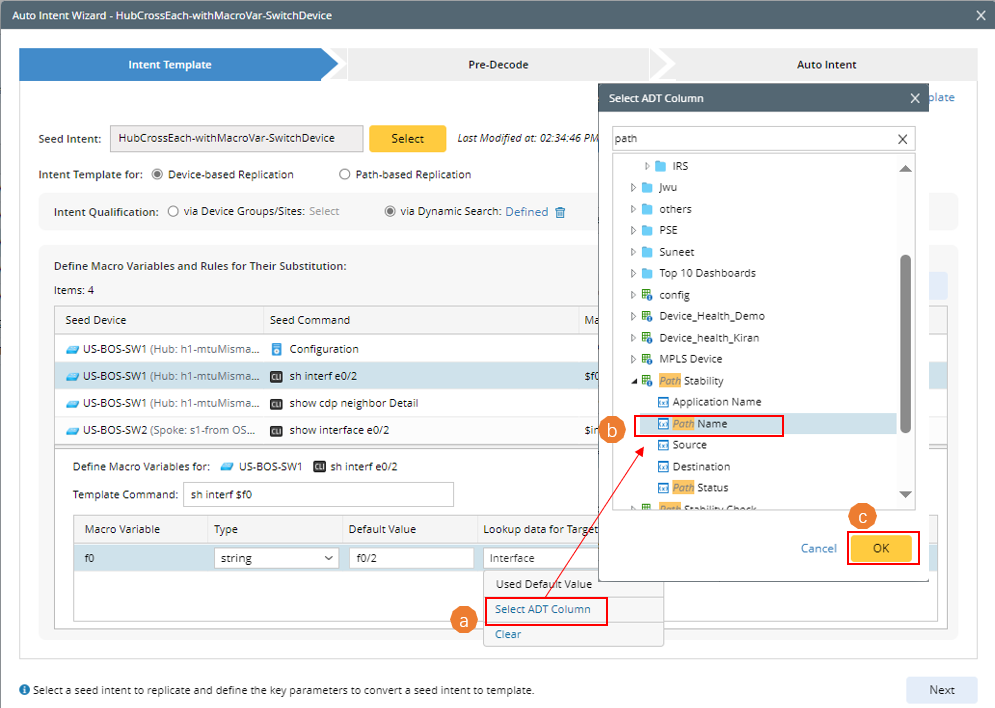
a. From the Lookup Data for Target Device column dropdown, click Select ADT Column.
b. Select ADT columns to use the values in the column as macro variable value.
c. Click OK to finish the selection.
Tip: If the value for macro variable is not satisfactory, Click Clear to configure macro variables from start.
- Lookup Data for Target Path (when Path-based Replication is selected): As shown in the screenshot below, the sources of data for macro variable include:
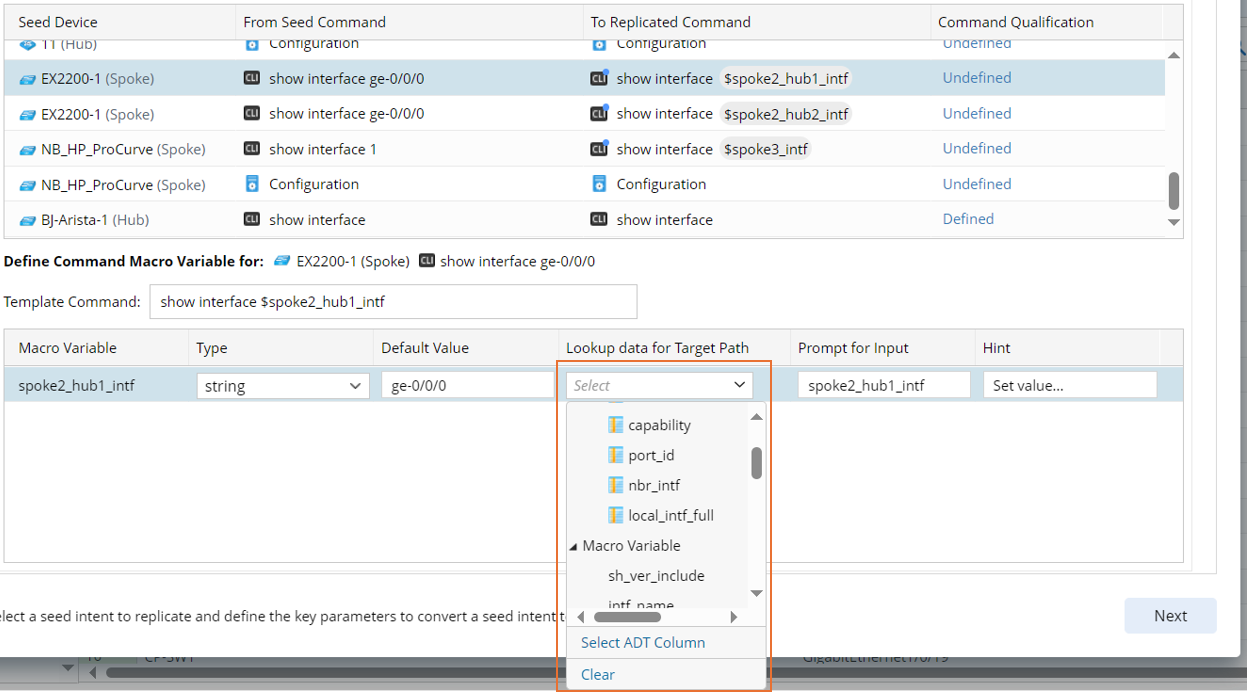
- Path Variable
- Path Device Variable
- Data in ADT Column: Click Select ADT Column, then select ADT column from the Select ADT Column dialog box as source.
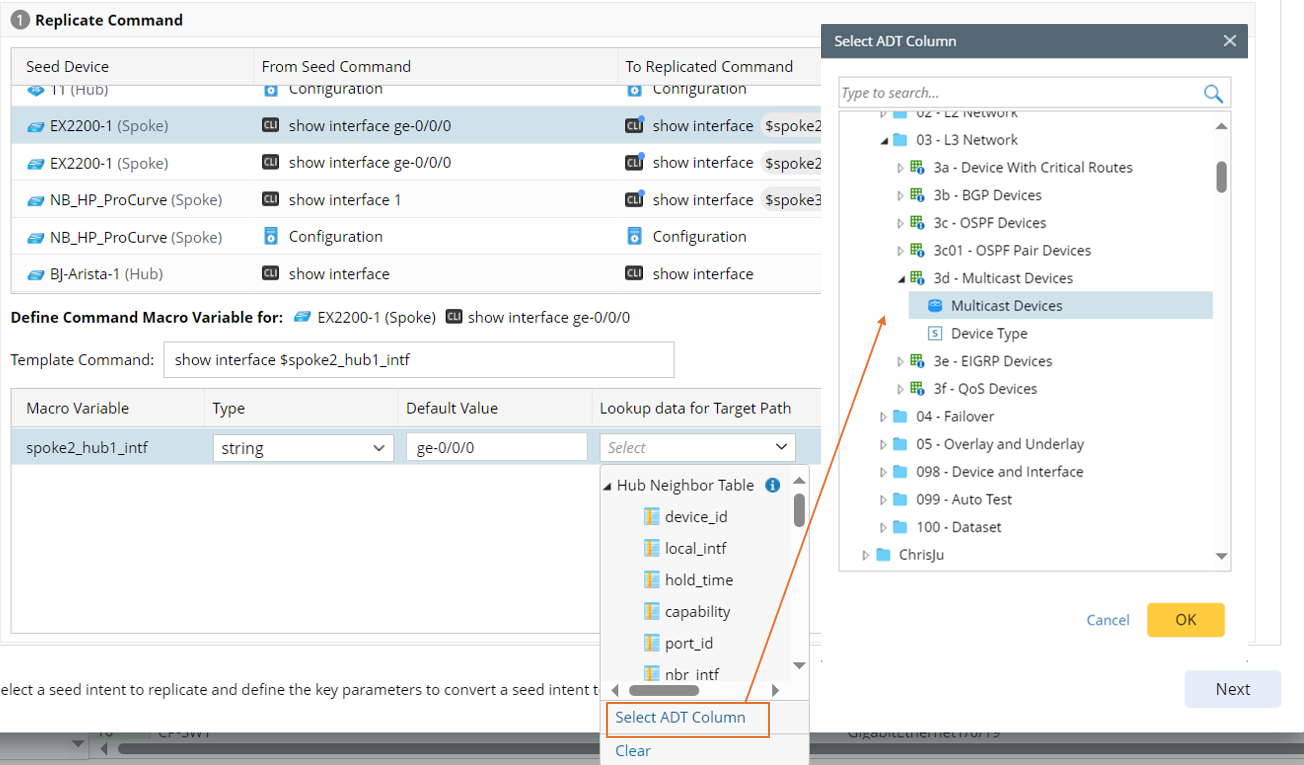
Note: A path NIT takes path parameters such as source/destination IP as value of the macro variables defined in intent template.
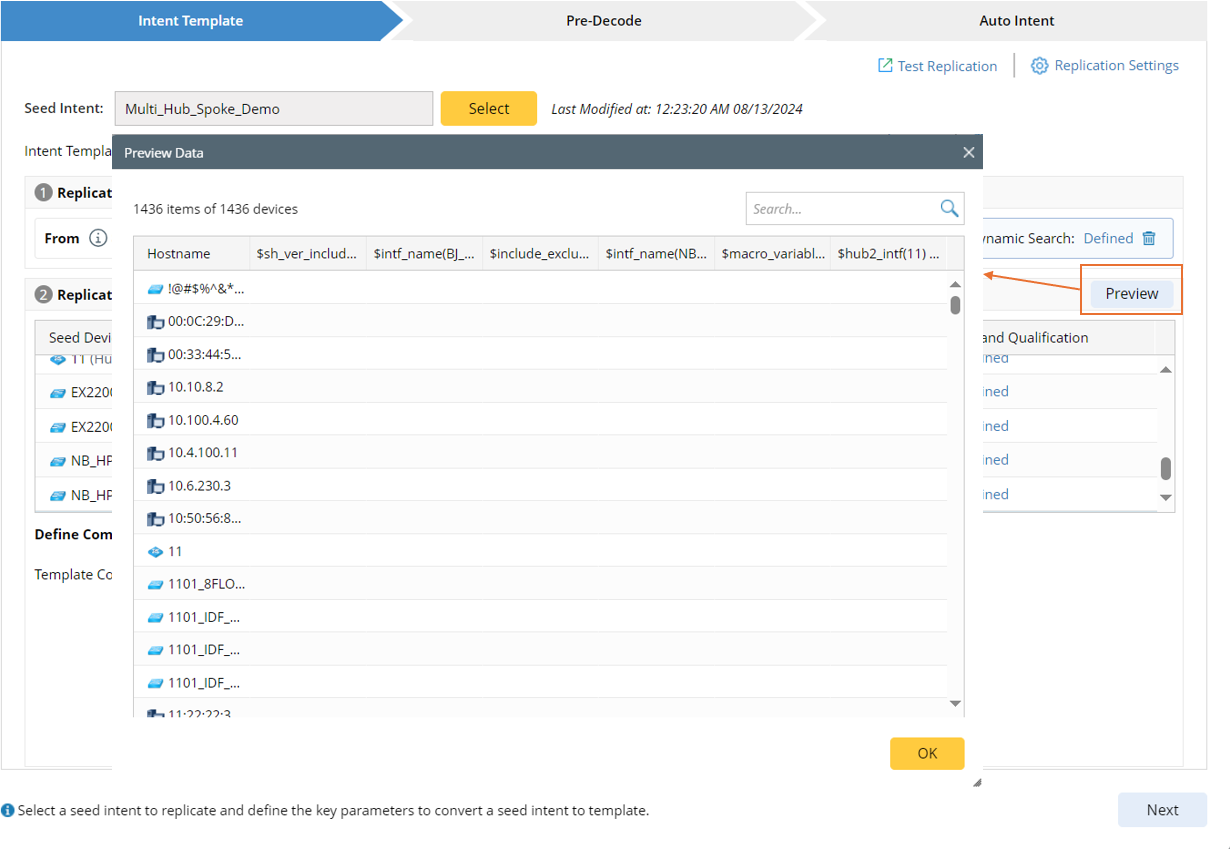
- Preview (This functionality only applies to device-based replication): When the macro variables are bound with ADT columns, click Preview in the Replicated Command section to preview the corresponding value assigned to different macro variables in all selected ADTs for different devices.