R12.3-2026Apr21
Define Replication Logic
An intent is always associated with one or multiple devices. The intent diagnosis can be replicated to a set of target devices using replication settings, this scalable way is easy to do. To access and define the replication logic:
- Open an intent and switch to Edit mode.
-
Enable the Intent Template, then click it to open the detailed definition.
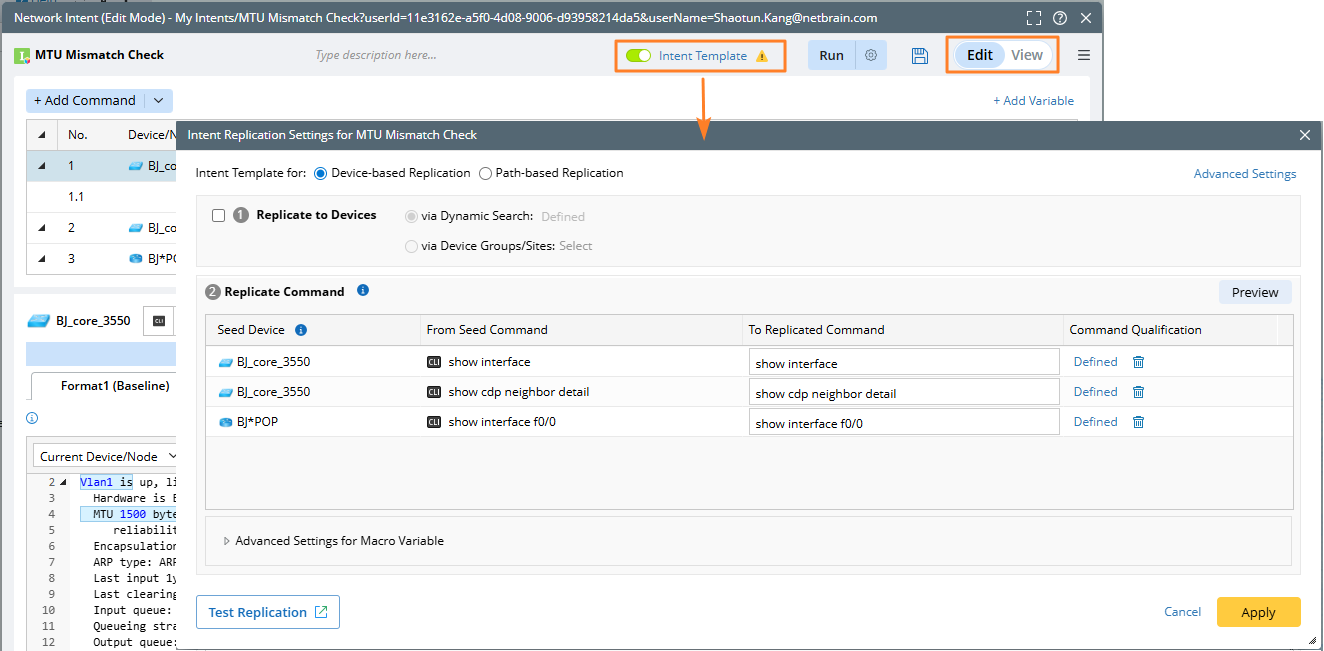
- View and define the settings, which are organized into the following categories:
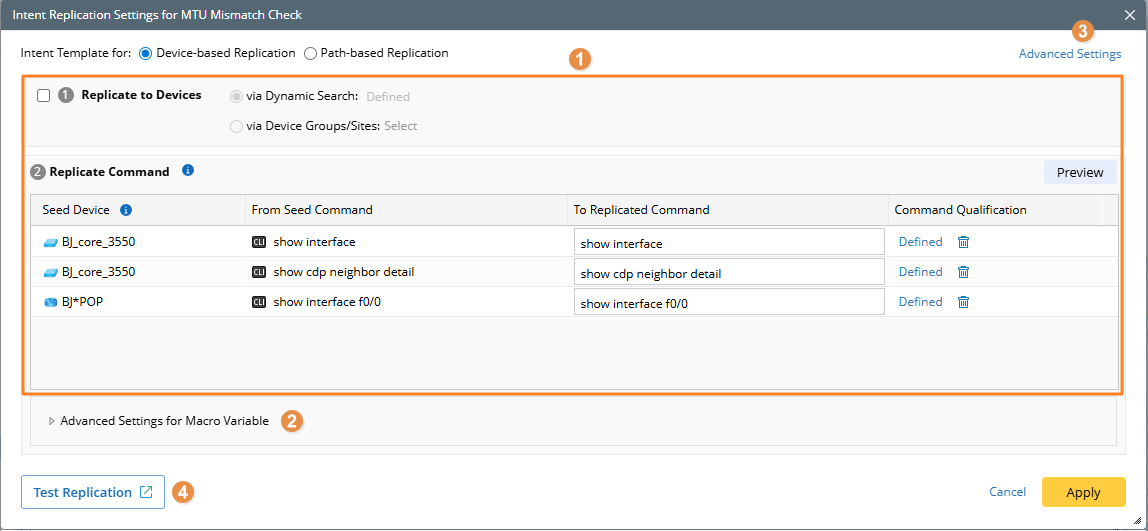
- Intent Replication Logic Settings: Define the target device qualification, and command qualification.
- Advanced Settings for Macro Variable: Expand this area and directly define the command macro variable.
- Advanced Settings: Define the replicated intent name, enable neighbor pair replication, and specify critical variables, device macro variables, signature variables, and other matching settings between the seed and target devices.
- Test Replication: It allows you to select a batch of devices and perform test operations.