R12.3-2026Apr21
Duplicate Node Directly
You can directly duplicate and reuse an existing node, saving time by preserving its input while allowing modifications without affecting the original node.
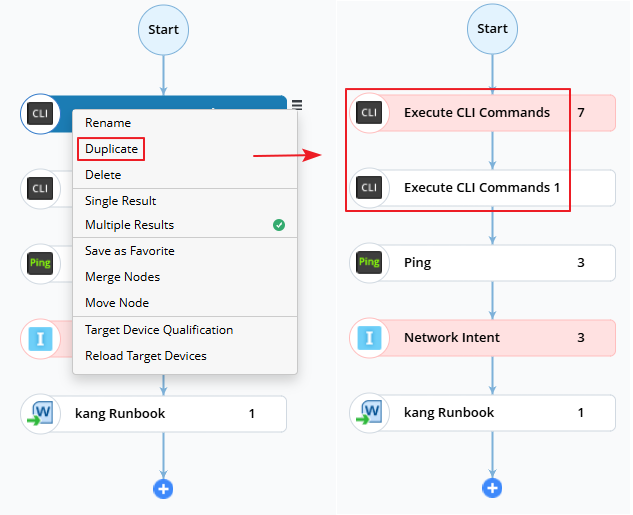
- Select the target action node you want to duplicate in the Runbook, and then click the
 icon to select Duplicate.
 - View the duplicated node, which is placed directly below the current node.
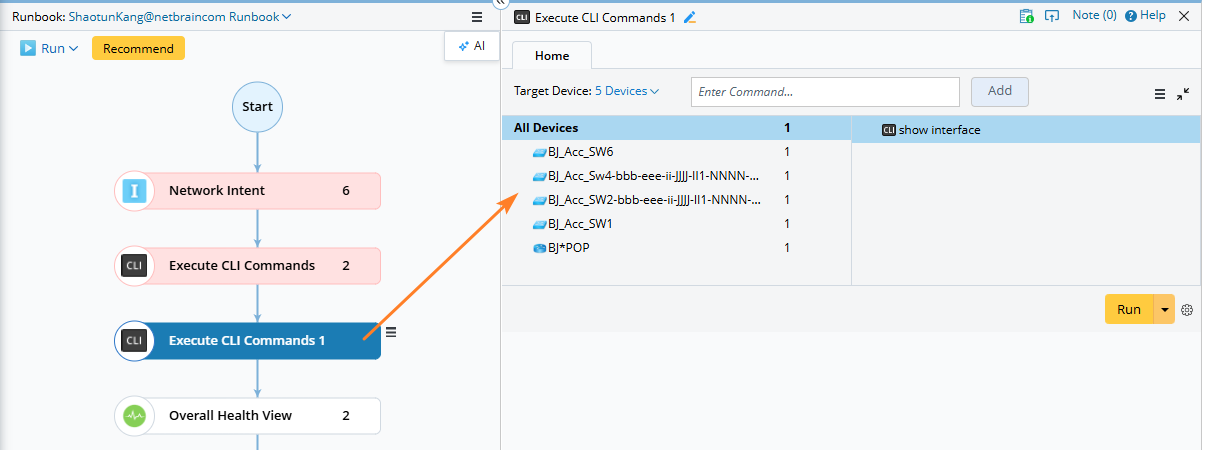
- Node Duplication: Only the node input is copied, not the result.
- Naming: An incremental number (e.g., “n”) is appended to the duplicated node name to avoid conflicts.
- Placement: The duplicated node stays within the same branch, immediately after the original node.
- Click the duplicated node and modify its input as needed.
 |
Note: The following node types do not support duplication: Define Change, Execute, Other Change, and Ansible. |