R12.3-2026Apr21

Edit Observability Dashboard

  1. Click the start menu, and select Intent-Based Automation> Observability Dashboard.
  2. Select and open an existing observability dashboard.
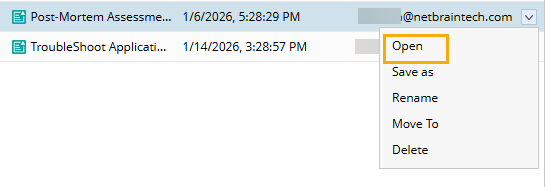
  3. Click and select Edit Dashboard from the drop-down menu.

      
  4. In the edit mode, make changes per your requirements.
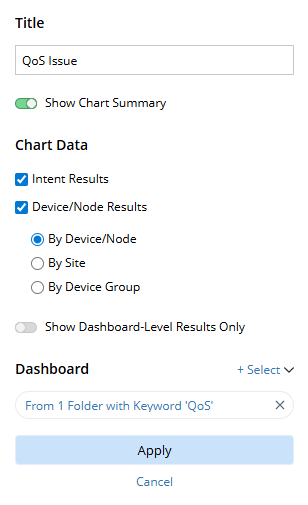
  • Summary Chart cannot be deleted or edited.
  • Result Detail Chart/Top-N Chart/Geo-Map Chart can be added/deleted/edited.
  1. If you make any changes to the chart settings, click Apply to apply the changes.
      
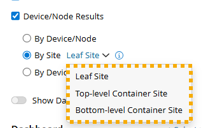
    Information Tip: If you select By Site for the Device/Node Results, you can decide which site level to use.
         
  2. Click Save to save the changes.
  3. Click Close to exit the edit mode.