R12.3-2026Apr21
End Users View Results
You can view the results in the message pane of a incident, or the integrated third-party system.
- View results in Incident’s message pane.
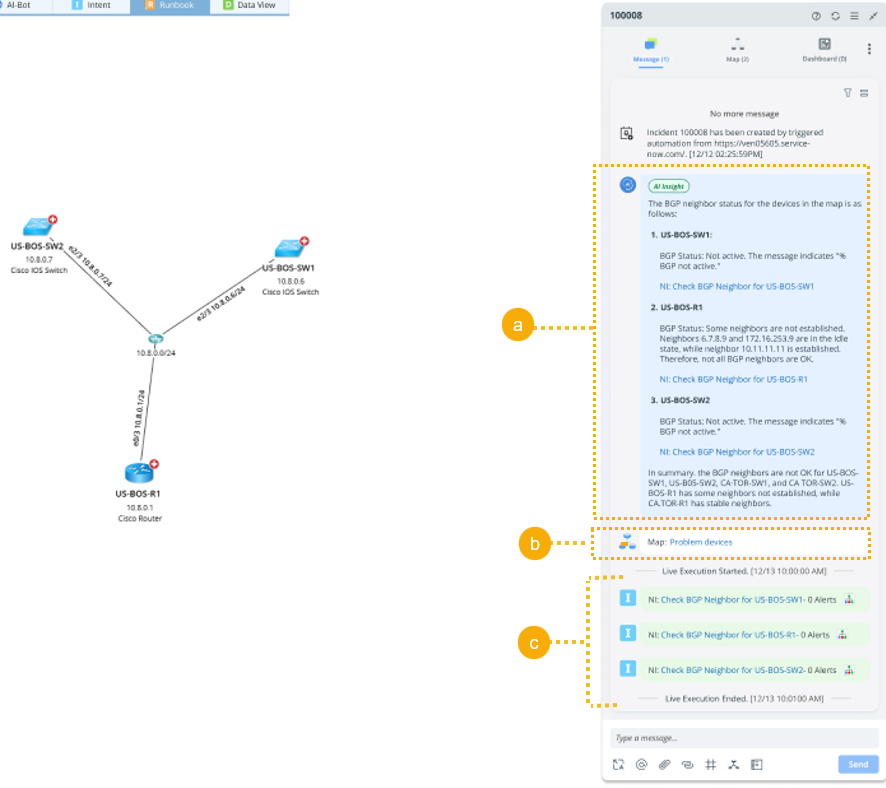
- The result from AI Insight, summarizing issues from the automation results.
- Map created based on the Map Creation Settings.
- The execution results of automation matched by the LLM with live data.

Note: Only when the checkbox Enabled Live Execution for Triggered Automation is enabled in Insight Manager.
- View results in a 3rd party IT system, for example, in ServiceNow.
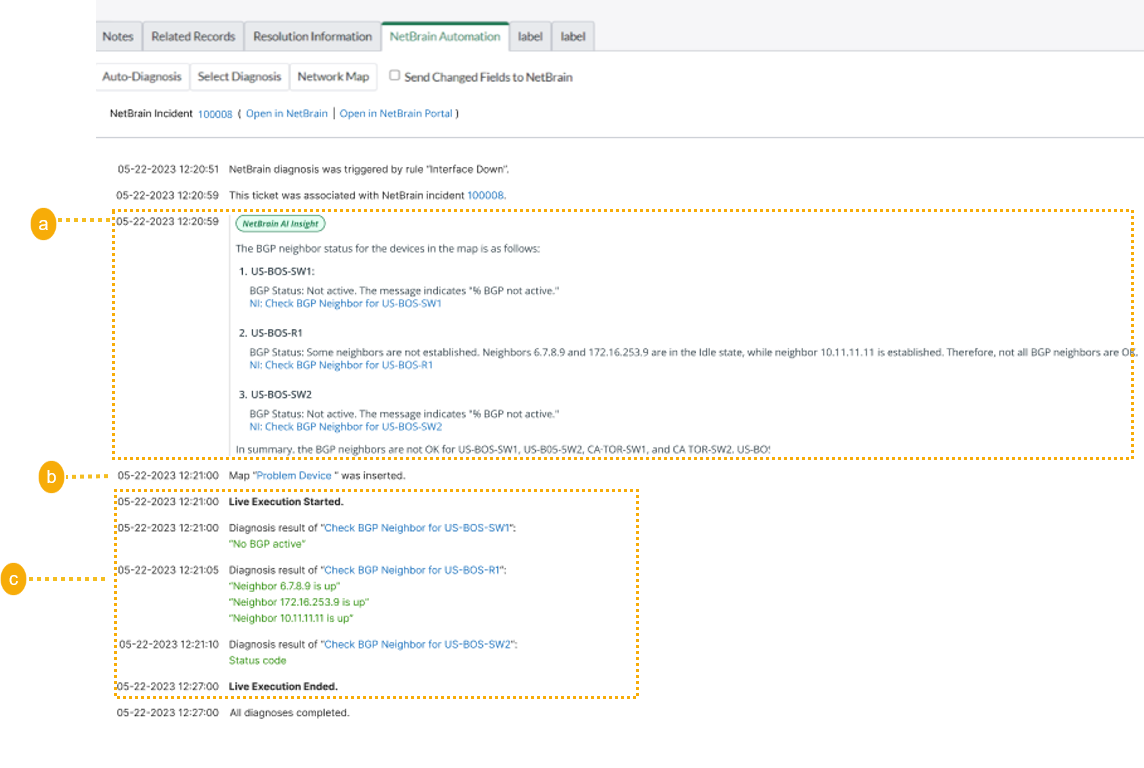
- The result from AI Insight.
- Map created based on the Map Creation Settings.
- The execution results of automation matched by the LLM with live data.
Note: Only when the checkbox Enabled Live Execution for Triggered Automation is enabled in Insight Manager.