R12.3-2026Apr21
Executing Benchmark After Network Change
To verify the network change, it is recommended to collect the network data after the network change and use the data for further comparison.
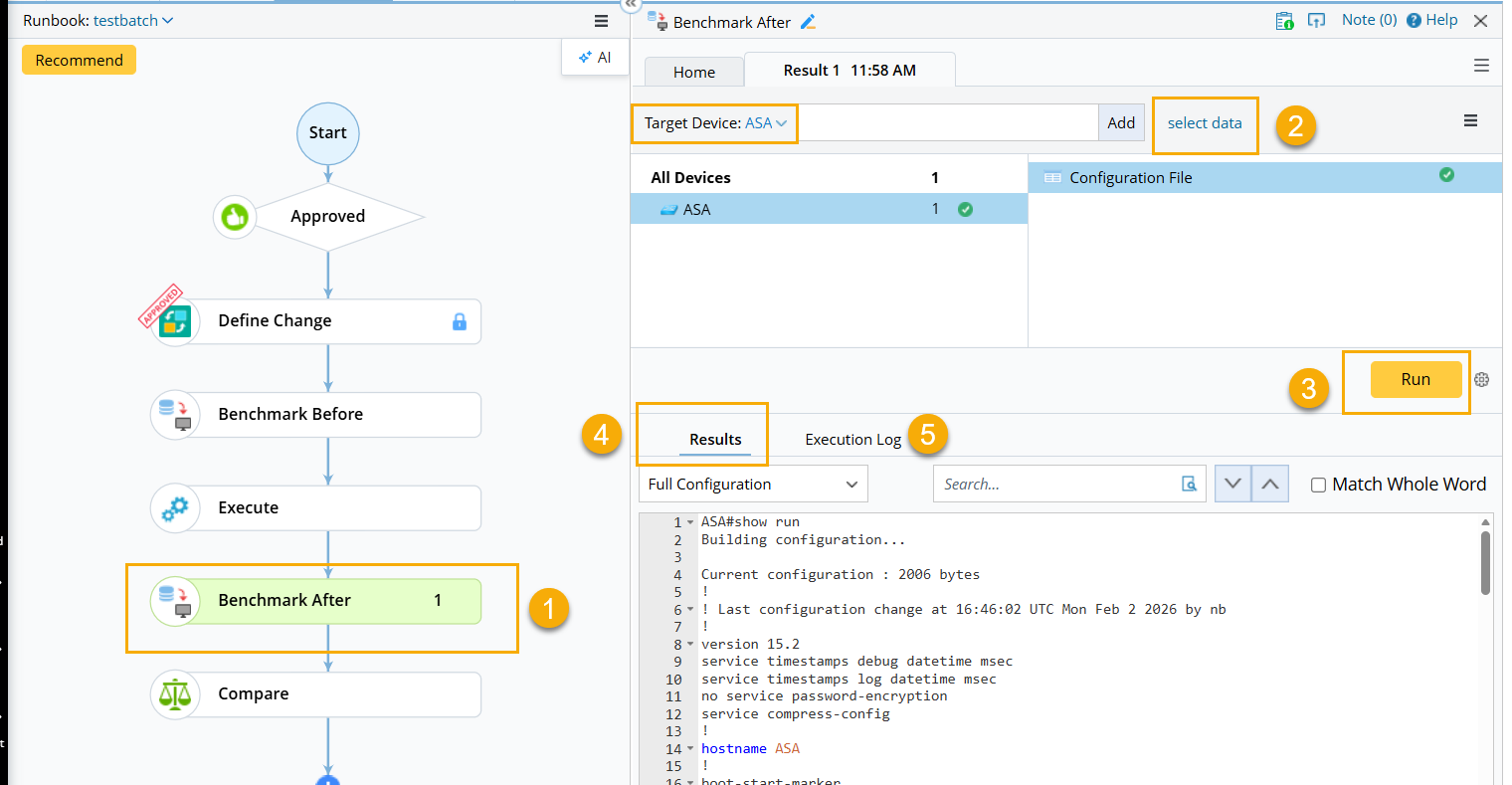
- Click the Benchmark After node.
- In the Benchmark After pane, select devices and define the data type. The predefined devices, CLI commands, and data types are used by default.
- Click Run to benchmark data.

Tip: If you click  and select the Auto update all selected data in Current Baseline checkbox, the configuration files stored in the Current Baseline will be overwritten with the retrieved data.
- Click the Results tab and select a device to view its results.
- Click the Execution Log tab and select a device to view its logs.