R12.3-2026Apr21
Exporting a Network Change Task to Word
You can document a network change task, including definition, device data and node results, in MS Word.
-
Open the target change management task, and click the
 icon.
icon.
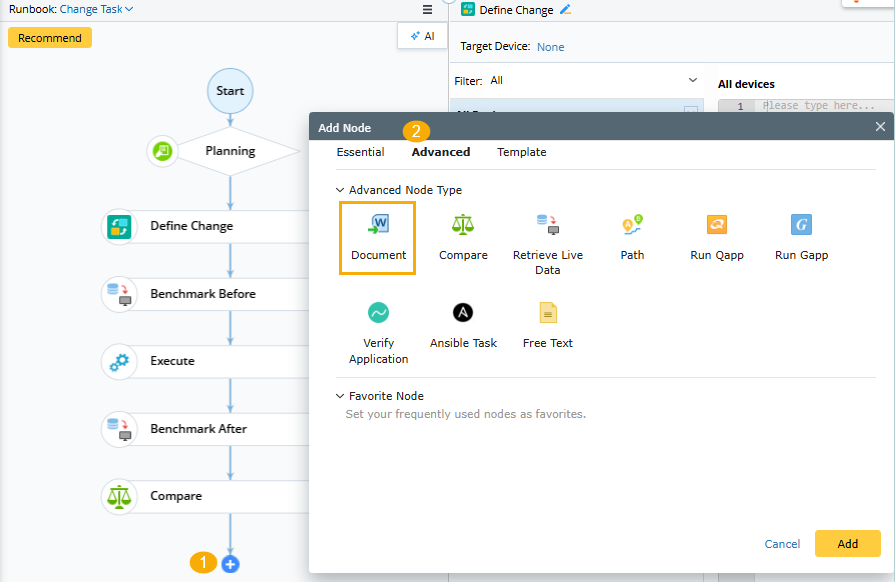
- Select Advanced tab > Document node in the Add Node window, and click Add.
-
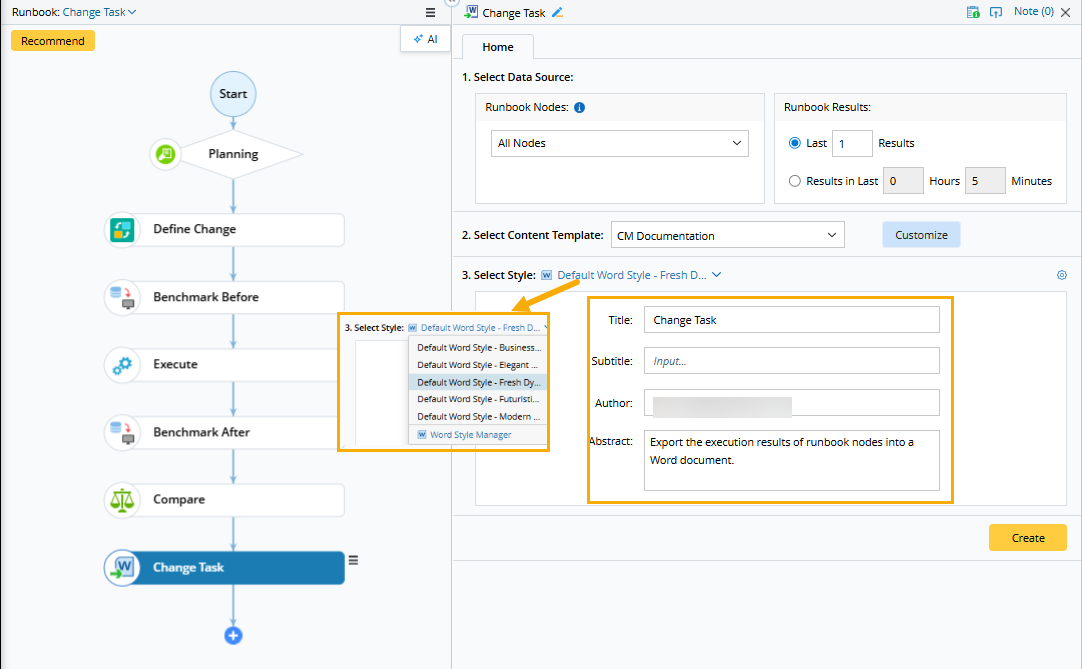
In the Document node, you can select the data source, content template, and Word Style.
-
Select Data Source: You can select which nodes and execution results to export. By default, all nodes and the last results are exported.

-
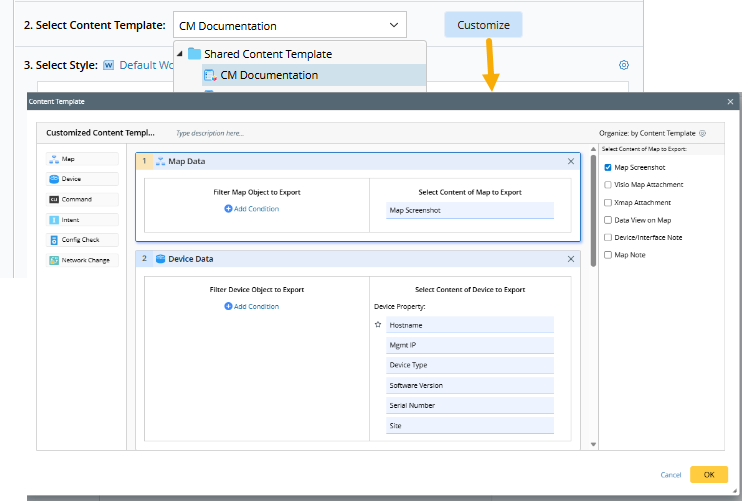
Select Content Template: You can select a content template from the drop-down list. Once selected, the ‘Customize’ button appears, and you can modify the current template.
-
Select Style: Select a Word template first and then fill in the basic information for it.
Clicking the icon allows users to define more advanced settings, such as company name and logo (if included in the Word template), which will take effect at the domain level.
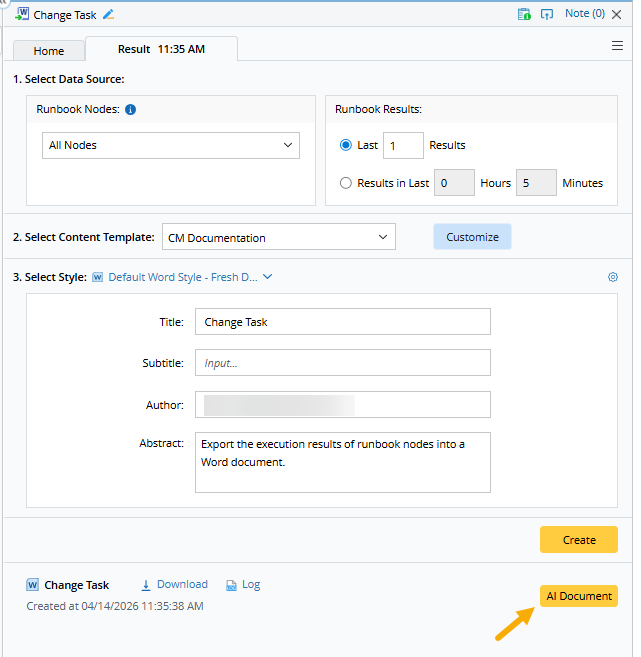
- Click Create.
- After the document is successfully created, you can utilize the ‘AI Document’ function to optimize documents by entering instructions.