R12.3-2026Apr21
GCP Include and Exclude VPCs Discovery
This feature provides the flexibility to discover the specified VPCs listed in the included VPCs/Projects/Folders configuration or not listed in the excluded VPCs/Projects/Folders configuration.
Follow the steps below to exclude and include VPCs in discovery :
- On the Domain Management page, go to Discover tab.
- Select the API Server.
- Click Edit from the dropdown menu.
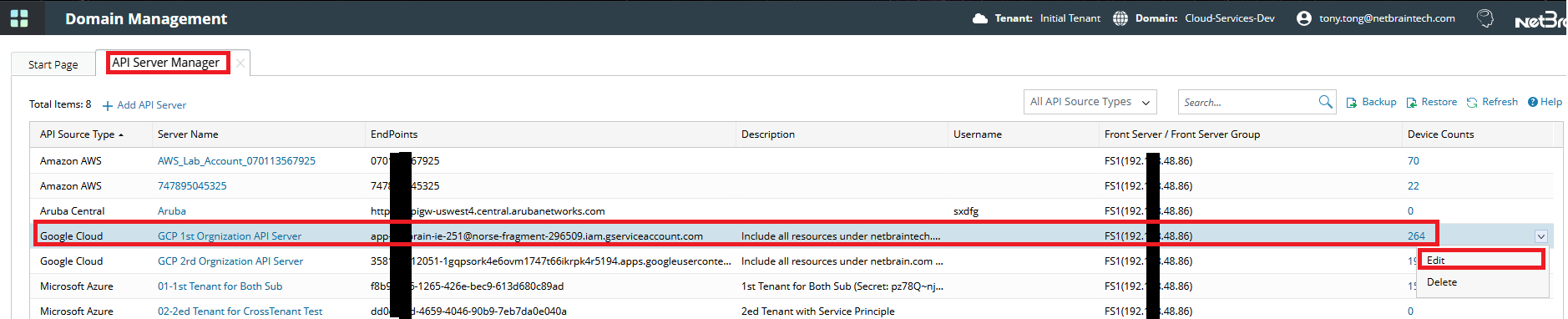
- In the Advanced section.
- Click + Add to select the Include, Excluded Virtual Private Cloud, Excluded Projects or Excluded Folder key.
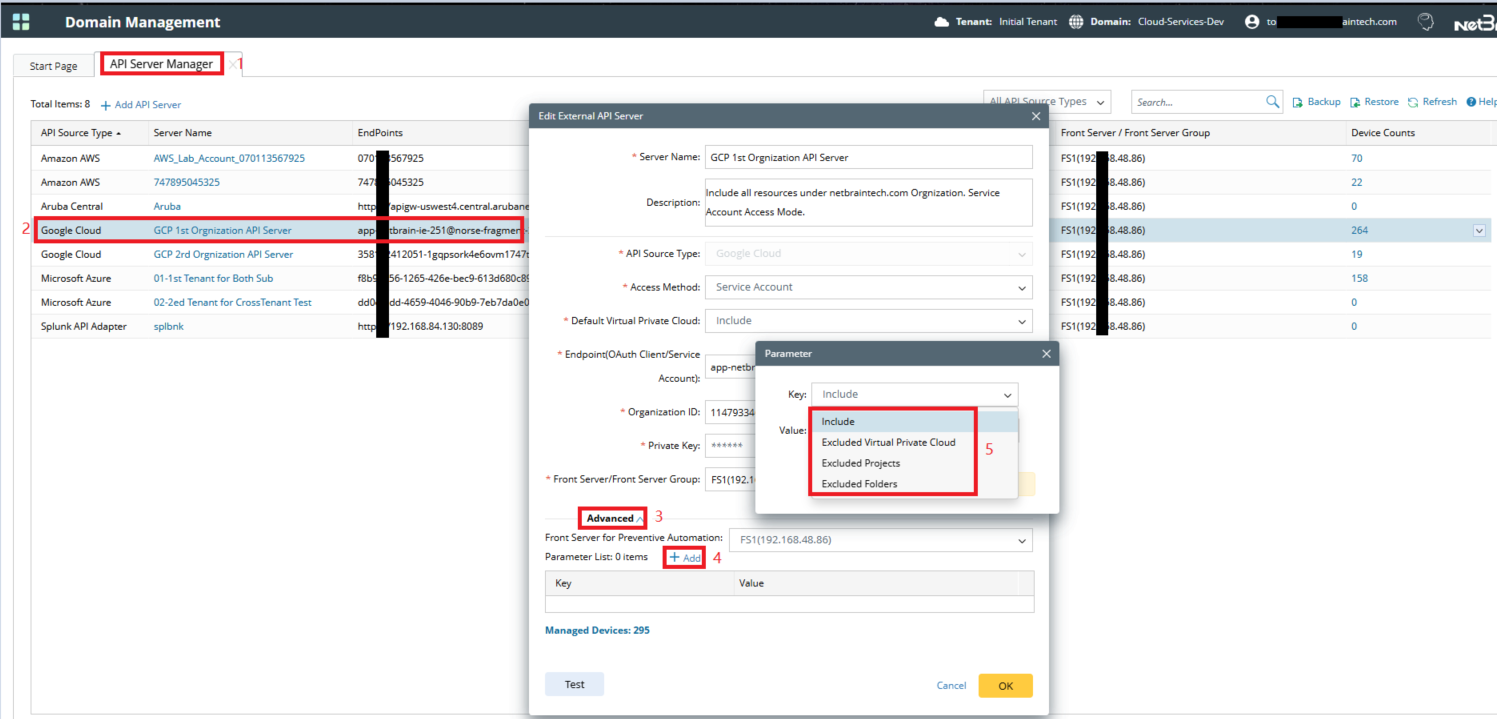
- Click + Add to select the Include, Excluded Virtual Private Cloud, Excluded Projects or Excluded Folder key.
- In the Value field, enter the corresponding object path scope separated by a semicolon.
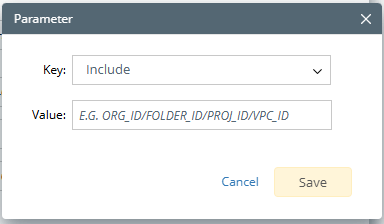
| Key | Value | Description |
| Included Folders/Projects/VPCs | e.g Org_Id/Folder1_Id; Org_Id/Folder2 Id | Discover all Google Cloud resources under all projects of specific folder. (e.g. folder1 and folder2) |
| e.g Org_Id/Folder1_Id/Project1_Id; Org_Id/Folder2 Id/Project2_Id | Discover all Google Cloud resources under specific project. (e.g. Project1 and Project2) | |
| e.g Org_Id/Folder1_Id/Project1_Id/VPC1_Id; Org_Id/Folder2 Id/Project2_Id/VPC2_Id | Discover all Google Cloud resources under specific VPC. (e.g. VPC1 and VPC2) | |
| Excluded VPCs | e.g VPC1_Id;VPC2_Id | Do not discover all Google Cloud resources under specific VPC. (e.g. VPC 1 and VPC 2) |
| Excluded Projects | e.g Project1_Id; Project2_Id | Do not discover all Google Cloud resources under specific project. (e.g. Project 1 and Project 2) |
| Excluded Folders | e.g Folder1_Name; Folder2 Name | Do not discover all Google Cloud resources under all projects of specific folder. (e.g. folder 1 and folder 2) |
- Click Save.

Find the Organization, Folder, or Project ID or Name value from the Google Cloud Console, as shown below
Select the API Server and run the discovery process. Refer to Discover GCP Networks.