R12.3-2026Apr21
Geolocation in Inventory Report
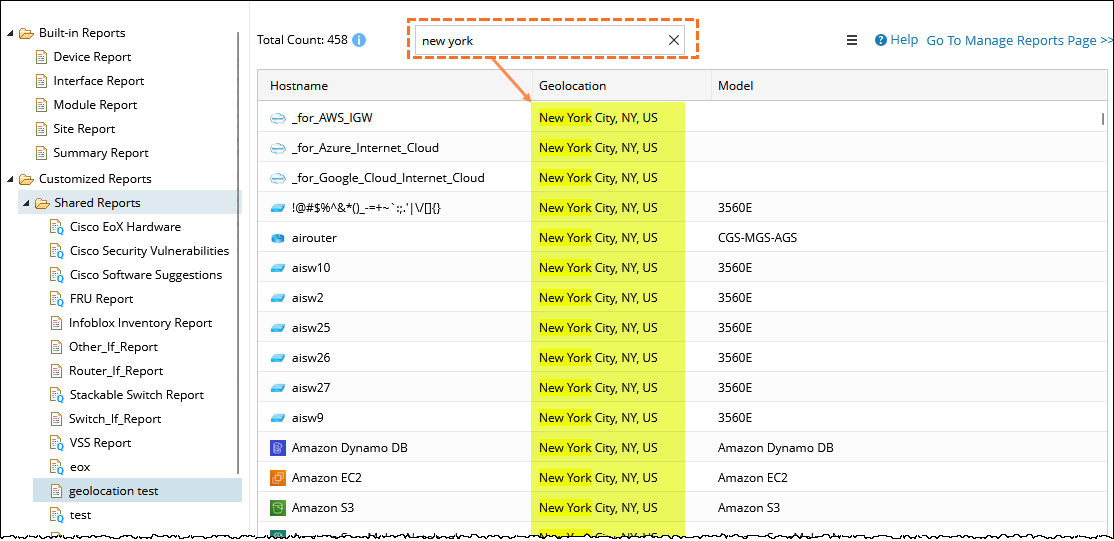
The Geolocation field displays the physical location of a device as a readable address (for example, New York City, NY, US) instead of an internal ID. This helps administrators quickly identify where devices are located and manage them more effectively.
You can view Geolocation of the device in the Inventory Report.
 |
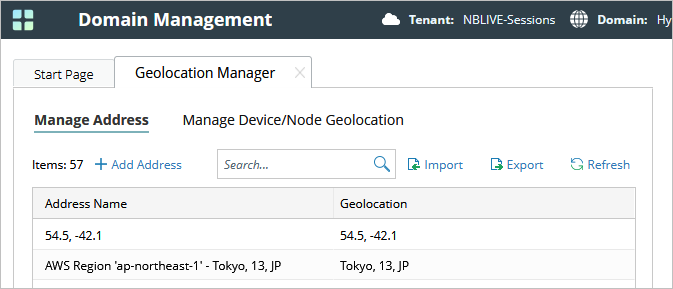
Note: Before viewing Geolocation, ensure that locations are configured in the Geolocation Manager. Once configured, the location information is displayed in the Inventory Report. |
Follow the steps below to find devices by Location:
- Use the search bar to enter a location name (for example, New York).
- The system filters and highlights matching devices.
This is especially useful when working with large inventories.