R12.3-2026Apr21
Modify Diagnosis Manually
After adding the diagnosis with a template, you can further modify it manually.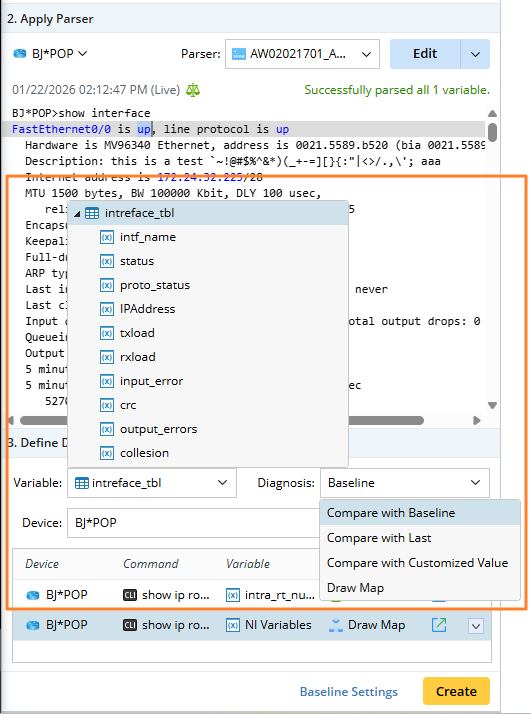
- Variable: You can select all variables of the current parser. If it is a table variable, all its columns will be listed so that you can select either a table or a table column.
- Diagnosis: Three types of diagnosis are provided: Compare with Baseline/Last/Customized Value.

Note: When you select a table variable, two types of diagnosis are provided: Compare with Baseline and compare with Last. You can also directly define the baseline settings at the intent level, automatically updating the intent baseline. 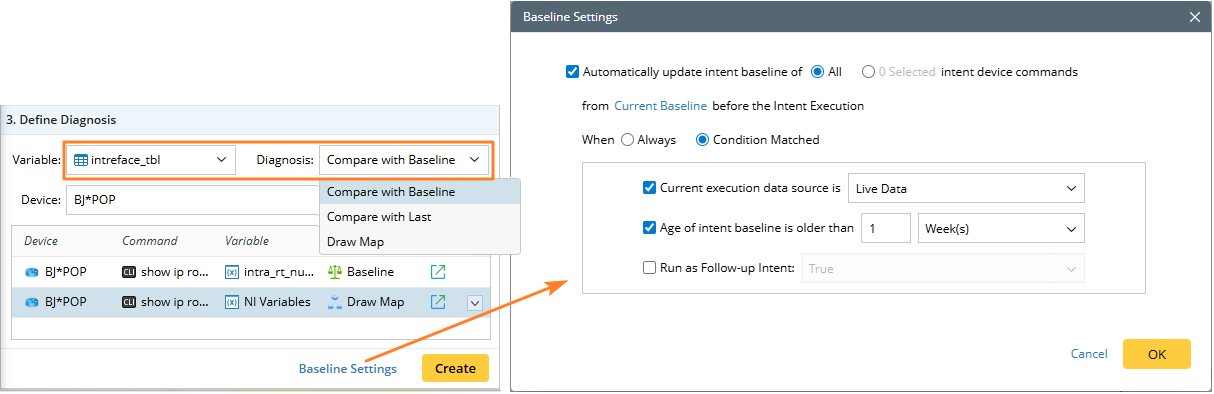
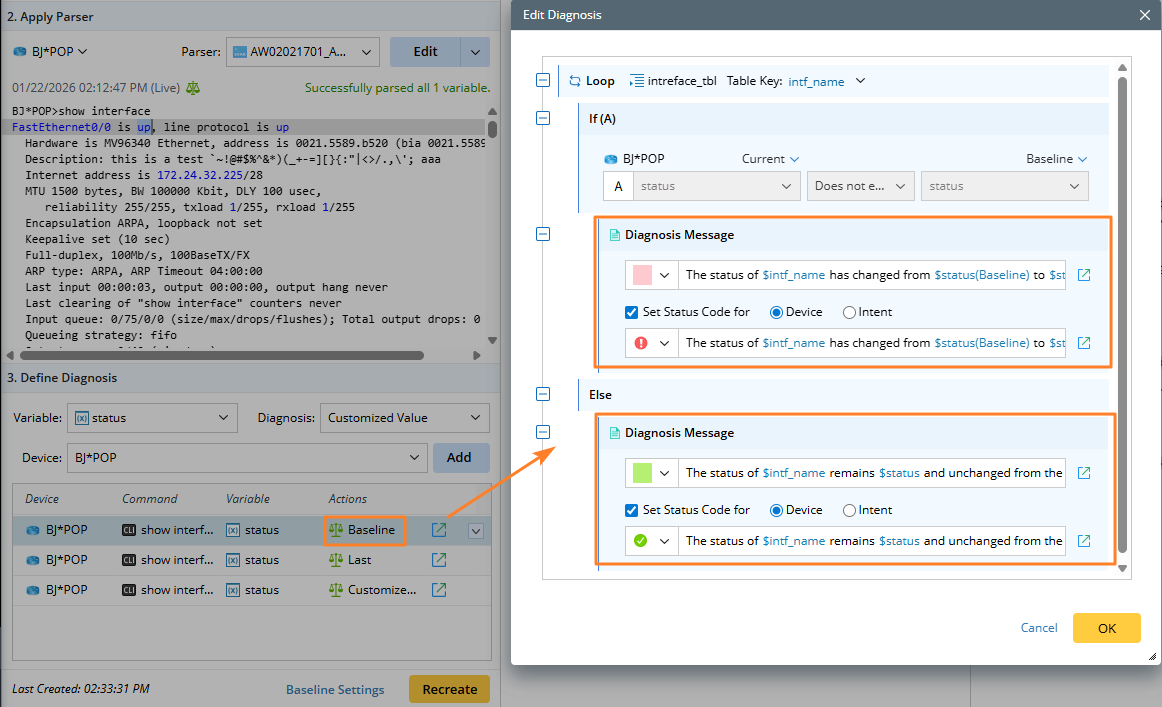
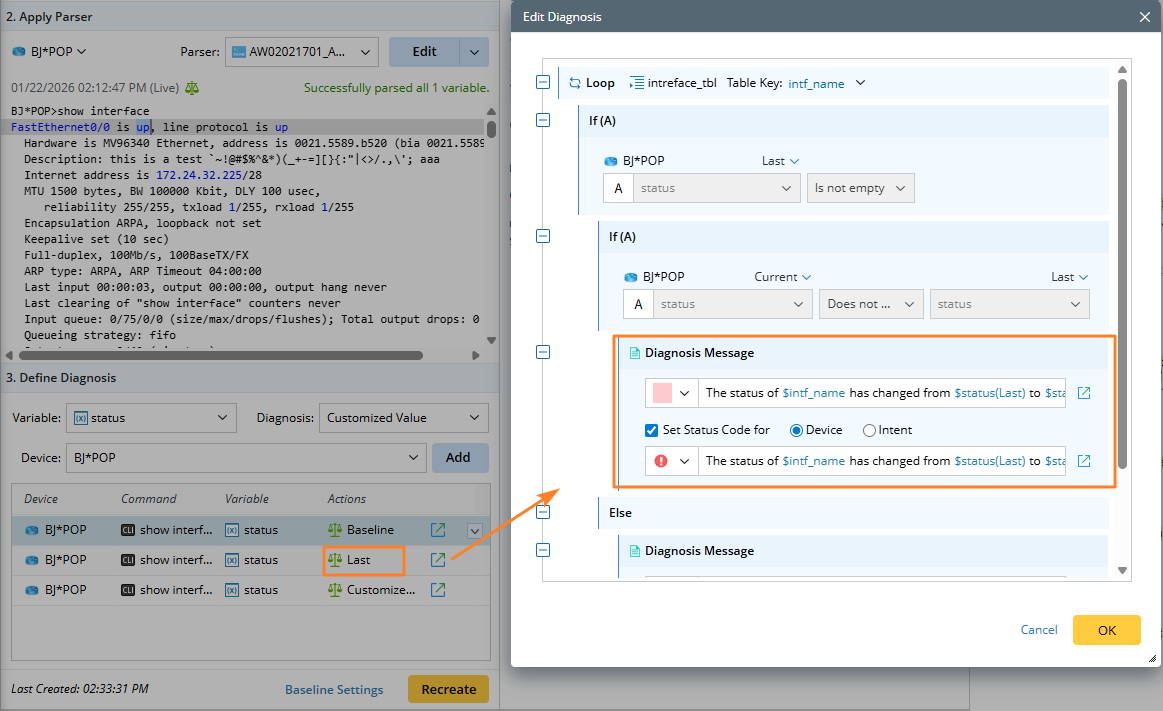
The node content on the Edit Diagnosis pane differs depending on the diagnosis type.
- Compare with Baseline: The logic is predefined, allowing you to refine the diagnosis message when necessary.
- Compare with Last: The logic is predefined, allowing you to refine the diagnosis message when necessary.
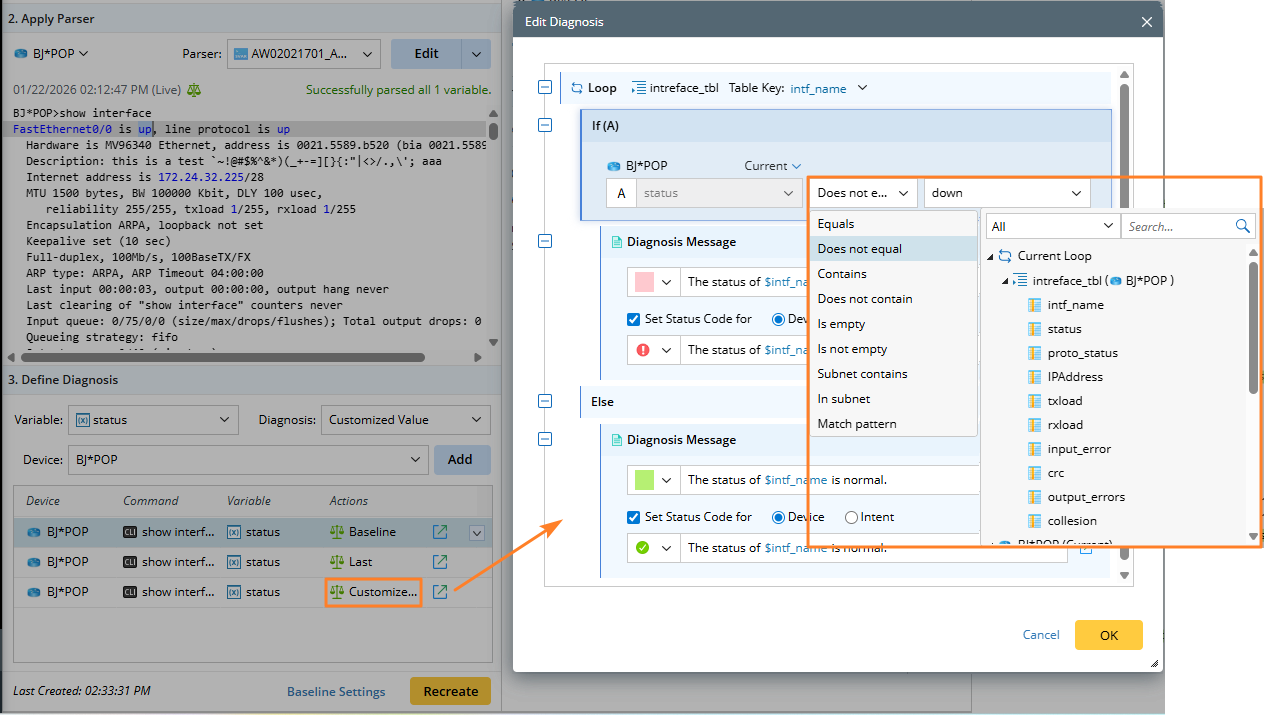
- Compare with Customized Value: In addition to the diagnosis messages, you can select an operator and either choose a variable or input a value for comparison. For example, you can reset the interface status.