R12.3-2026Apr21
Specify Testing Devices
Specify the devices to test to ensure that the parser can successfully parse data from them.
- Retrieve the sample data and define Qualification.
-
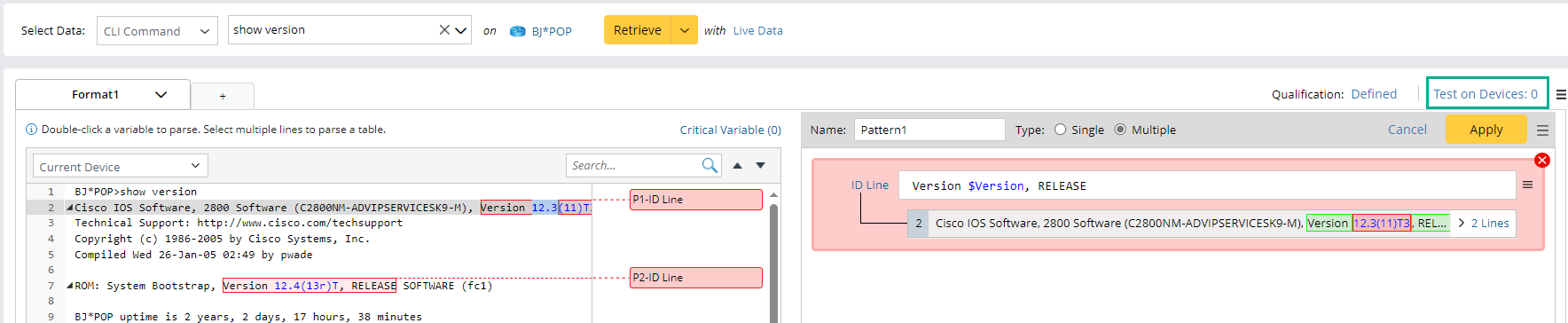
Define the variable, and click Test on Devices:0.
-
In the Test Parser Coverage window, select the testing devices.
-
(Option1) You can select devices both from Add Manually and Add from ADT. The device list will combine devices from these two options.
-
Click Add Manually and select devices in the Select Device window.
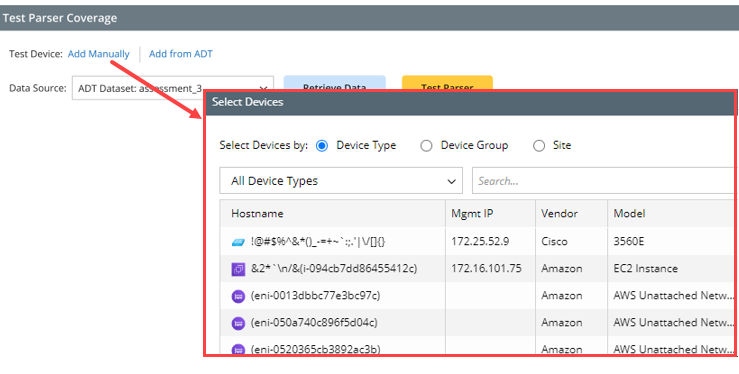

Note: If the parser is an API parser and the API Adapter is selected as the logic node, the Select Device window allows users to select logic nodes.

-
Select devices from the Device column in an ADT.
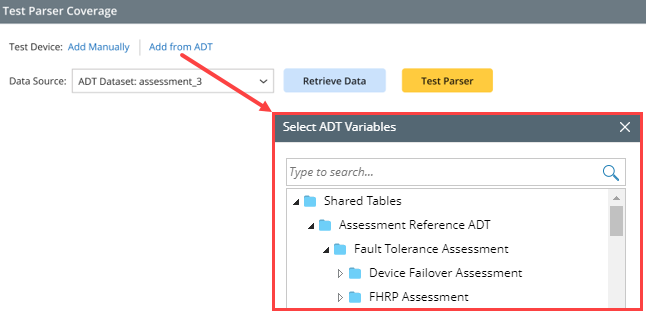
- Click Add from ADT.
-
In the Select ADT Variables window, choose the Device column.
-
Click Add Manually and select devices in the Select Device window.
-
(Option2) Import a CSV file and assign its columns to fill in the Device and Command column.
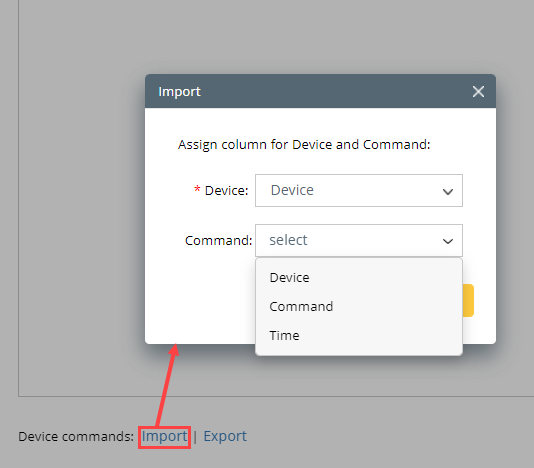
-
(Option1) You can select devices both from Add Manually and Add from ADT. The device list will combine devices from these two options.
- Click OK.
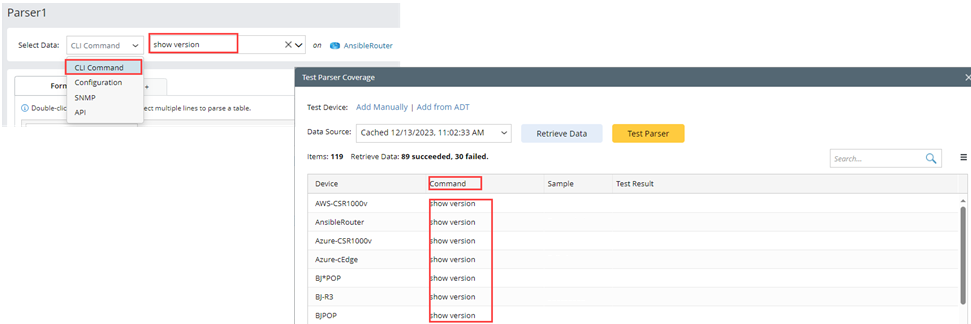
The selected devices and the command of the tested parser will be displayed.