R12.3-2026Apr21
Use Intent from ADT as Follow-up Diagnosis
Automation Data Table (ADT) can reference multiple automation intent columns for each automation asset, and you can use intents (e.g., path intents) in ADT as follow-up diagnosis.
Complete the following steps to check the OSPF and EIGRP state of the failover device when the HSRP state is changed.
- Build an intent to check the OSPF and EIGRP state of the failover device.
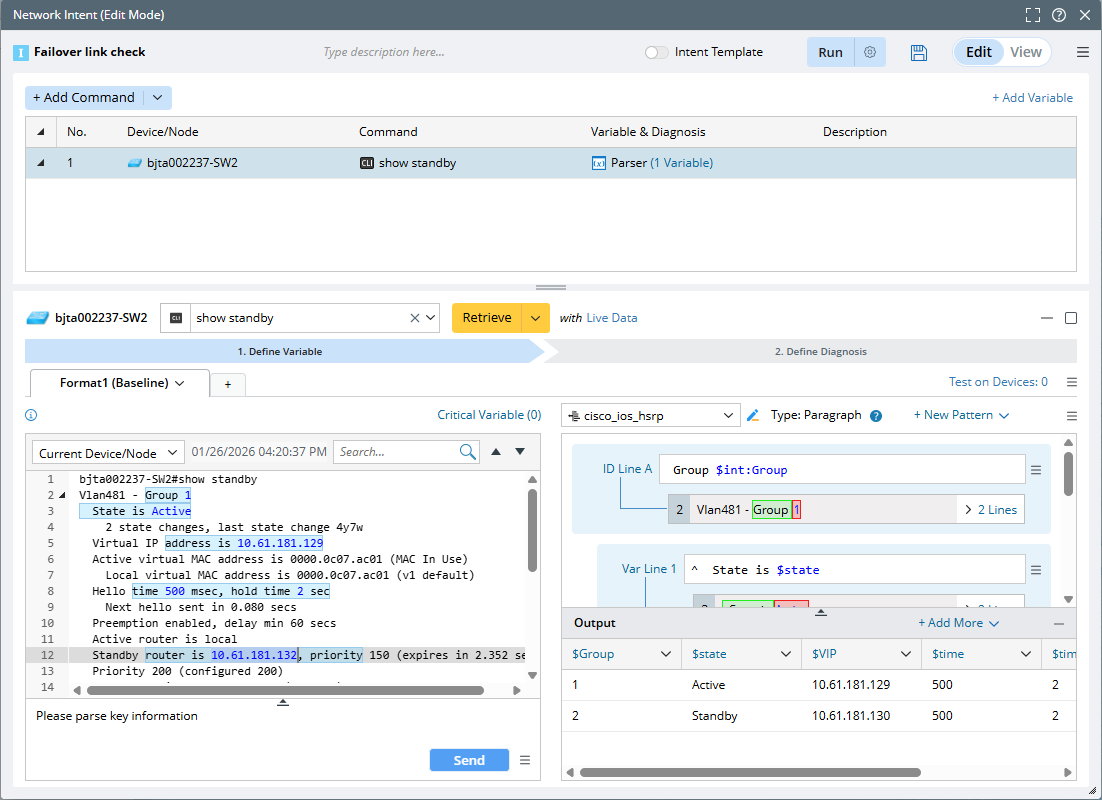
- Create a NI “Failover link check” and add CLI diagnosis for device “bjta002237-SW2”. Get a parsed table by command show standby.
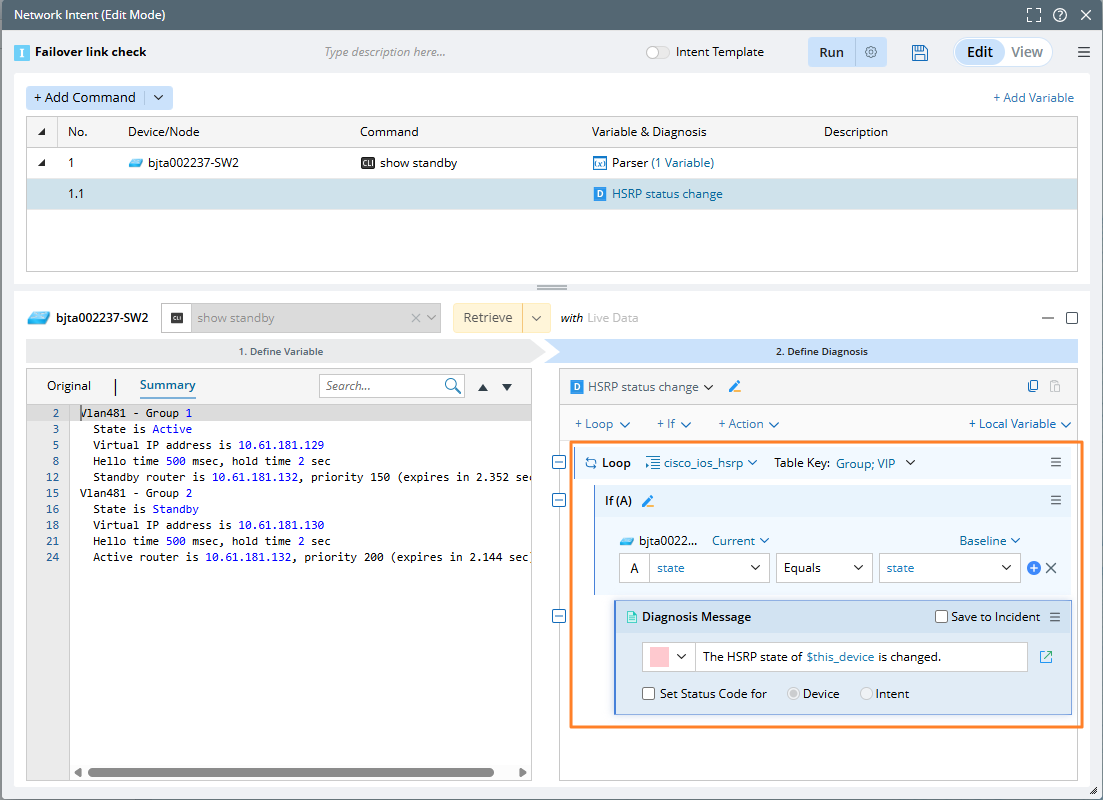
- Define the diagnosis to check whether HSRP status changes.
- Add a follow-up ADT intent node. Select the ADT “WAN Link Failover” and define the match conditions.
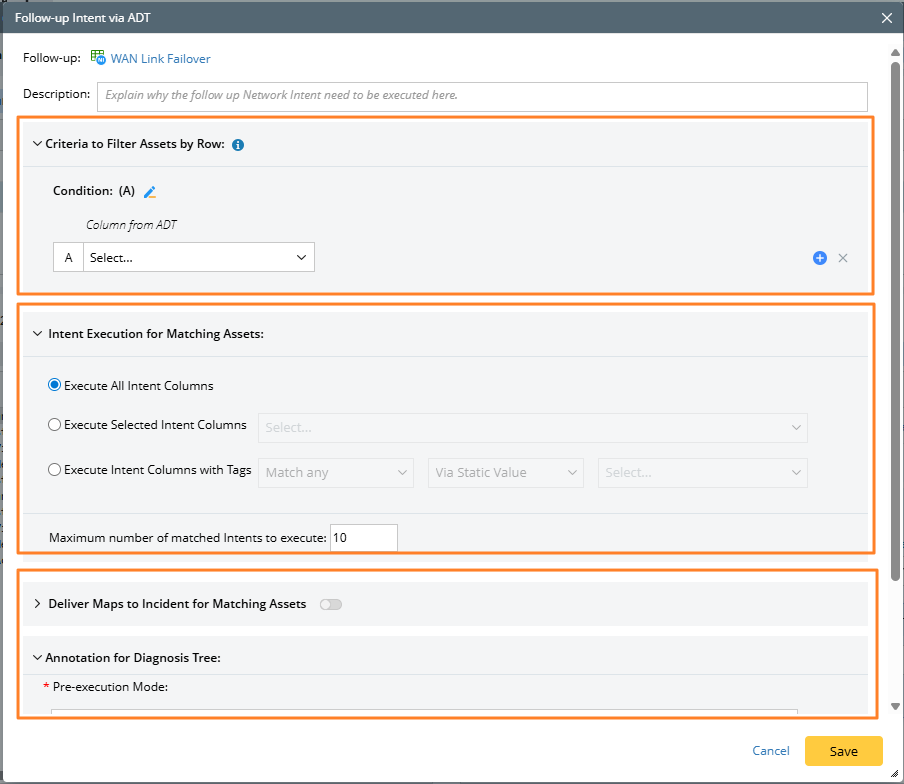
- Specify criteria to filter critical assets in the ADT by row.

Note: You can use the Node column from ADT (Asset Data Table) to define conditions. If the Node column of ADT is selected on the left, only the Node type variable in NI is available on the right. 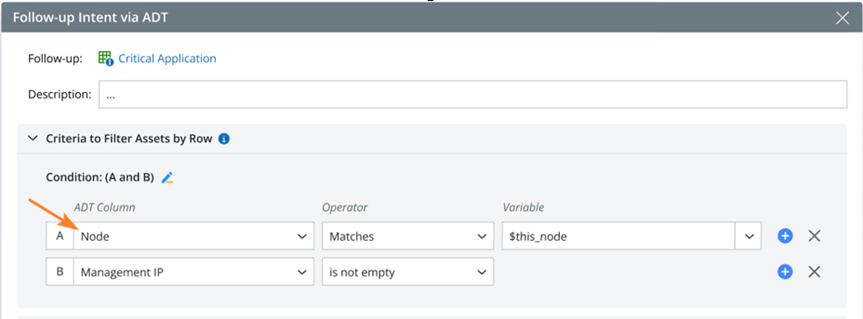
- Select the intent of automation assets to execute.
- Select maps to deliver to incident for the matching assets, and define the annotation for diagnosis tree.
- Specify criteria to filter critical assets in the ADT by row.
- Create a NI “Failover link check” and add CLI diagnosis for device “bjta002237-SW2”. Get a parsed table by command show standby.
- Run this intent and check the diagnosis results.
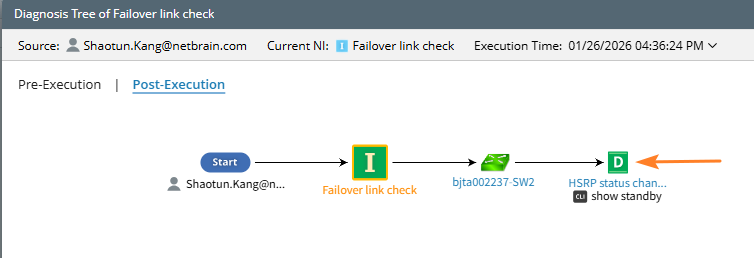
Here is an example to open the diagnosis tree to view the ADT details.
- Pre-Execution: Show follow-up ADT as a node and provide the Automation Data Table Details pane.
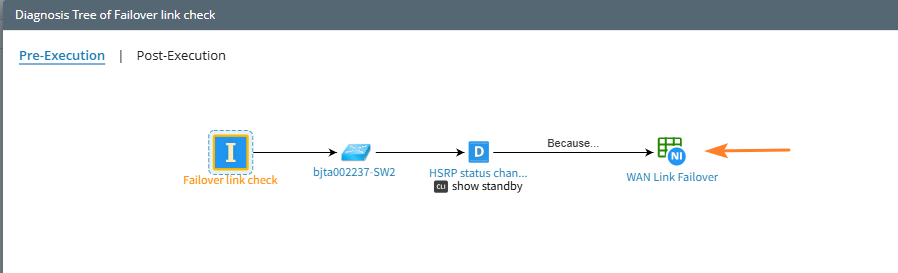
- Post-Execution: Only show ADT intent node.