R12.3-2026Apr21
Using Variables in a Command
When you define commands in a Change node, the commands may contain sensitive data, such as passwords and values. You can use variables in commands to protect sensitive data, and only users with specific privileges can view the data.
Follow the steps below to define variables to hide the sensitive data in a command.
-
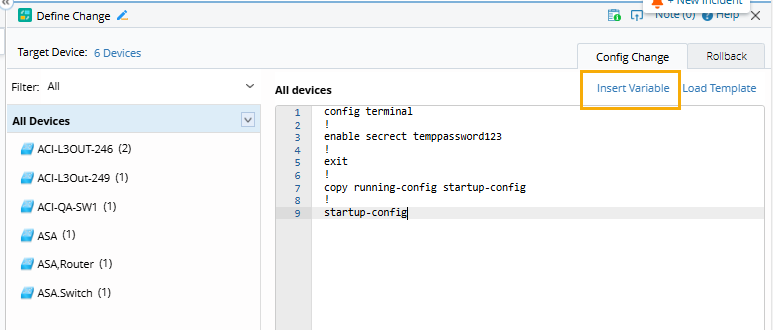
At the Define Change node, click Insert Variable.
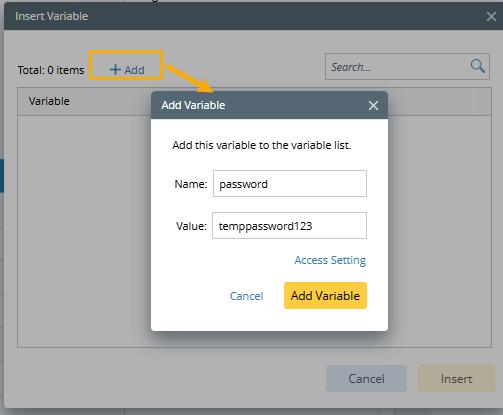
- Click Add. The Add Variable dialog opens.
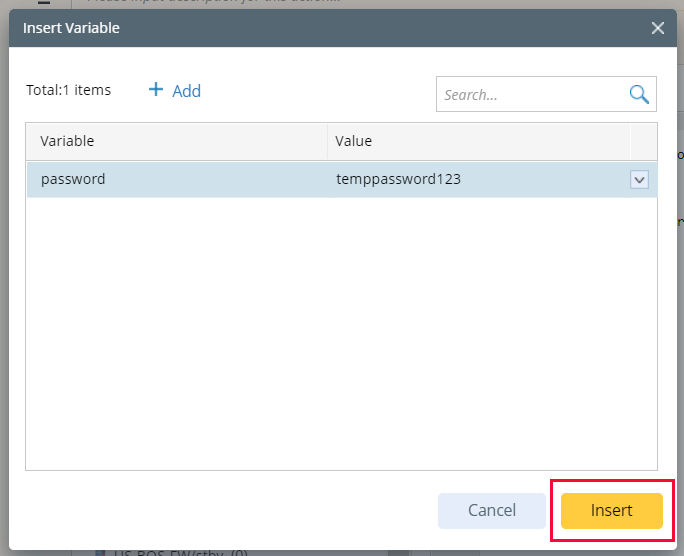

|
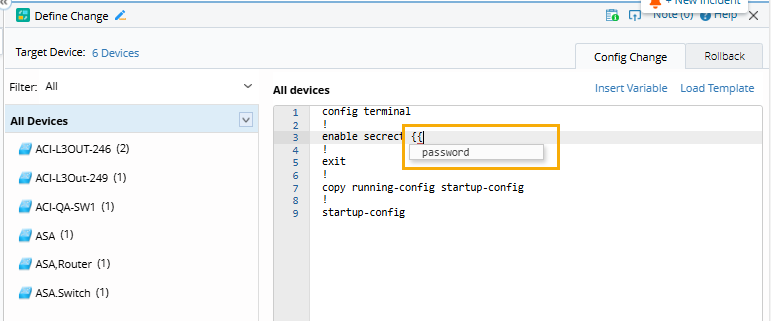
Tip: You can also type {{variable}} to create a new variable in a command and double-click the variable to edit it. The new variable will be automatically added to Insert Variable.
|
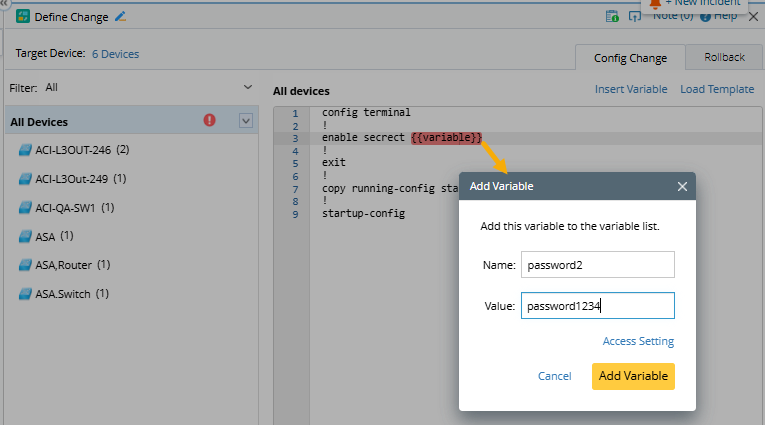
The system only shows variable names and hides specific values in the commands. Only users with specific privileges can edit or view the variables and values.
| Privilege | View Variable | Add/Delete/Edit Variable |
| Create Network Change | Yes | Yes |
| Approve Network Change | Yes | No |
| Execute Network Change | Yes | No |
| View Network Change | No | No |
| Delete Network Change | No | No |