R12.3-2026Apr21
View AWS Resources
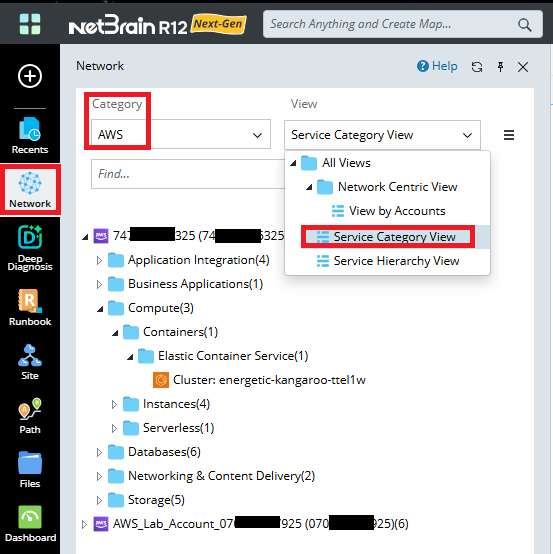
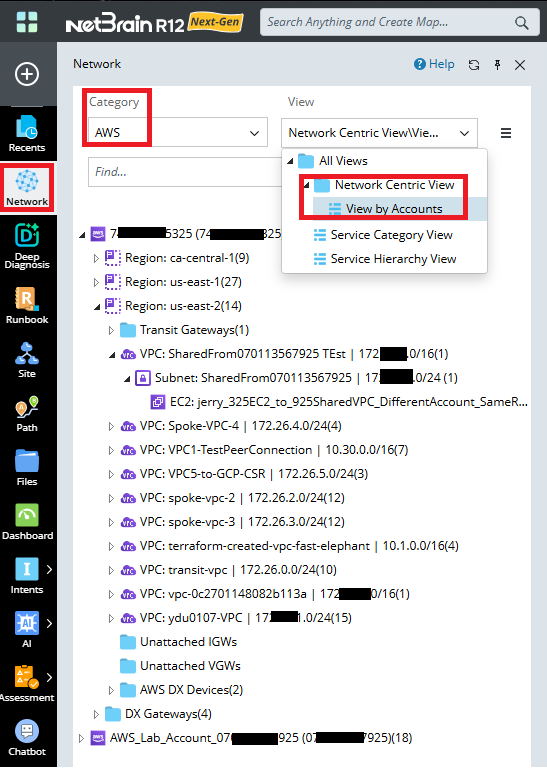
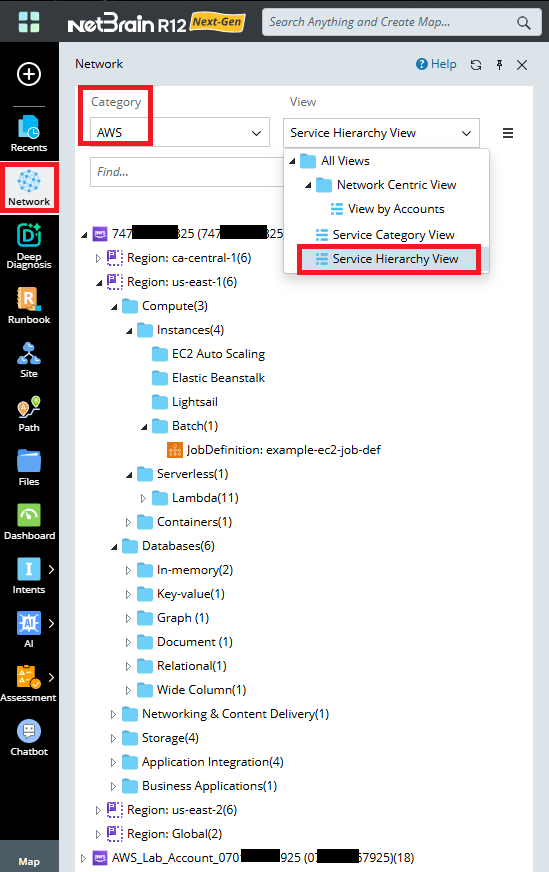
- Open the network tree and select AWS in the Category field to view the AWS resource. Select Network View or Service Hierarchy View or Service Category View in the View field to view the discovered resources in different view options.
- The three Network Tree View Comparison:
| Network Centric View | Service Hierarchy View | Service Category View | |
| Show Networking Resources | Yes | Yes (Partial) | Yes (Partial) |
| Show Other Resources | No | Yes | Yes |
| Show Account | Yes | Yes | Yes |
| Show Location | Yes | Yes | No |
- Network View: Displays networking resources in a cloud network–centric hierarchical tree view, including Tenants, Subscriptions, Regions, and Networking Resources.
- Service Hierarchy View: Displays other cloud service resources excluding networking services in a cloud service–centric hierarchical tree view, including Tenants, Subscriptions, Regions, and other Resources.
- Service Category View: Displays other cloud service resources excluding networking services in a cloud service type category–centric hierarchical tree view, including Services Type and Services Nodes.