R12 Publication-2025July16
Define Intent Template and Device Qualification
In this tab, you can define the intent as a device-based intent template or path-based intent template.
The first major step is to define intent template type and intent qualification. Follow the steps below to make these definitions.
- Seed Intent: Click Select in the Seed Intent block, then select a seed intent (for example, Multi_Hub_Spoke_Demo) from the pop-up Select Intent dialog, then its basic information will be displayed, such as intent name, description, and when it was last modified.
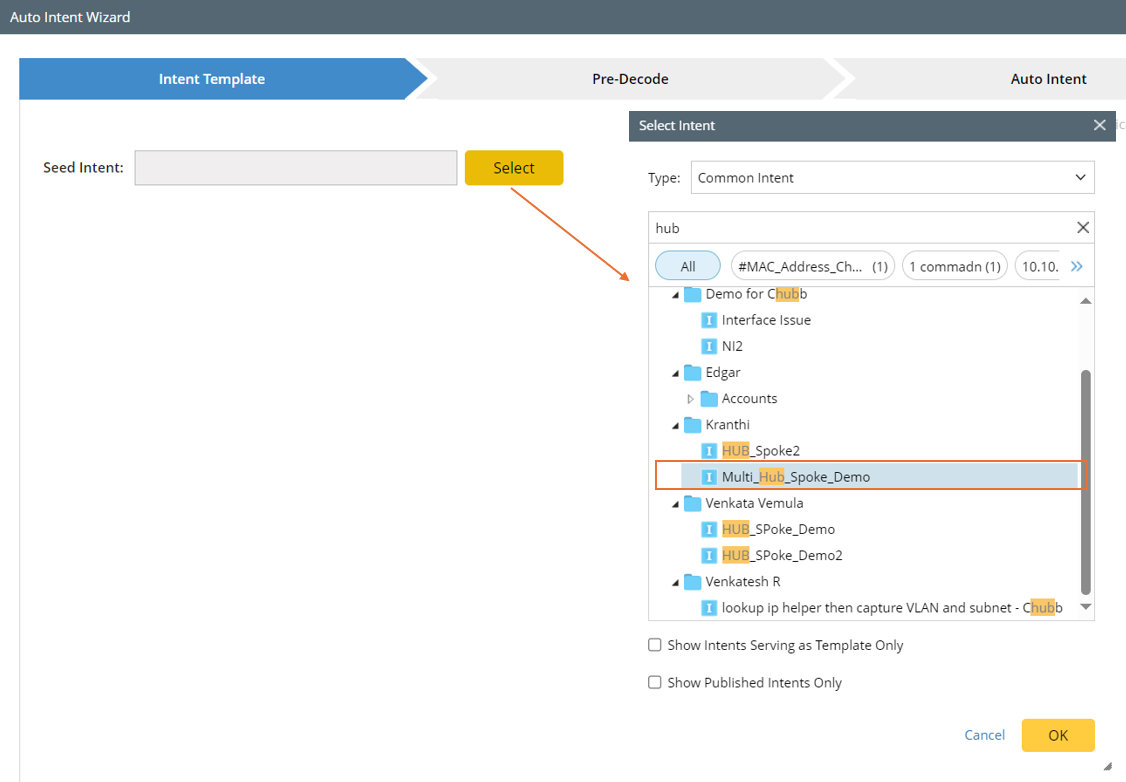

Note: The two options Show Intents Serving as Template Only and Show Published Intents Only serve to narrow the scope of intents listed.
- Intent Template for: Intent templates are separated into two types based on replication logic definition: Replicate for Devices (called normal NIT), Replicate for Paths (called Path NIT). Select from the following two options:
- Device-based Replication: Specify that the current intent template applies to device-based replication. In this case, only the devices that are defined via dynamic search and device group/site are supported.
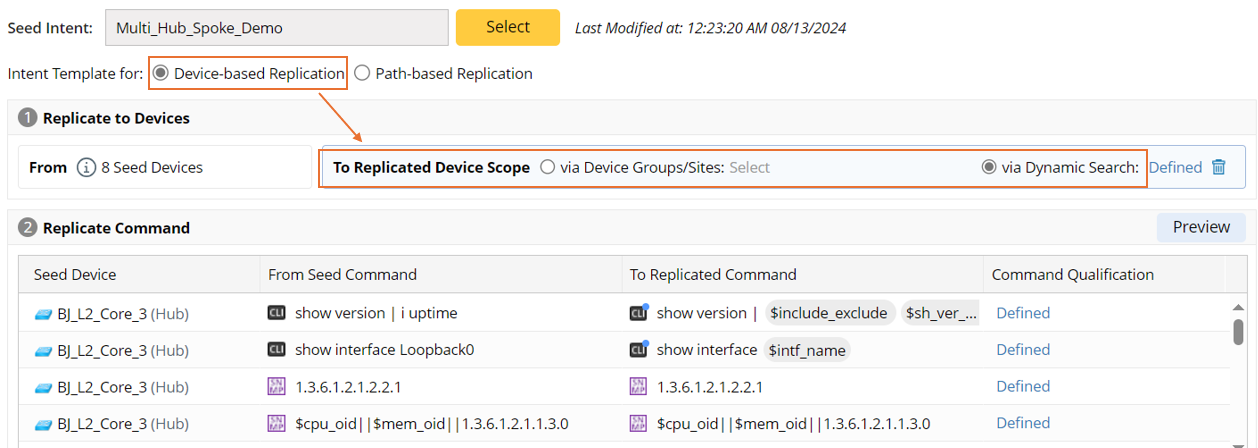
Note: From x Seed Devices is added, hover the mouse on the prompt to see the information related to the Seed Device (Seed Device/Device Type/Model Software Version). 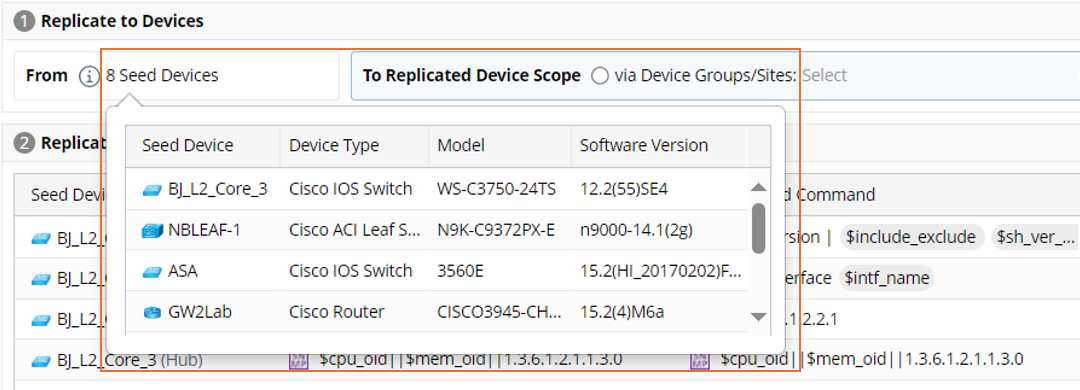
- Path-based Replication: Specify that the current intent template applies to path-based replication. In this case, only the path devices that are defined via command qualification are supported.
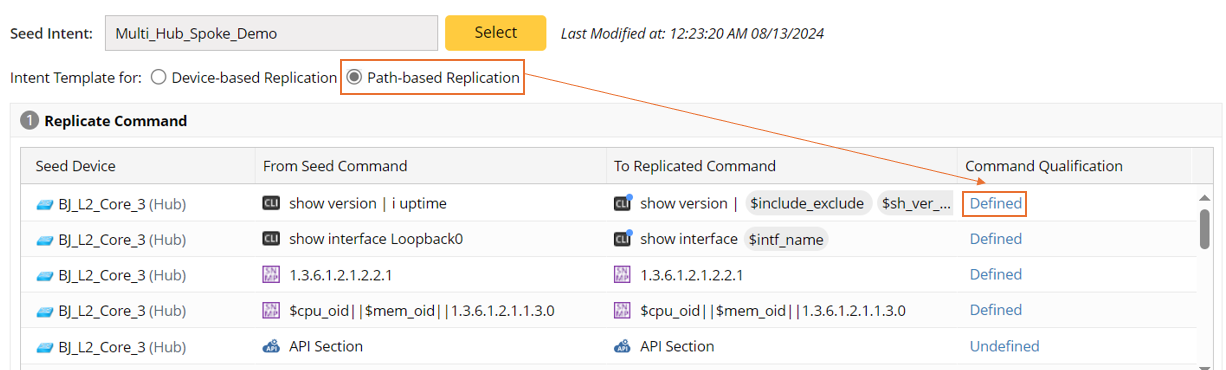
Note: To define the device-based qualification for the seed device, go to Replicate Settings to finish this.
- Device-based Replication: Specify that the current intent template applies to device-based replication. In this case, only the devices that are defined via dynamic search and device group/site are supported.
- Define Intent Qualification: Define the target device scope for the seed intent template to replicate intent. The target devices can be defined in the following two approaches (for the detailed steps, see Replication Settings for Device-based Replication):
- Define via Device Group/Sites (when Device-based Replication is selected): Qualify devices via the defined sites or device groups.

- Define via Dynamic Search (when Device-based Replication is selected): Define the qualified devices via conditions.

- Define Command Qualification: Command Qualification can be defined only when Path-based Replication is selected. Command qualification serves to qualify the devices at command level. For the detailed steps, see Replication Settings for Path-based Replication.
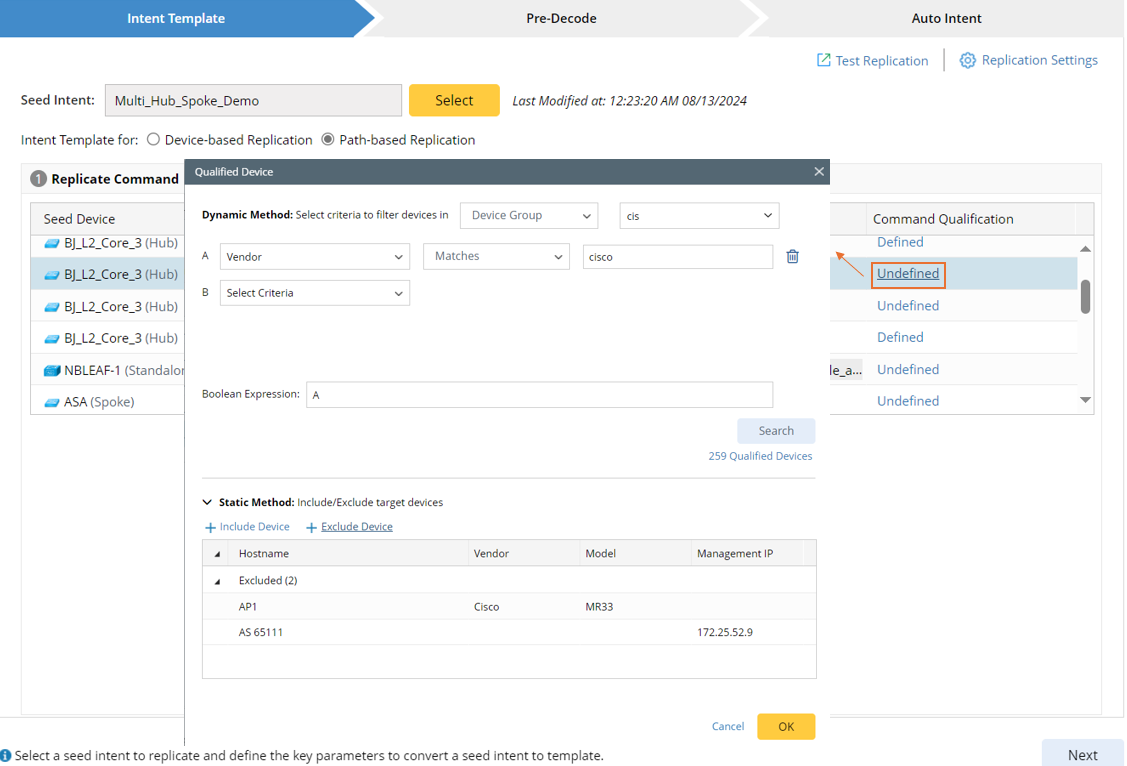
- Define via Device Group/Sites (when Device-based Replication is selected): Qualify devices via the defined sites or device groups.
- Configure Macro Variables: Define command macro variables bound to ADT to lookup data for the target device here (For more information, see Define Macro Variables for Seed Command in Auto Intent Wizard).