Establishing the Jira Cloud to NetBrain Connection
The connection between the Jira system and NetBrain is facilitated through the creation of a NetBrain Connector in the NetBrain Jira Cloud App. Using the customized user account that was created in the NetBrain system, the NetBrain Connector will establish and maintain a connection between the two systems.
- Log in to the Jira Clouds system with an account that can access and administer the NetBrain Jira Cloud App.
- At the upper-right corner of the Home Page, select Setting icon> Apps.
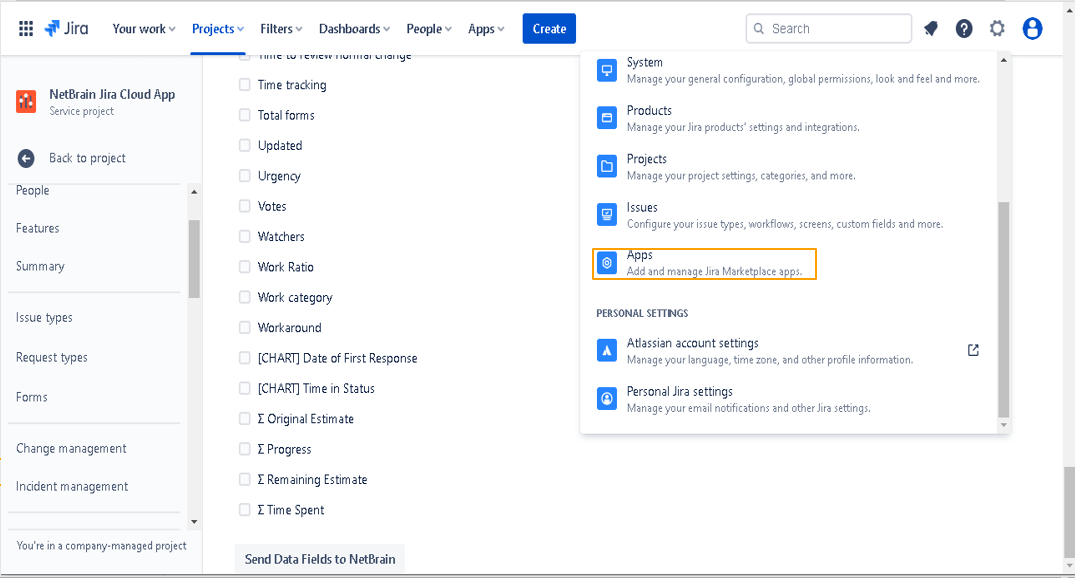
Image – Open Apps
- Click NetBrain Connector from the Navigation Bar.
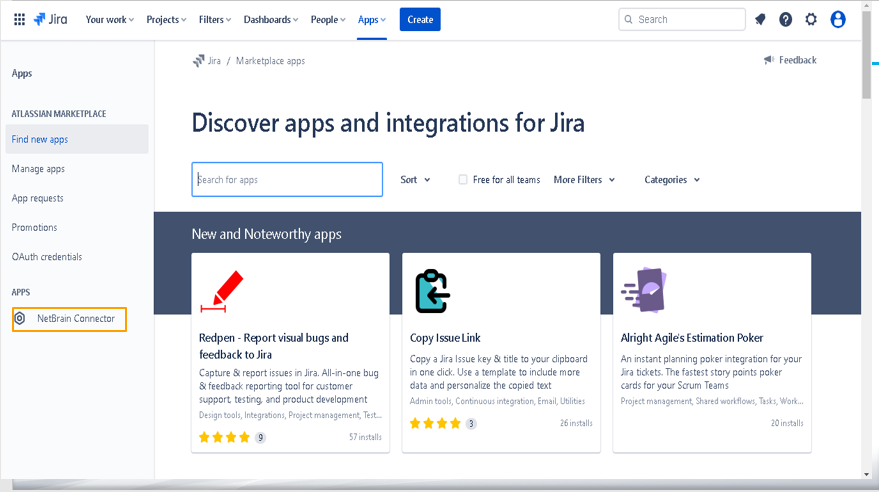
Image – NetBrain Connectors
Note: You can also open the Apps page by directly clicking the Apps tab at the top of the Home Page. 
- In the NetBrain Connectors pane, enter the following values:
Field / Setting Value NetBrain Endpoint Click the Padlock icon to make the field available to edit, then enter the URL to the NetBrain End User Interface that is recorded in “NetBrain Environment Information Pre-Requisites”.
Example - https://<NetBrain IP address or Hostname>
Note: The NetBrain Jira Cloud Connector supports both http and https.
NetBrain User Type Select API User to create a NetBrain API user account with Username/Passwork Authentication.
Select Token User to create a NetBrain user account with Token Authentication.
NetBrain API Username Enter the NetBrain API Username that is recorded in “NetBrain Environment Information Pre-Requisites”. NetBrain API Password Set NetBrain API passwords. Token Username If the User Type is Token User, define the Token Username Token If User Type is Token User, enter the NetBrain API Token that is recorded in “NetBrain Environment Information Pre-Requisites”. Username If the User Type is API User, set the Username. Password If the User Type is API User, enter the NetBrain API Password that is recorded in “NetBrain Environment Information Pre-Requisites”. NetBrain Domain Mode If the NetBrain system has been deployed with only one tenant and one domain or will only have a single Domain integrated with Jira Cloud, select Single Domain.
If the NetBrain system has multiple tenants and domains, select Multi-Domain.
Tenant Name If you select Single Domain, enter the Tenant Name that is recorded in “NetBrain Environment Information Pre-Requisites”. Domain Name If you select Single Domain, enter the Domain Name that is recorded in “NetBrain Environment Information Pre-Requisites”.
Note: From version R12, NetBrain supports OAuth 2.0 and token users accounts are disabled by default. It is recommended to access open API with OAuth 2.0 protocol. However, token user accounts can be enabled from Open API > Settings since R12 patch version 12.0.0.7. 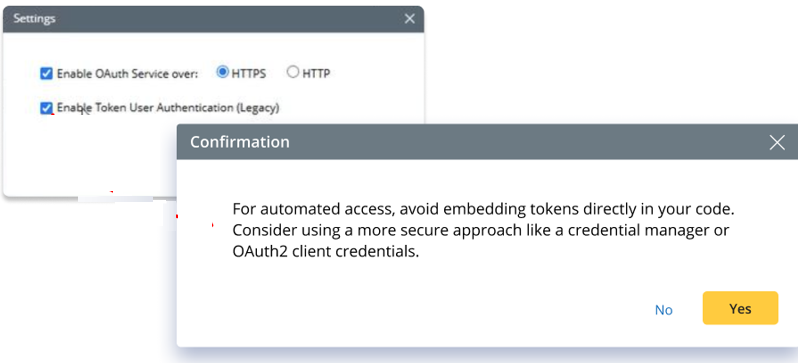
- Click Save to validate the connectivity and user authentication to the NetBrain.
- In the NetBrain Connectors page, a message will appear to notify successful connection.
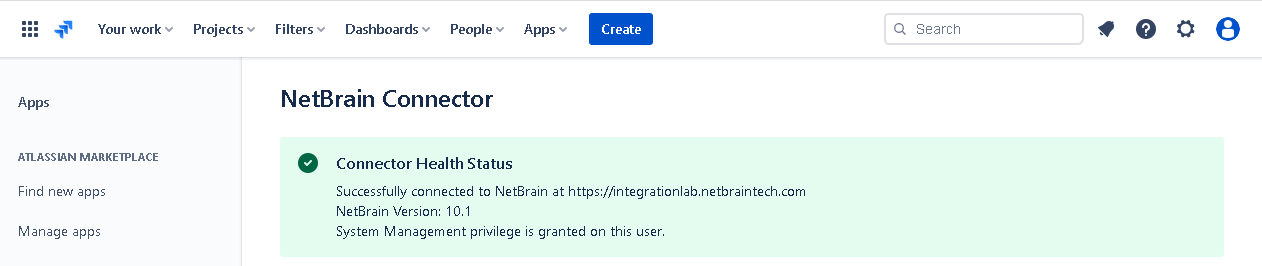
Image – Jira Cloud (NetBrain Connectors)