R12 Publication-2025July16
Singleton-Style NetBrain Tenant and Domain
If the NetBrain system has deployed with a single Tenant and Domain, this is referred to as a “singleton” deployment. The NetBrain Jira Cloud Application requires two key pieces of information from the NetBrain system, the configured Tenant Name and the Domain Name that will be integrated with Jira Cloud.
- Log in to NetBrain End User Interface with an account that has System Admin privileges.
https://<NetBrain IP Address or Hostname>
- Click
 from the Quick Access Toolbar.
 - In the pop-up window, click Select Domain.
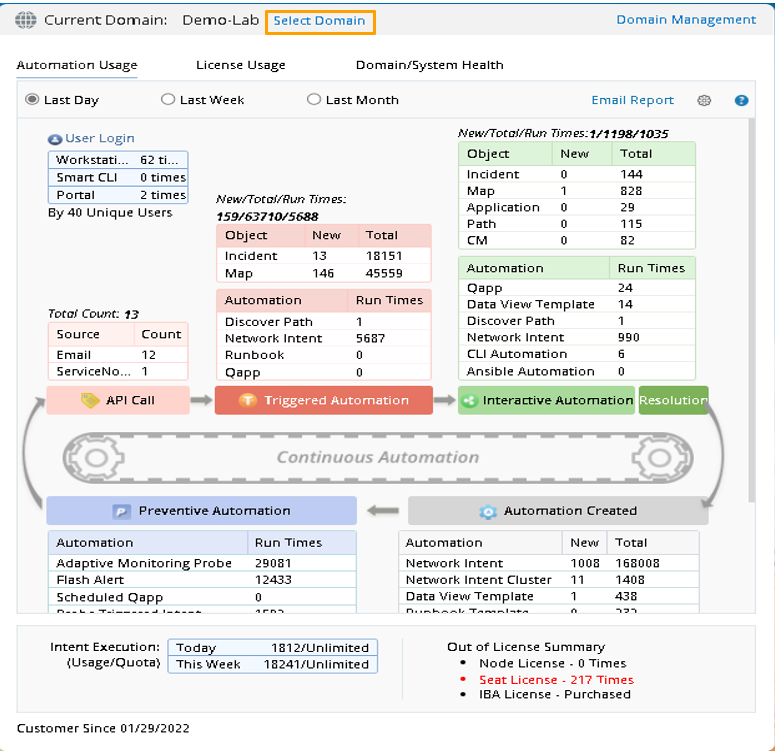
Image – NetBrain End User Page (Select Domain)
- The current Tenant Name and Domain Name is located and highlighted in the list.
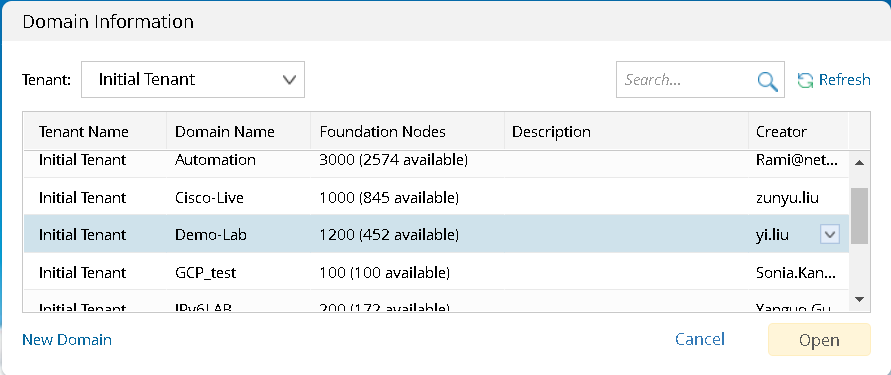
Image – NetBrain End User Page (View Tenant Name and Domain Name)
Example:
- Tenant Name: Initial Tenant
- Domain Name: Demo-Lab