R12 Publication-2025July16
SNMP Parser in Visual Parser
NetBrain supports SNMP in visual parser. You only need to select an SNMP method and type the OID in the SNMP input box. Then NetBrain will retrieve the SNMP results based on your input. The retrieved SNMP results will display in the sample data area. SNMP parser enables no-code automation for network engineers.
For SNMP parser, the system supports three SNMP methods: SNMPGet , SNMPWalk , SNMPTable). You can select an SNMP method then input the OID for retrieving SNMP data from a device.
The following screenshot shows a defined SNMP parser.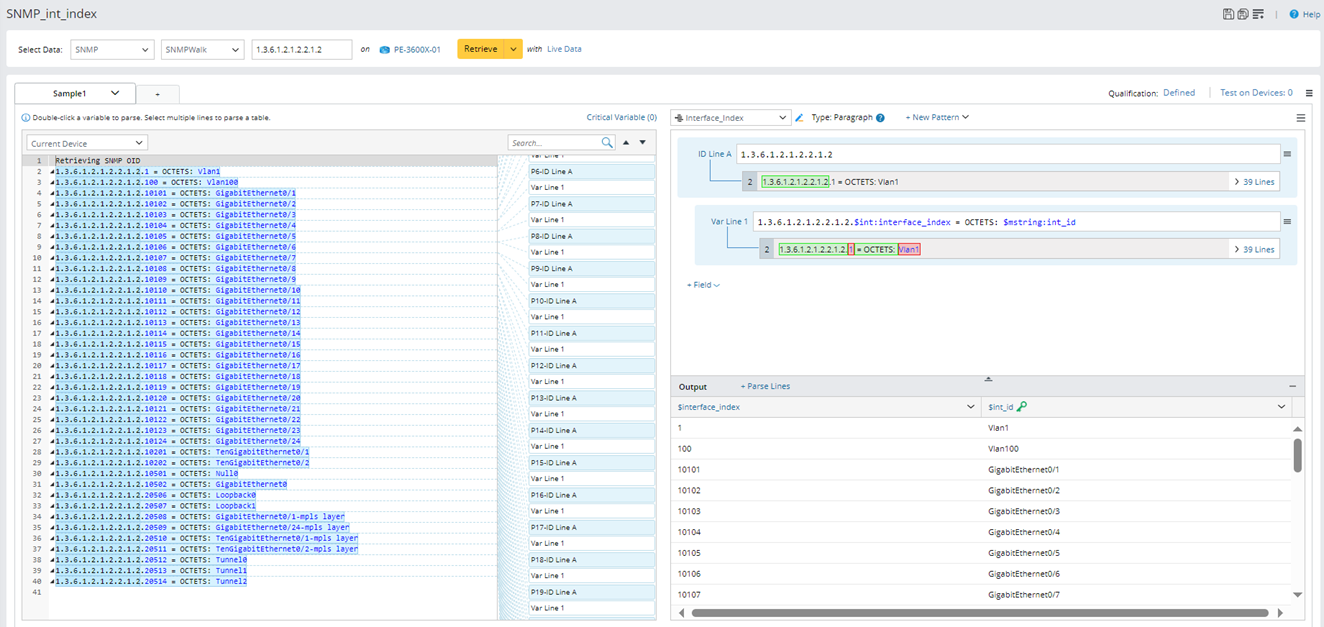
To define an SNMP parser, follow the steps below.
- Click the
 icon on the taskbar and select New Parser.
- In the Select Data list, select SNMP.
- Select an SNMP method (e.g., SNMPWalk), then input the SNMP OID (e.g.,1.3.6.1.2.1.2.2.1.2).
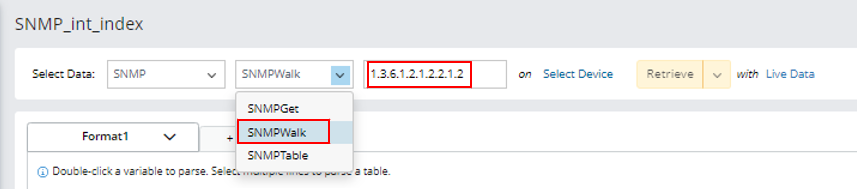

Note: Only the SNMP method SNMPGet supports multiple OID inputs, while SNMPWalk and SDNMPTable support single OID. If there are more than one OID inputs, separate them with “||”. - Click Select Device, then select device that the SNMP parser applies to. Devices can be filtered by Device Type/Device Group/Site. You can also search for the required device.
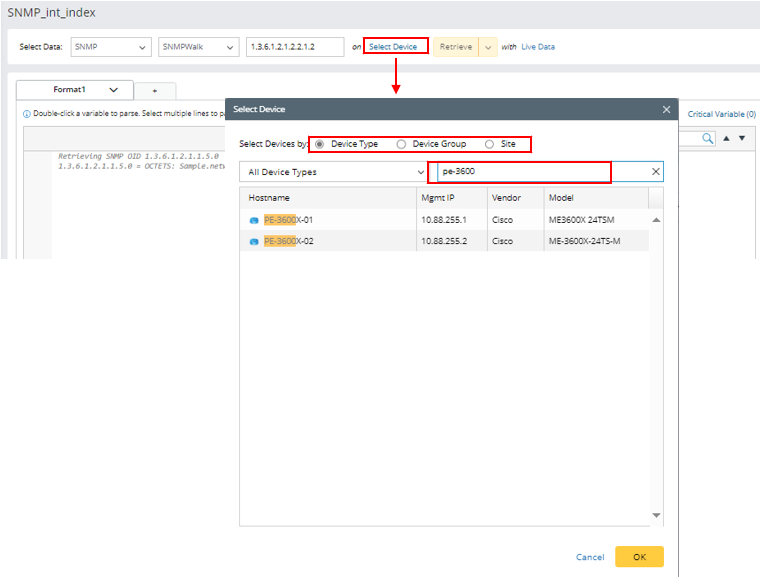
- Retrieve data: Click Live Data and select the data source for retrieving data. then click Retrieve. The SNMP sample data will be added to the Sample Text input pane.

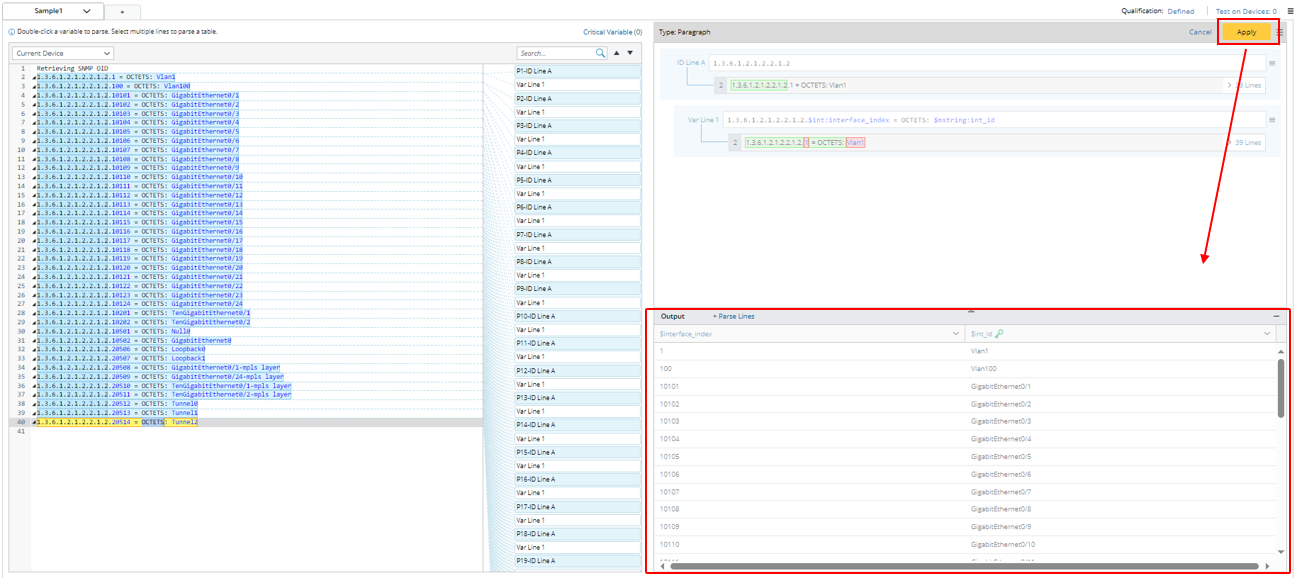
- Define line patterns for parsing variables (for the steps of defining a line pattern, refer to the steps in Define a Variable Parser/Define a Paragraph Parser/Define a Table Parser), then click Apply to apply the line patterns. You can check the parsed variable data in the Output pane.
- Click
 to save the parser.