10.1.9 JA Publication
Comparing Historical CLI Command Results
-
Click
 in the Device Details pane to open the Compare window for CLI Command Results.
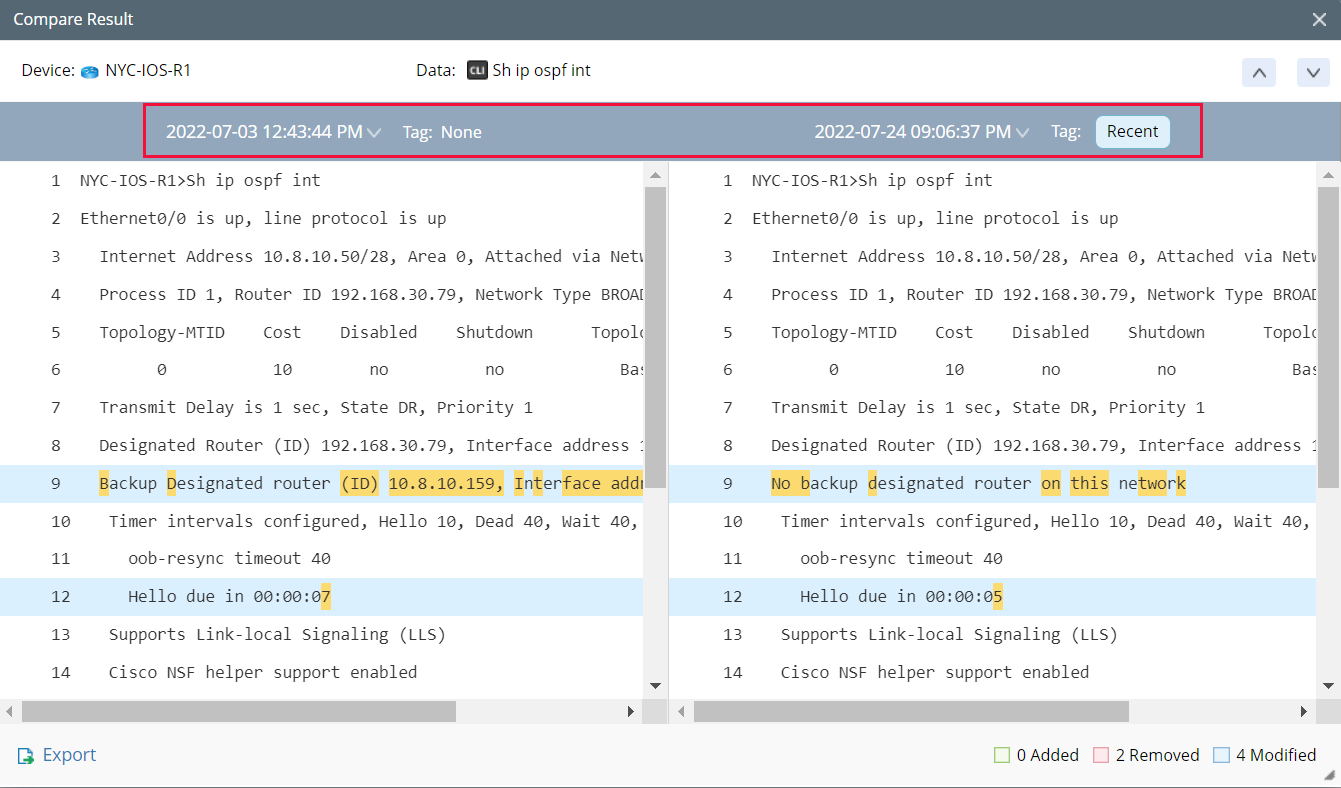
- You can select the CLI Command Results from different times to compare.
-
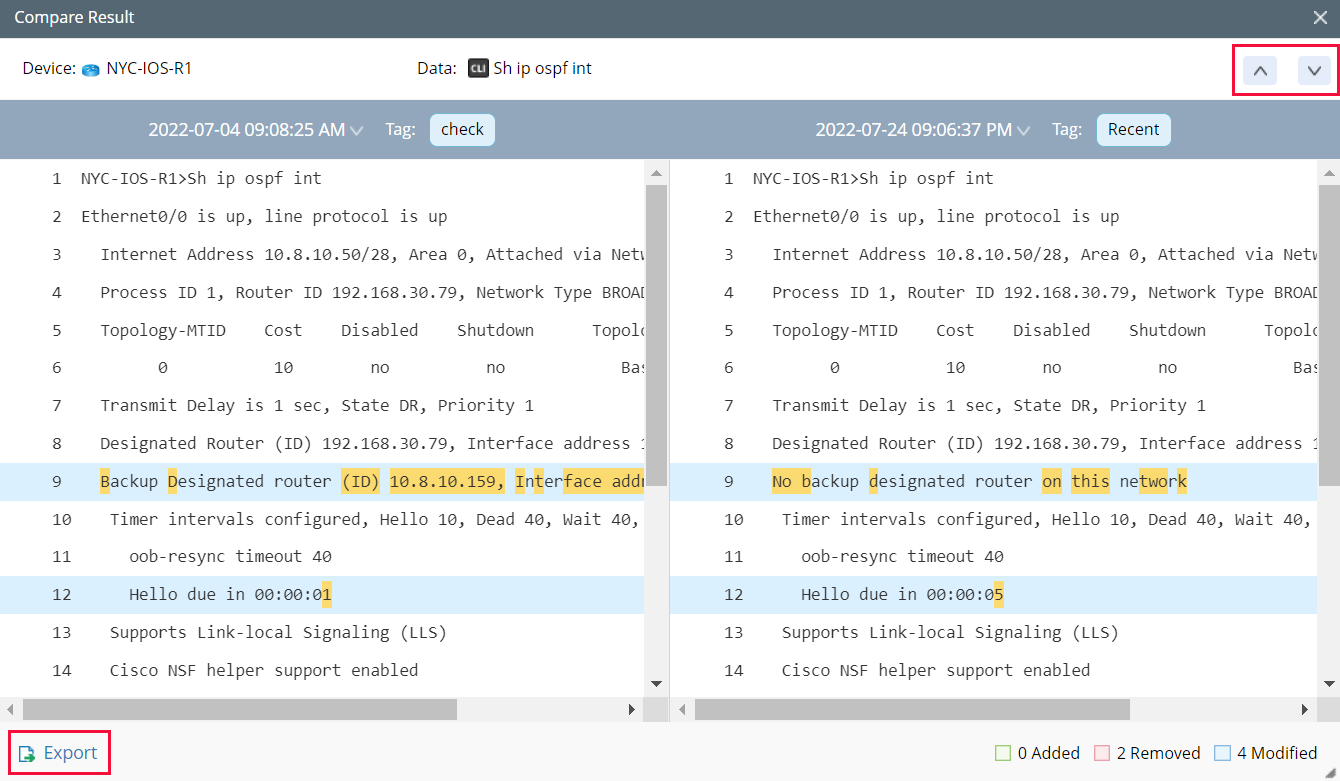
Use
 to find the next changed item. You can also export the comparison result.

|
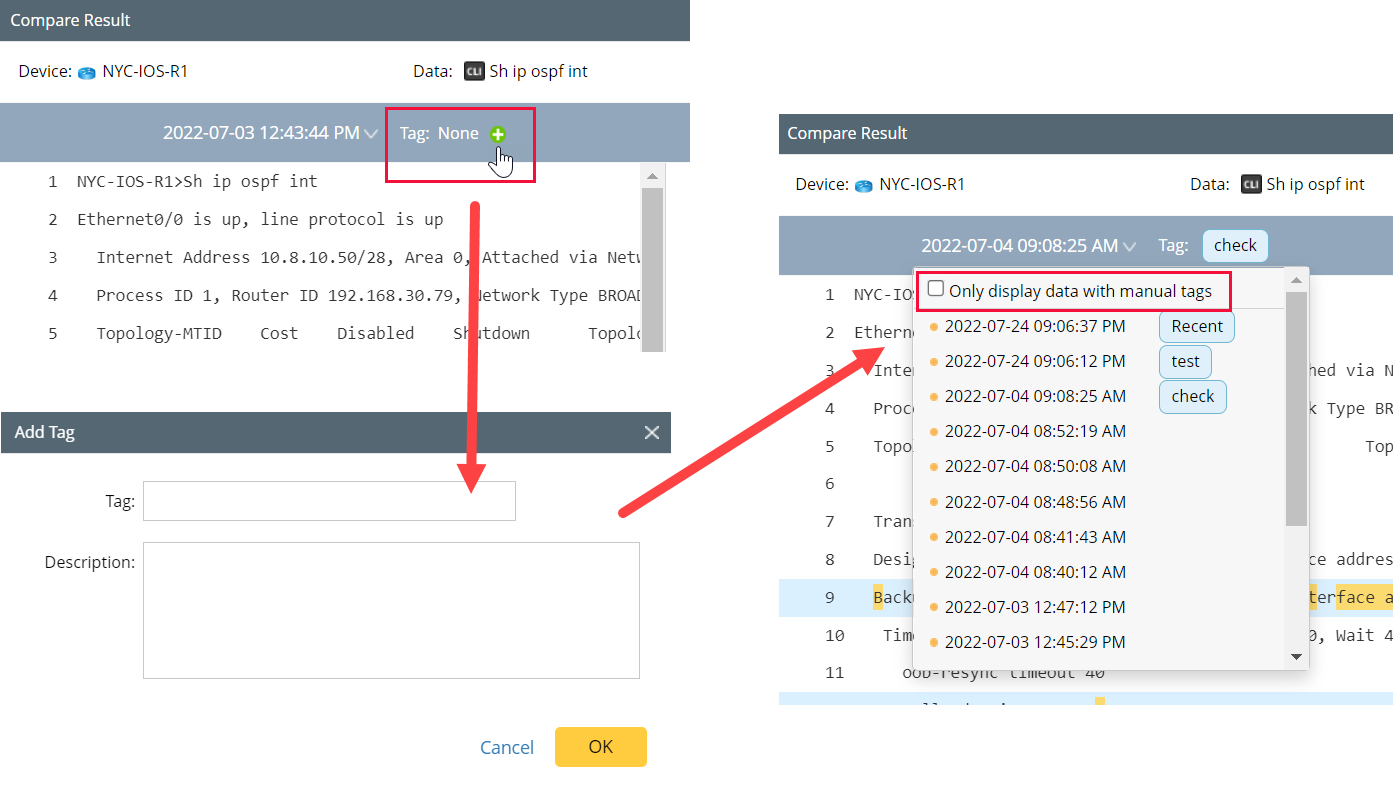
Tip: You can use the Manual Tag function to help you find the data you want. When you manually add tags to data, you can filter out the data with a manual tag. |