10.1.9 JA Publication
Enable GCP APIs
NetworkBrain IE system requires access to the following GCP APIs:
- Compute Engine API
- Cloud Resource Manager API
- Stackdriver Monitoring API
- Cloud Logging API
- DNS Reader
- Service Usage Viewer
- Cloud Resource Manager API
Follow these steps to enable the required API libraries:
- In the GCP Console, go to the API Library page.
- Search or browse the library to find the required APIs like Compute Engine API.
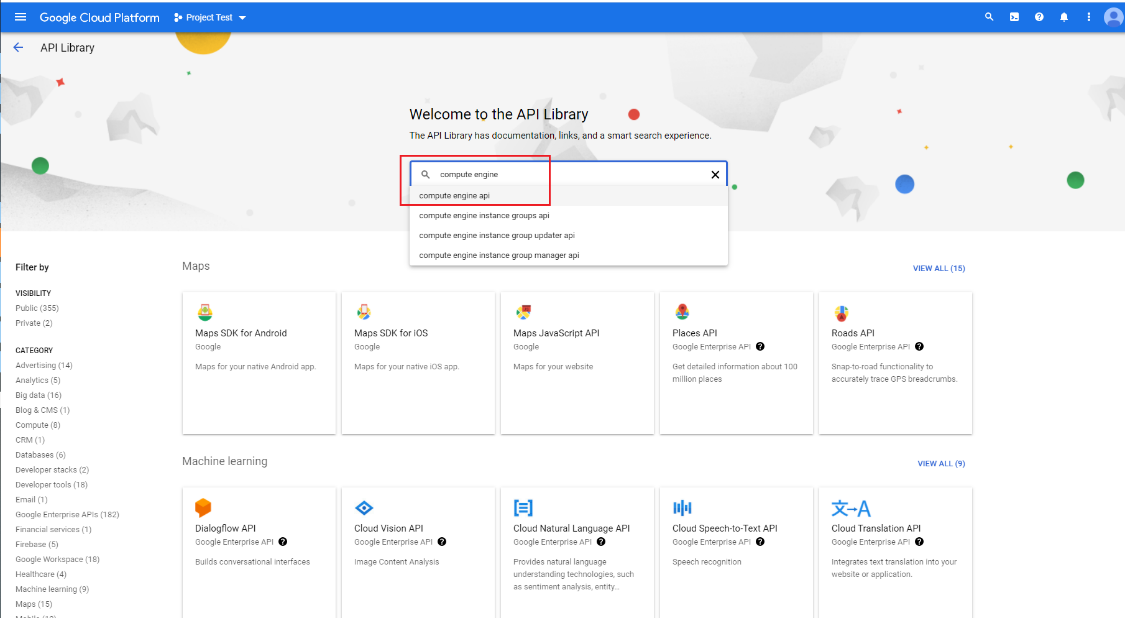
- Select Compute Engine API to open it. Click ENABLE.
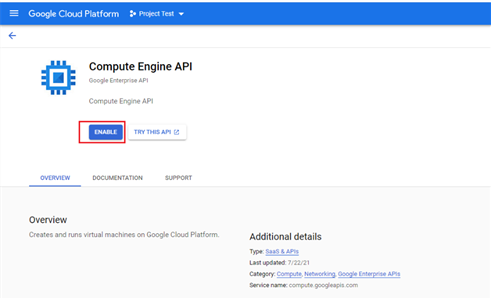
- Repeat steps 2 and 3 to enable all other required APIs.