10.1.9 JA Publication
Manage Triggered Automation
All the configured Triggered Automations are displayed and managed in Triggered Automation manager, including the intent clusters, intent templates and ADTs installed for triggered automation. The system allows to perform operations on the triggered automations in Triggered Automation Manager. 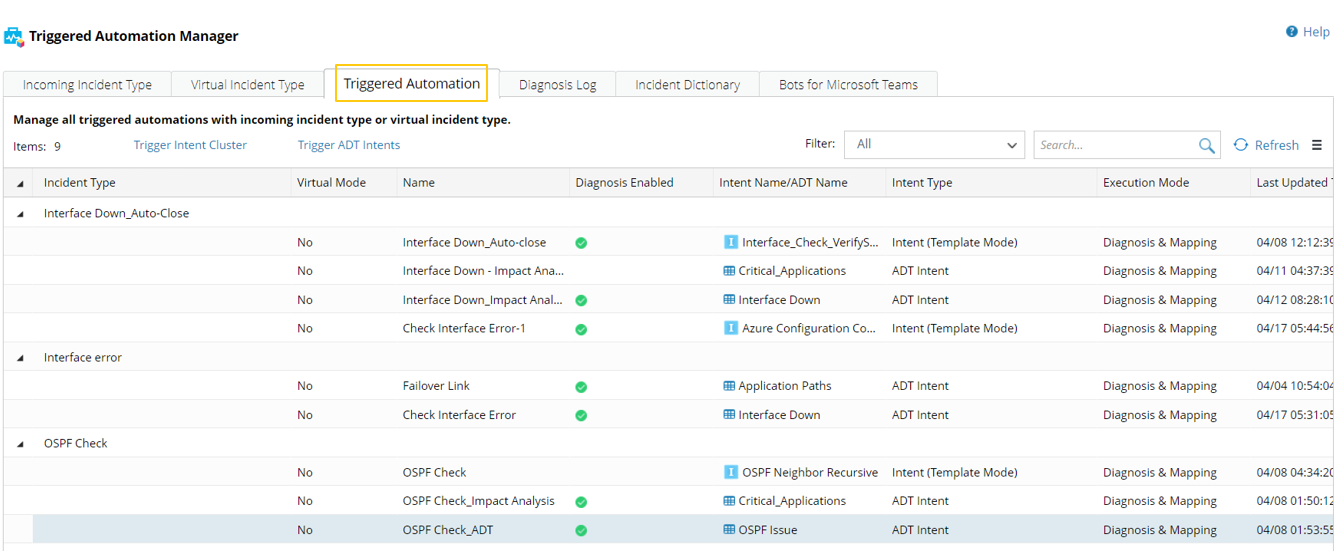
- Click
 and select Triggered Automation Manager.
 - Click the Triggered Automation tab to view all diagnoses.
- The Triggered Automation information is displayed in the form of a table.
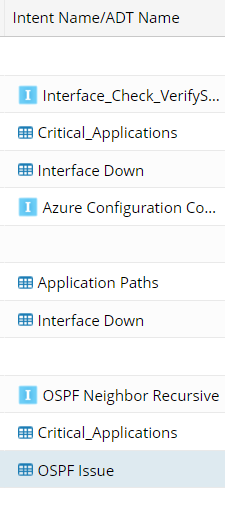
- In the Intent Name/ADT Name column, the Intent Clusters, Intent Templates and Intents for triggered automation are designated by the icon
 ; the ADTs for triggered automation designated by the icon
  .
.
- Select a diagnosis, click
 , then you can perform operations from the drop-down menu:
- Edit, Delete and Test the diagnosis.
- Save as the diagnosis, which will create an identical new diagnosis.
