10.1.9 JA Publication
Search for Paths
- Enter one of the following search terms in the search bar:
- path/application name
- IP address or hostname of the source, destination, or a hop device

Note: If a path is calculated with IP addresses, it cannot be searched out by hostname keyword, and vice versa.
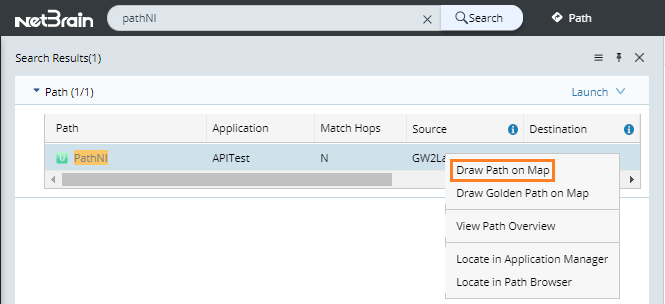
- Press the Enter key on your keyboard to start searching. The search results are displayed with the matched keyword highlighted.
- Right-click the target path entry and then select Draw Path on Map.
Note: You can also hover over the path in the IntelliSense and click Map to map the path directly. 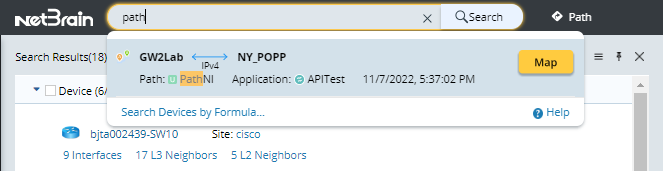
Note: If the path has not been calculated, the map will be blank.
See also: