10.1.9 JA Publication
Searching for Sites
There are 2 ways to search for Sites: from Global Search, and from the Site taskbar.
From Global Search:
- Enter keywords of the Site in the Global search bar, and click Enter to start searching.

Note: Global Search doesn’t support Site Name search, but supports Site device name search.

2, By default, device results will be shown first. Click  to close the dropdown list and open the Site dropdown list.

From Site Taskbar.
- Click the Taskbar and open Site.
- Enter a Site name in the Site search bar to locate a site.
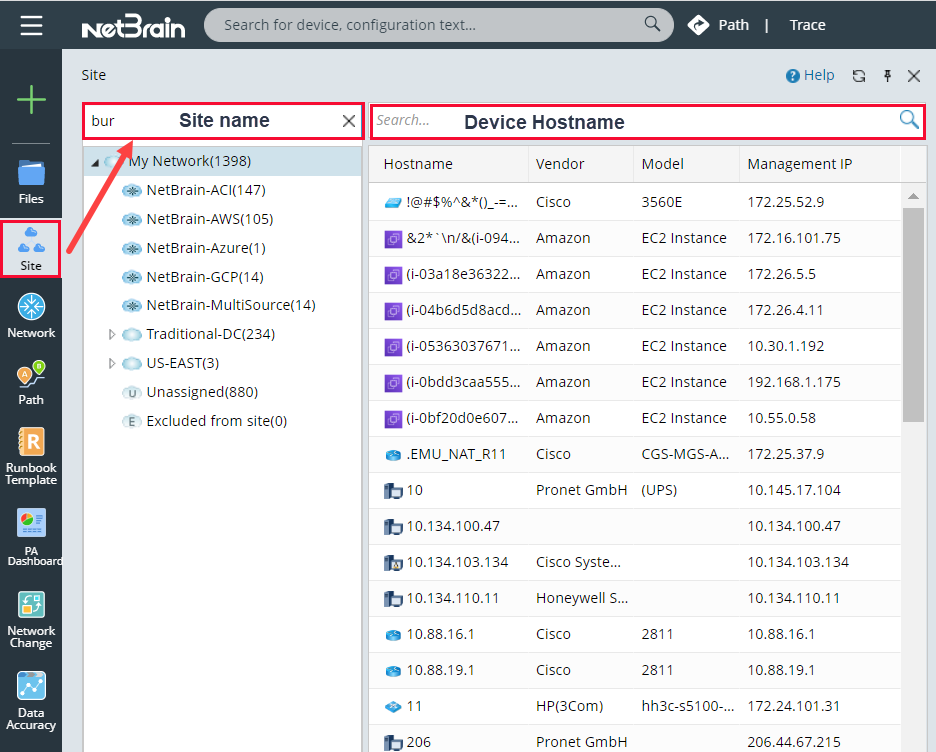
Tips: if you want to search a device by the hostname, enter the partial or full hostname in the Search Bar at the top of the devices (right pane). - Press the Enter key on your keyboard to start searching. The search results are displayed with the matched keyword highlighted.