View Device Log
1.In the View Result window, click the  icon in the target entry. By default, the devices with data retrieval failures are listed.

|
Tip: To show other devices, select a category from View drop-down list. |
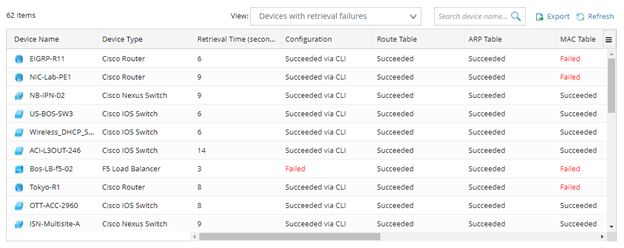
2. Click on the target device entry to troubleshoot with the detailed live access log at the bottom.
3. For devices with live access issues, right-click on the target device and select Shared Device Settings in the drop-down list. In the Shared Device Settings window, adjust the network settings and tune the device until the live access is successful.
4. For decommissioned devices, press the ctrl key to multi-select all decommissioned devices. Then right-click on the target device and select Create Device Group in the drop-down list. You can delete those devices by device group or exclude them from the Benchmark device scope using Exclude Device Groups.