10.1.9 JA Publication
View L2 Topology for a specific device
1.Click Data Accuracy Wizard on the left Menu Bar from the Desktop.
2.Click  icon right after the Device Name, and search for the device you want to view.
3.Click on Topology tab and then click on L2 Topology.
Under L2 Topology Tab, the table shows all the L2 Neighbors that belong to the current device.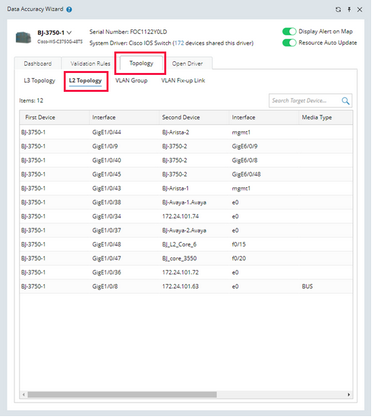

|
Note: For multi-ports connections, this table will display them via several port-to-port links. |