2023-Nov-03-R11.1a
Browsing CLI Command Outputs in Device Details Pane
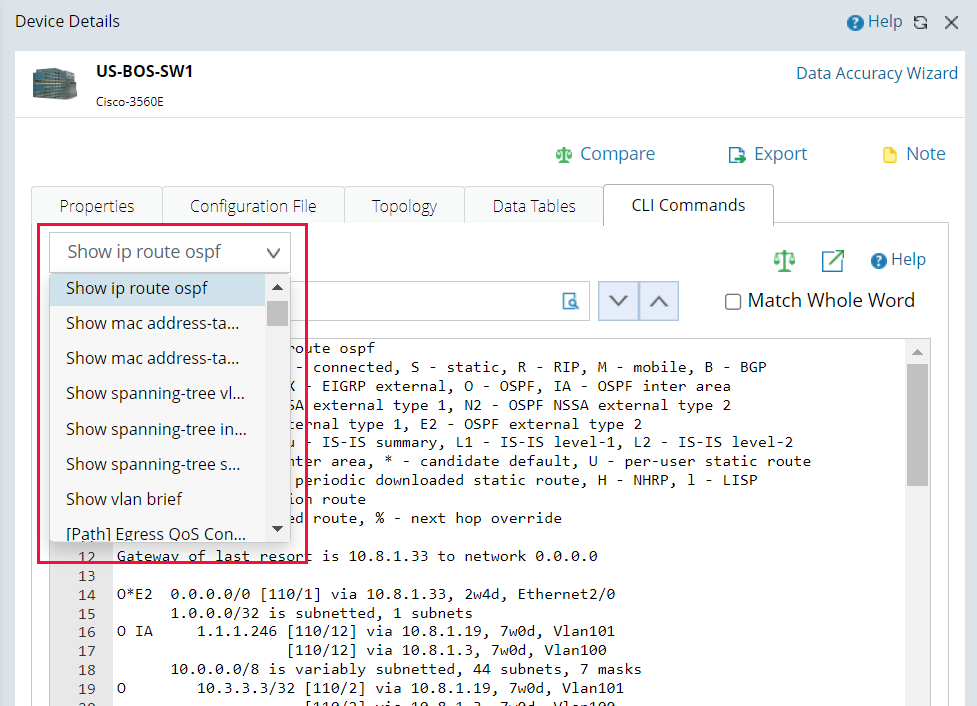
- In the Device Details pane, select the CLI Commands tab. The outputs of the first CLI command saved in the Current Baseline for the target device are displayed by default.
- Select another CLI command from the drop-down list to navigate to its outputs.

|
Tip: The CLI command outputs saved in the Current Baseline can be customized in a scheduled benchmark task. To add more CLI cmd to the device, go to benchmark and load the CLI Template accordingly. See Benchmark Task Settings and CLI Command Template for more details.
|