2023-Nov-03-R11.1a
Clickable Status Code
You are allowed to click the status code to view the diagnosis details, which is also a key function of intent. You can view more information here, auch as when this intent was executed.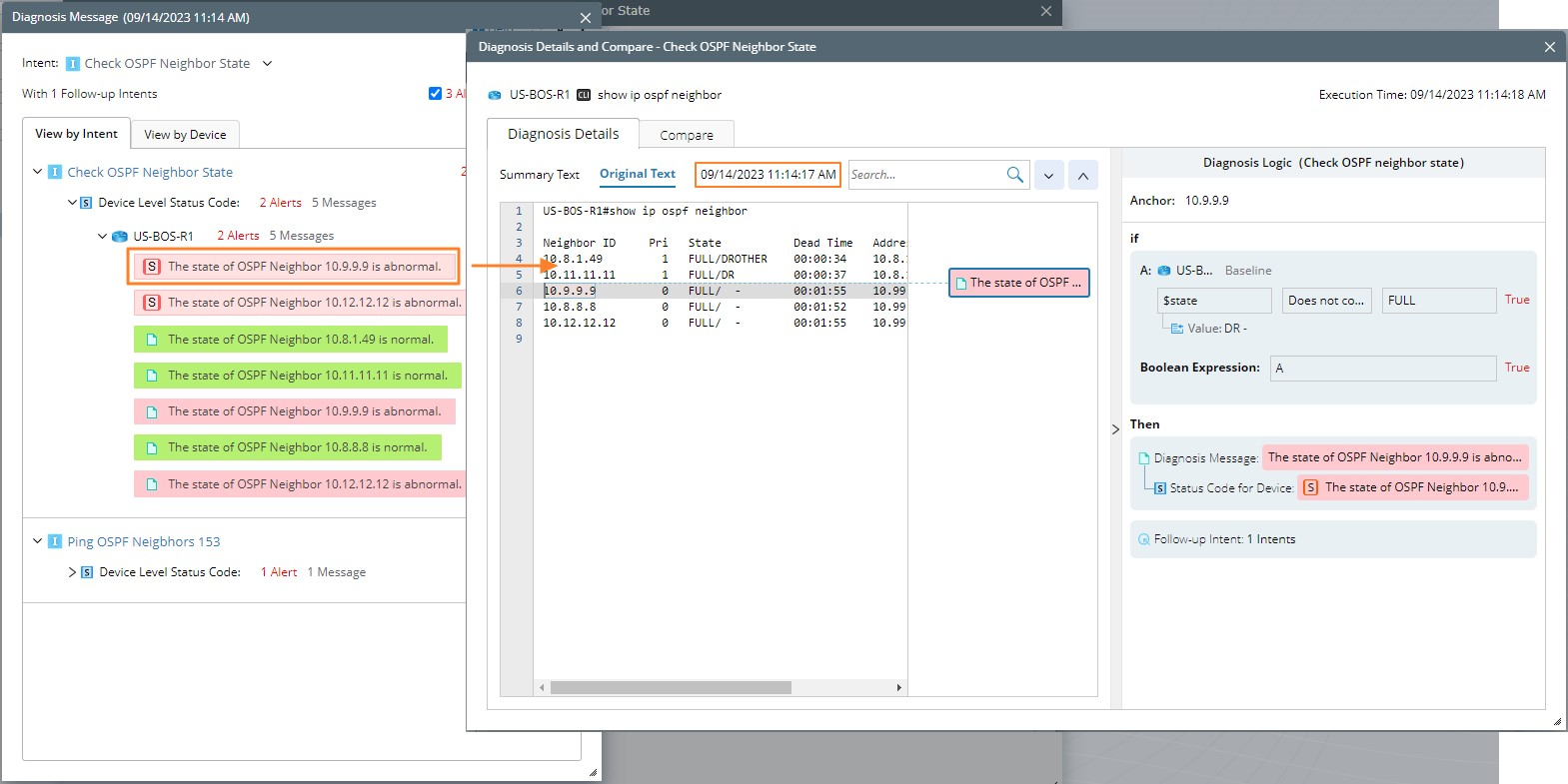
If the status codes are generated from the device/intent diagnosis block without command, the details are as follows (do not include the CLI texts on the left side as in the image above):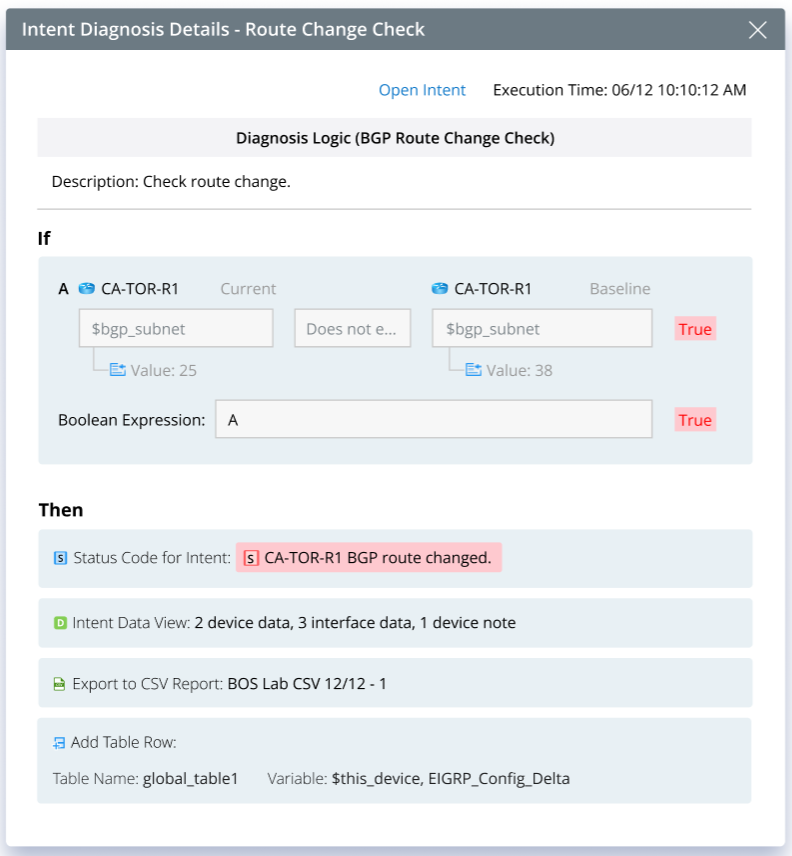
You can open the diagnosis details dialog from the following two entrances:
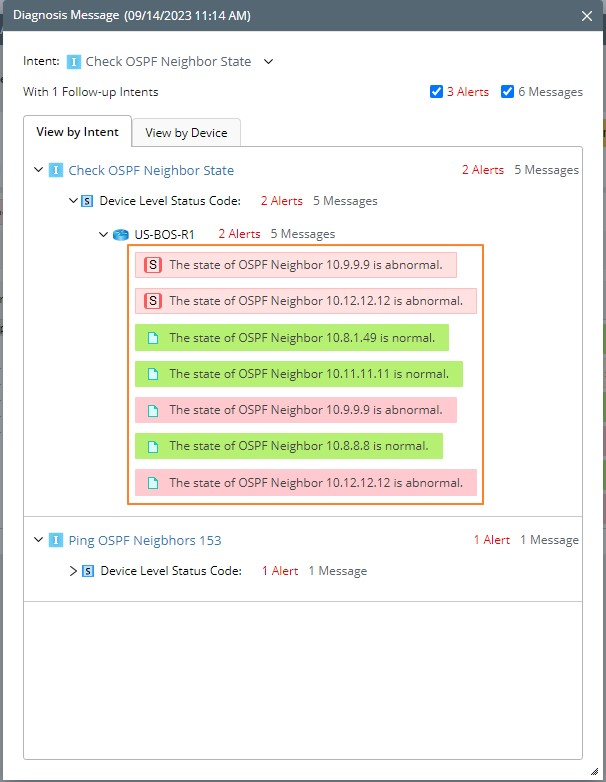
- From the diagnosis message in NI results.
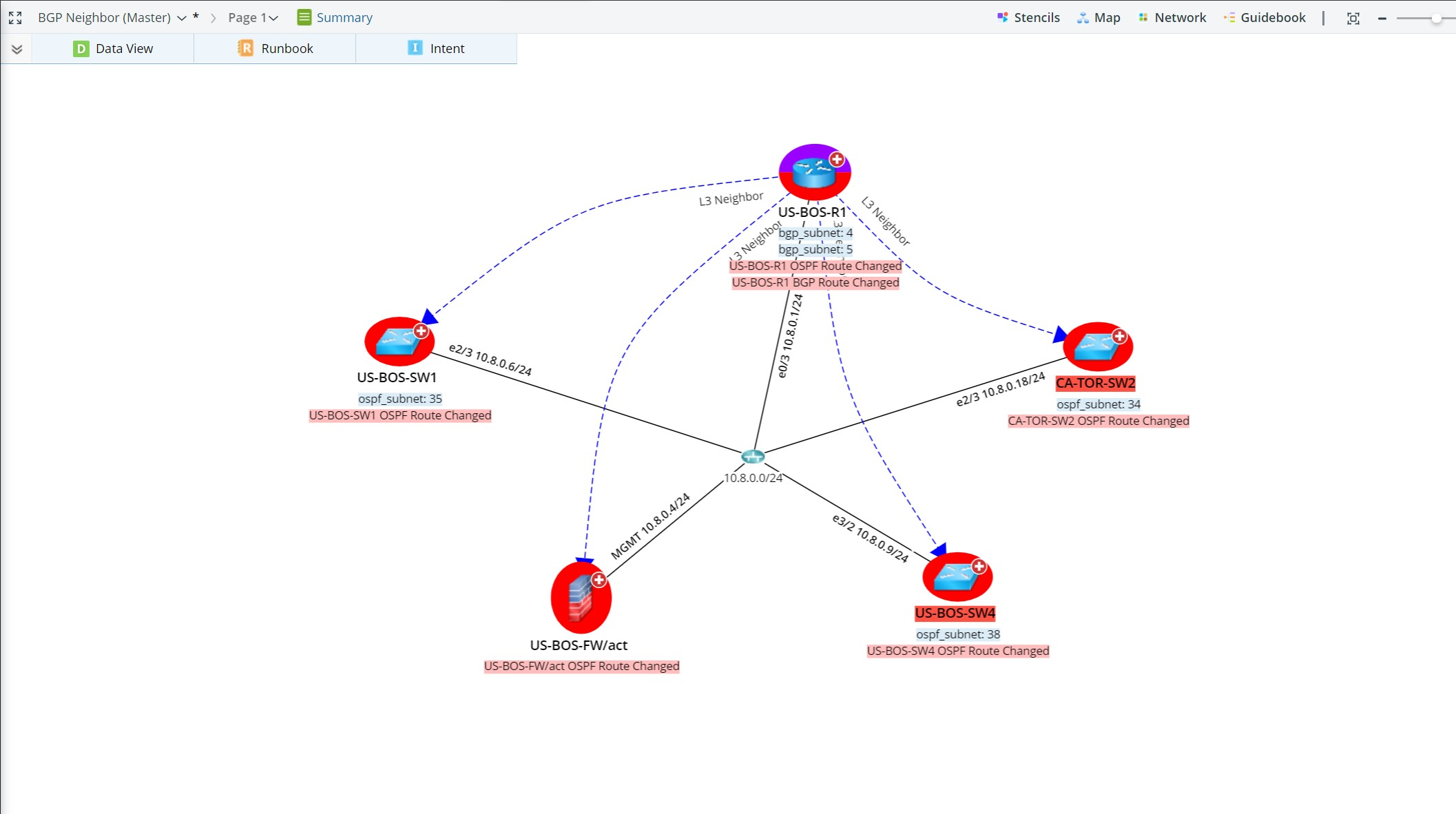
- From the status codes on map data views.