2023-Nov-03-R11.1a
Configure Change Analysis Settings
To determine which data types are monitored by Change Analysis, complete the following steps to configure the Change Analysis Settings.

|
Note: Only the users with Domain Management privilege can modify the CA Settings. |
- Log in to the Domain Management Page.
-
On the Domain Management page, click the start menu
 and select Change Analysis Settings.
-
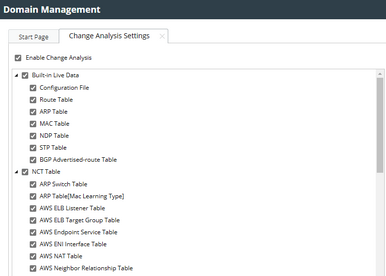
In the Change Analysis Settings pane, configure the following settings:
- Check the Enable Change Analysis check box to enable the Change Analysis. If not enabled, NetBrain will not monitor or record any data changes for Change Analysis Report.
-
Select the data type from the list. See Live Data for more details about the available data.
- Click Save.
|
|
Tip: Change Analysis Settings can also be launched by clicking Go to Change Analysis Settings in the CA Report interface.
|
