2023-Nov-03-R11.1a
Create/Edit New Template
-
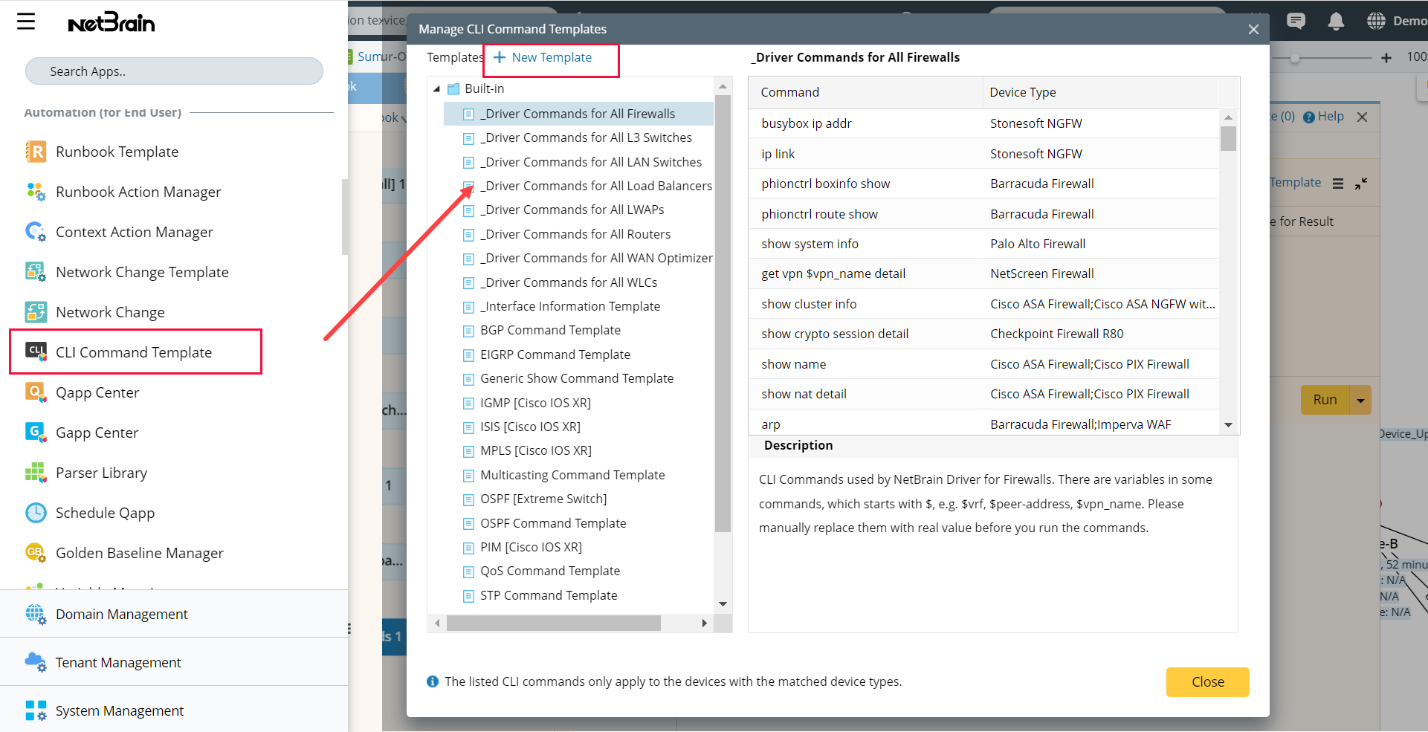
Click Desktop Menu
 and open CLI Command Template from the menu. Click
  to create a new CLI template.
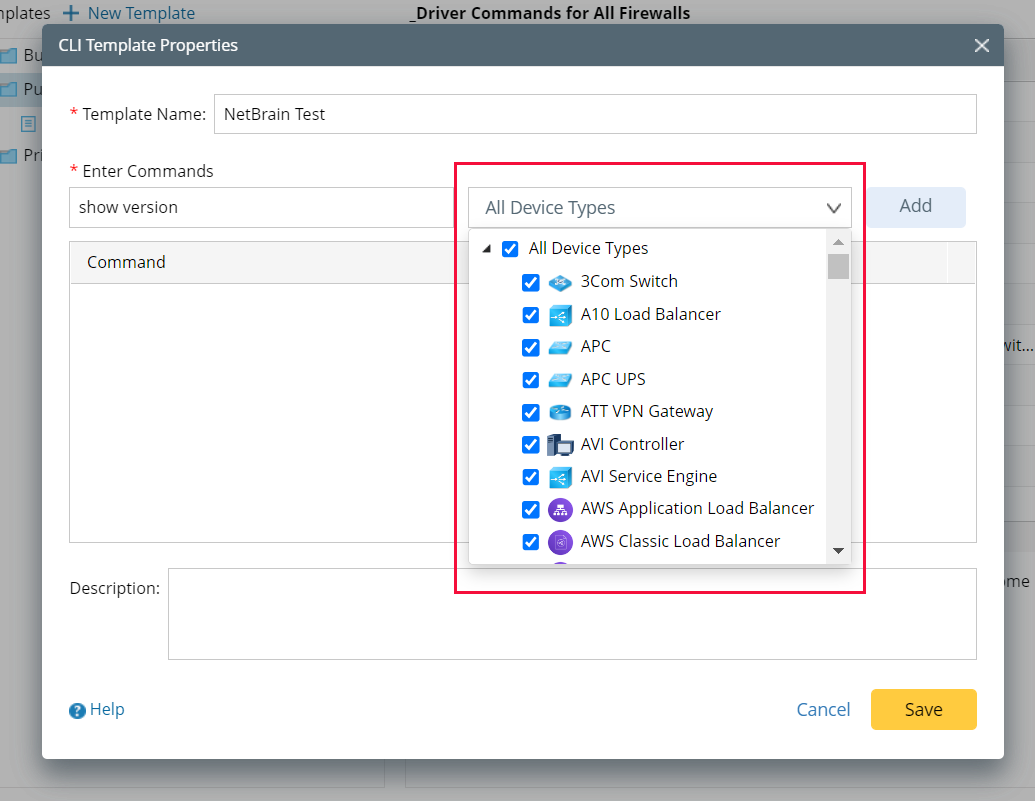
- Define the Template Name and enter the commands. You can select which device types you would like the commands to apply. Different types of vendors have different types of CLI commands and ensure you enter the correct CLI commands for your selected device type.
- Click Add to add the commands to the template. You can add multiple commands within a single template.

|
Note: You can add different device types for a single CLI command in different templates. When you add duplicate commands by loading templates into a task, the device types defined in different templates will be combined.
|